

Gross Margin Report
It answers which categories and products earn you the most.
Before you start
- A plan that includes this report.
- The Reports · View permission.
Steps
1
Open the report
Open the drawer → Reports, then under Financial & Inventory, tap Gross Margin.

2
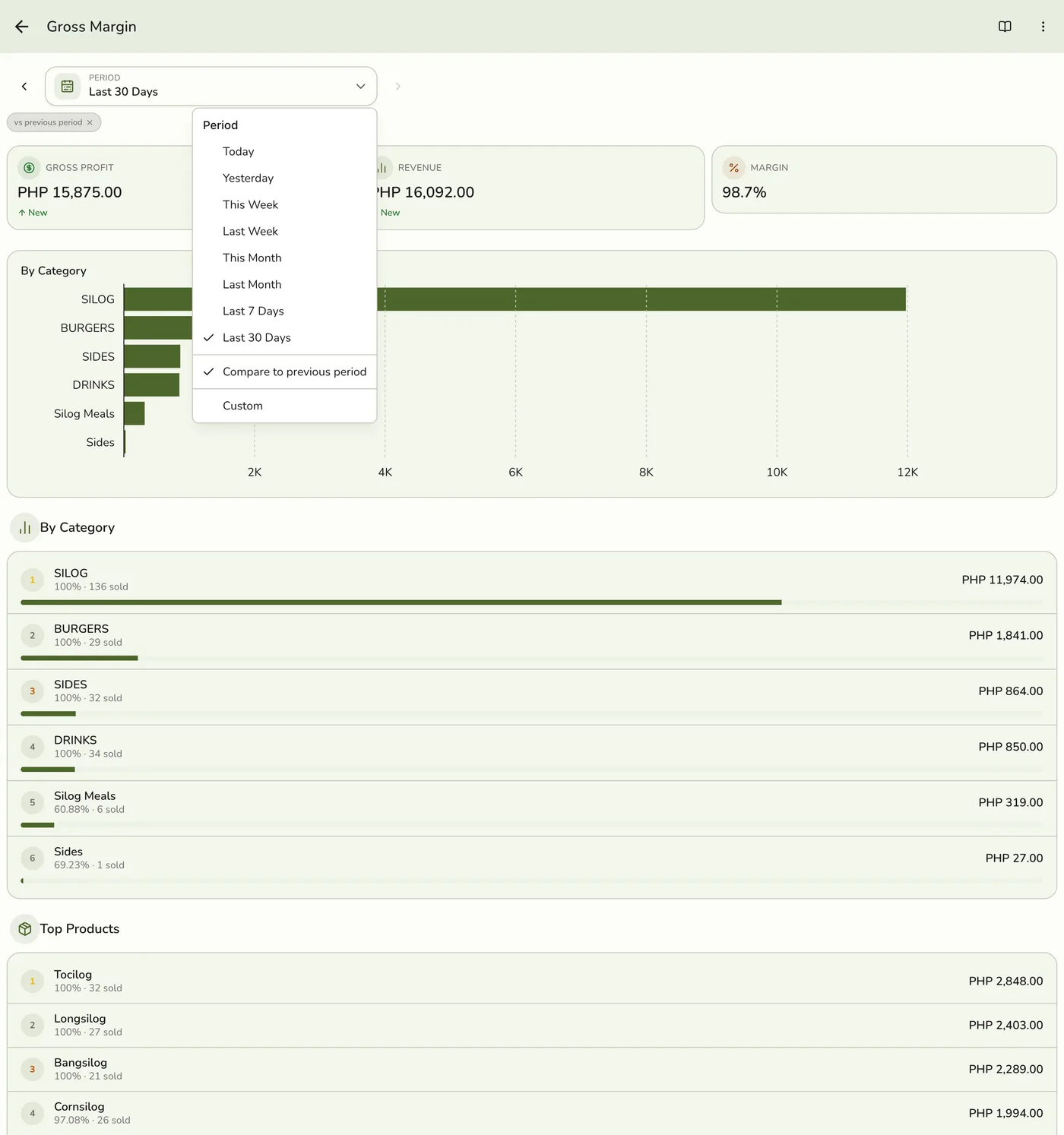
Pick a period
Tap Period and choose Today, Yesterday, This or Last Week, This or Last Month, Last 7 or 30 Days, or Custom dates. Weeks start on Monday and periods follow your store's time zone.
3
Read the figures and chart
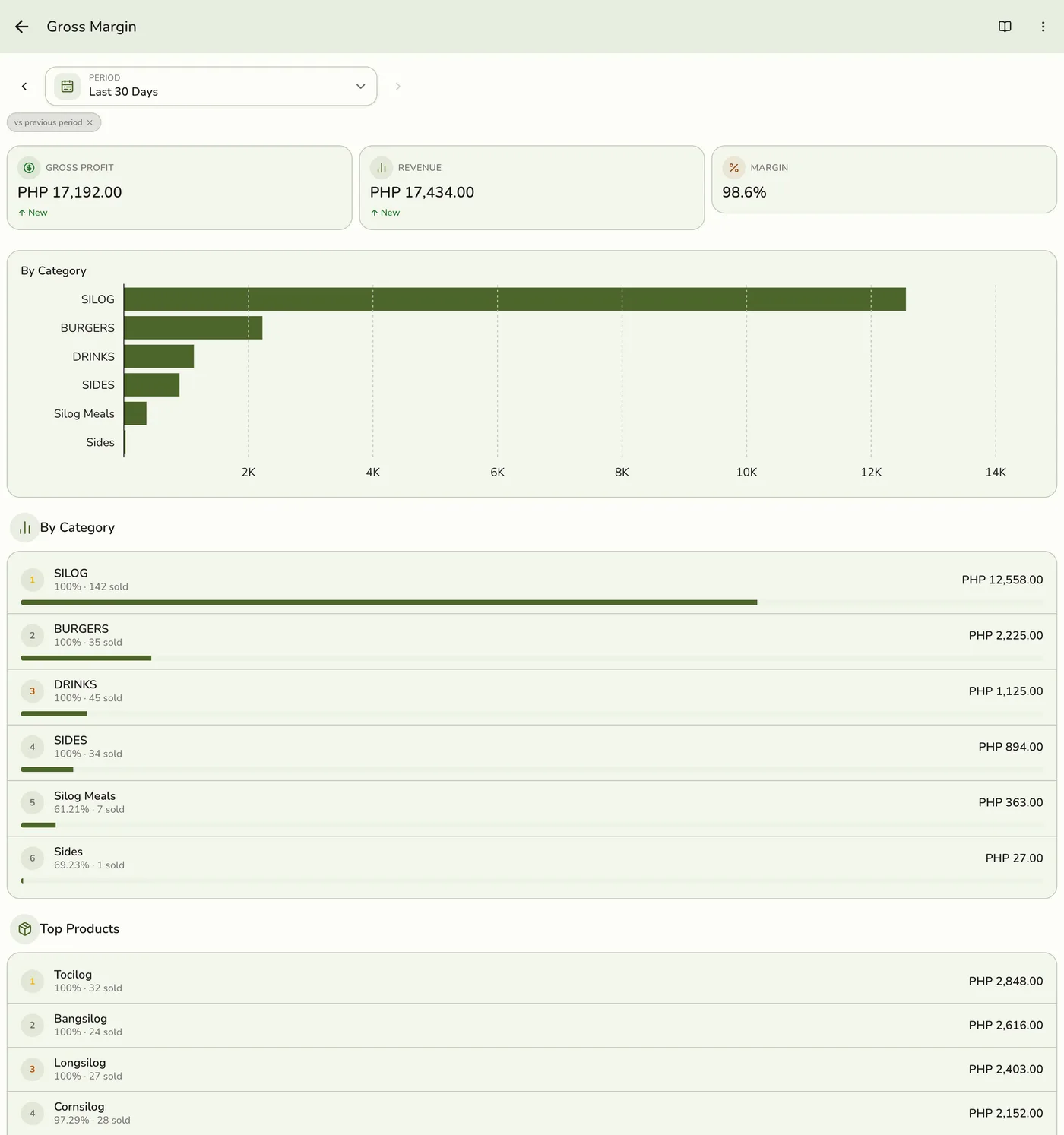
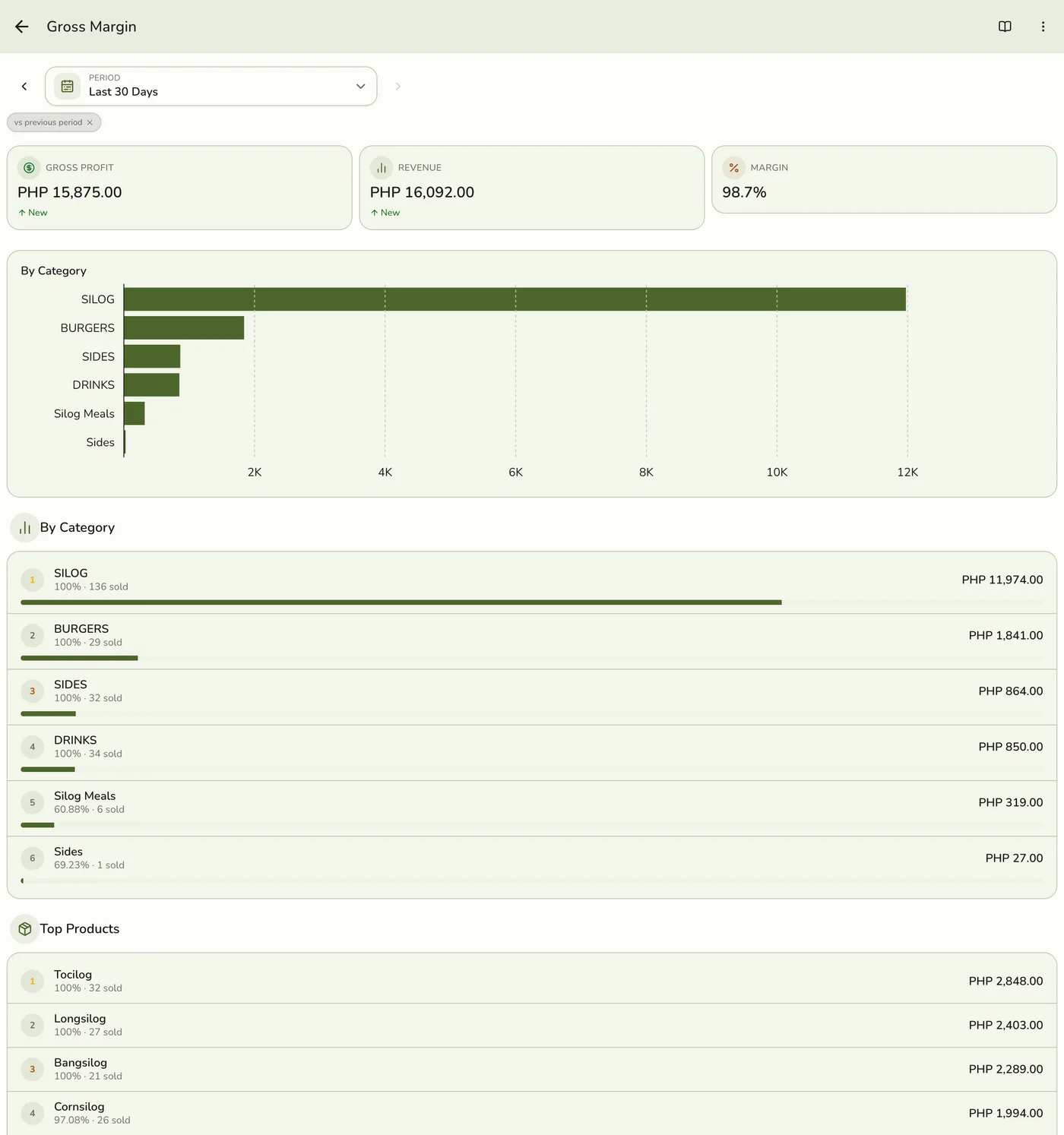
Gross Profit, Revenue, and Margin (gross profit over revenue, shown in points), with a chart of profit by category.
4
Read the lists
By Category: revenue, profit, margin and units, ranked by revenue. Top Products: the highest-profit items, with units and margin.
What happens next
- Only completed and closed orders count, at the moment they were completed. Pending, held, voided and cancelled orders are left out.
Edge cases
- Cost is what it was at the sale. Each sold line keeps its cost. A stocked item received with a cost through a purchase order or transfer uses its average cost at the store it was sold from. Any other item uses the catalog cost price.
- Items with no cost look infinitely profitable. A product with no cost reports 100 percent margin. Fill in cost prices, or receive stock through purchase orders, before pricing decisions.
- Refunds are not taken off, so profit here can be higher than the Sales report's gross profit. Revenue here is the item subtotal, which need not equal net sales.
- A product in several categories counts once, under the first by name, so category rows add up.
- Only completed and closed orders count, and voided lines are excluded.
- How every report works. The period, comparison and export controls are the same on every report. See How every report works.
Works with
| Add-on or plan | What changes on this page |
|---|---|
| Plan | The profit and retention reports need Standard and up. On Lite the card is hidden and the server refuses the report. |