

SMS Analytics Report
It needs both advanced reports on your plan and an active SMS add-on. Without the add-on the card does not appear.
Before you start
- The SMS add-on, and a plan with advanced reports.
- The Reports · View permission.
Steps
1
Open the report
Open the drawer → Reports, then under Notifications tap SMS Analytics.

2
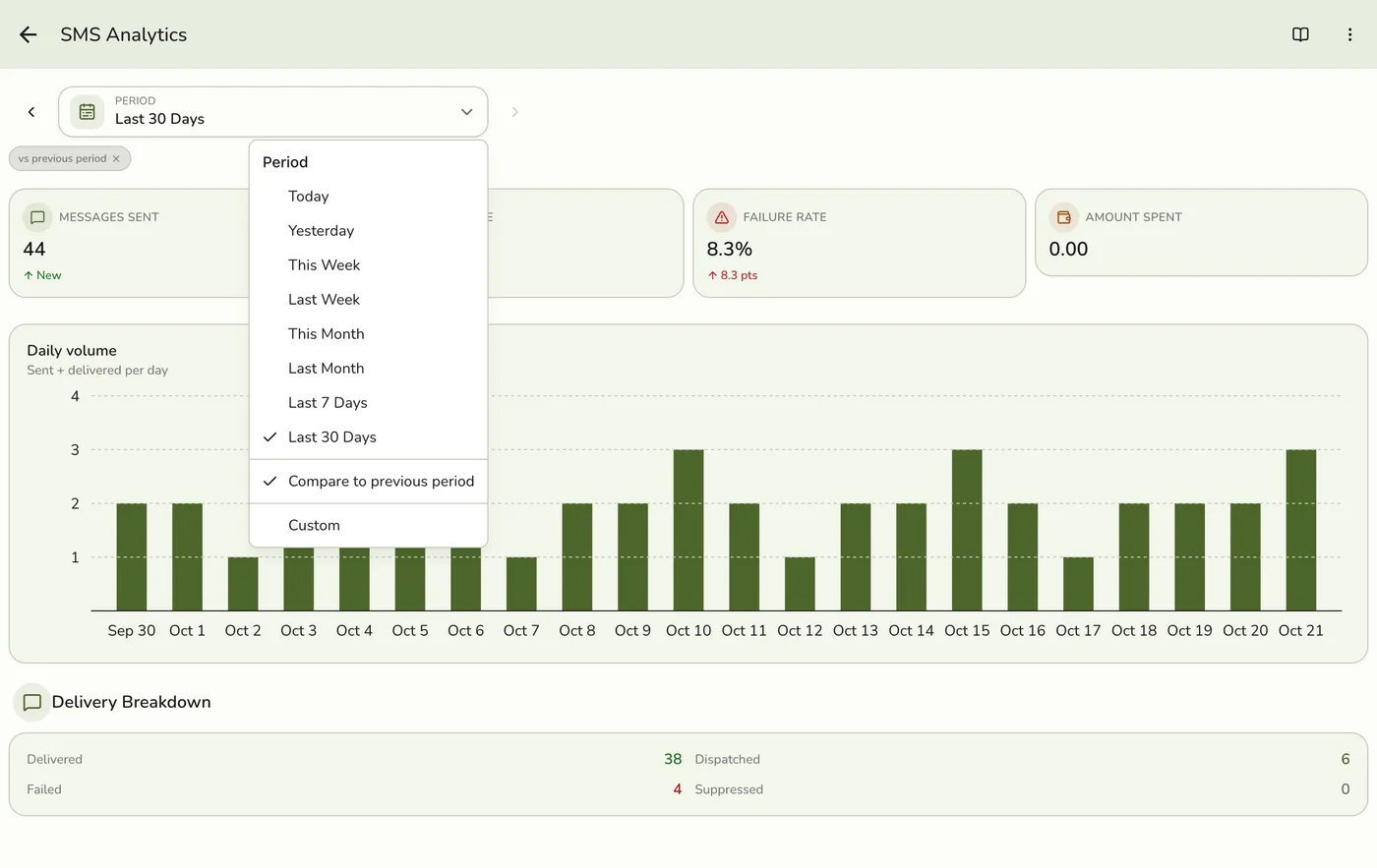
Pick a period
Choose a period. Periods follow your store's time zone and weeks start on Monday.
3
Read the figures
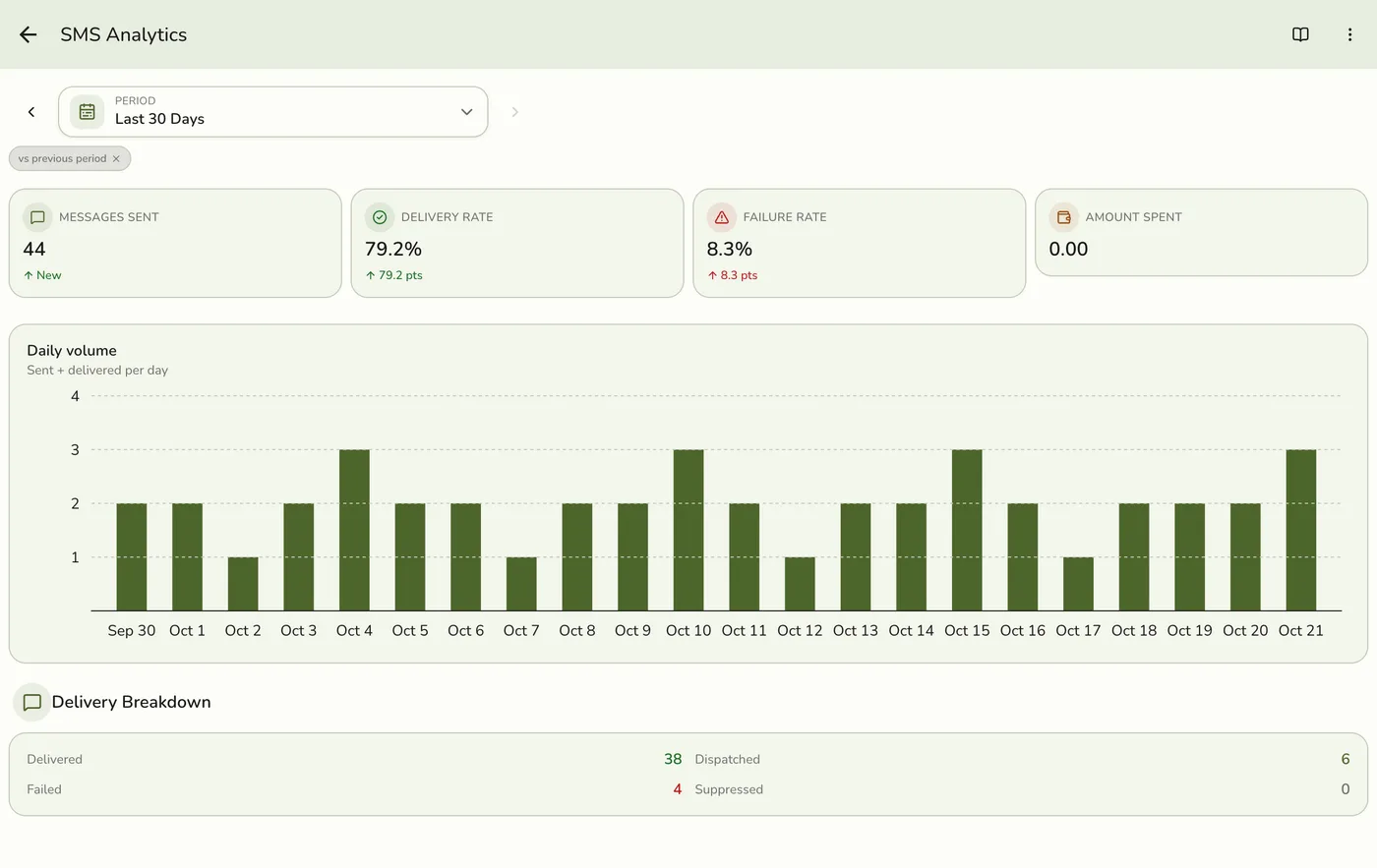
Messages Sent, Delivery Rate, Failure Rate and Amount Spent, a chart of messages sent each day, a Delivery Breakdown (delivered, dispatched, failed, suppressed) and Top Failure Reasons. The rates show their change in points.
What happens next
- Each figure comes with the window before it for comparison.
Edge cases
- Spend is in wallet points, where one point is one message segment. A long message costs more than one, so spend can outrun the message count.
- Amount Spent is hidden during early release, while points cannot be topped up. Volume and delivery figures are unaffected.
- Pooled wallets still report per store. If an organization funds SMS from a shared wallet, only this store's charges count. Org totals are on the organization's SMS hub.
- Suppressed messages were never sent. The recipient opted out or is on the suppression list.
- The send log keeps 90 days, so counts older than that are not available.
- No export yet. SMS Analytics has no Export.
- How every report works. The period, comparison and export controls are the same on every report. See How every report works.
Works with
| Add-on or plan | What changes on this page |
|---|---|
| Plan | Advanced reports need Lite and up. On Starter the card is hidden and the server refuses the report. |
| SMS Notifications add-on | Required. |
| Wallet | Spend comes from the wallet's completed charges. |