

Sales by Payment Methods Report
Use this to reconcile the drawer against e-wallet payouts, and to see which payment methods are worth keeping on.
Before you start
- A plan that includes this report.
- The Reports · View permission.
Steps
1
Open the report
Open the drawer → Reports, then under Sales & Revenue, tap Sales by Payment Methods.

2
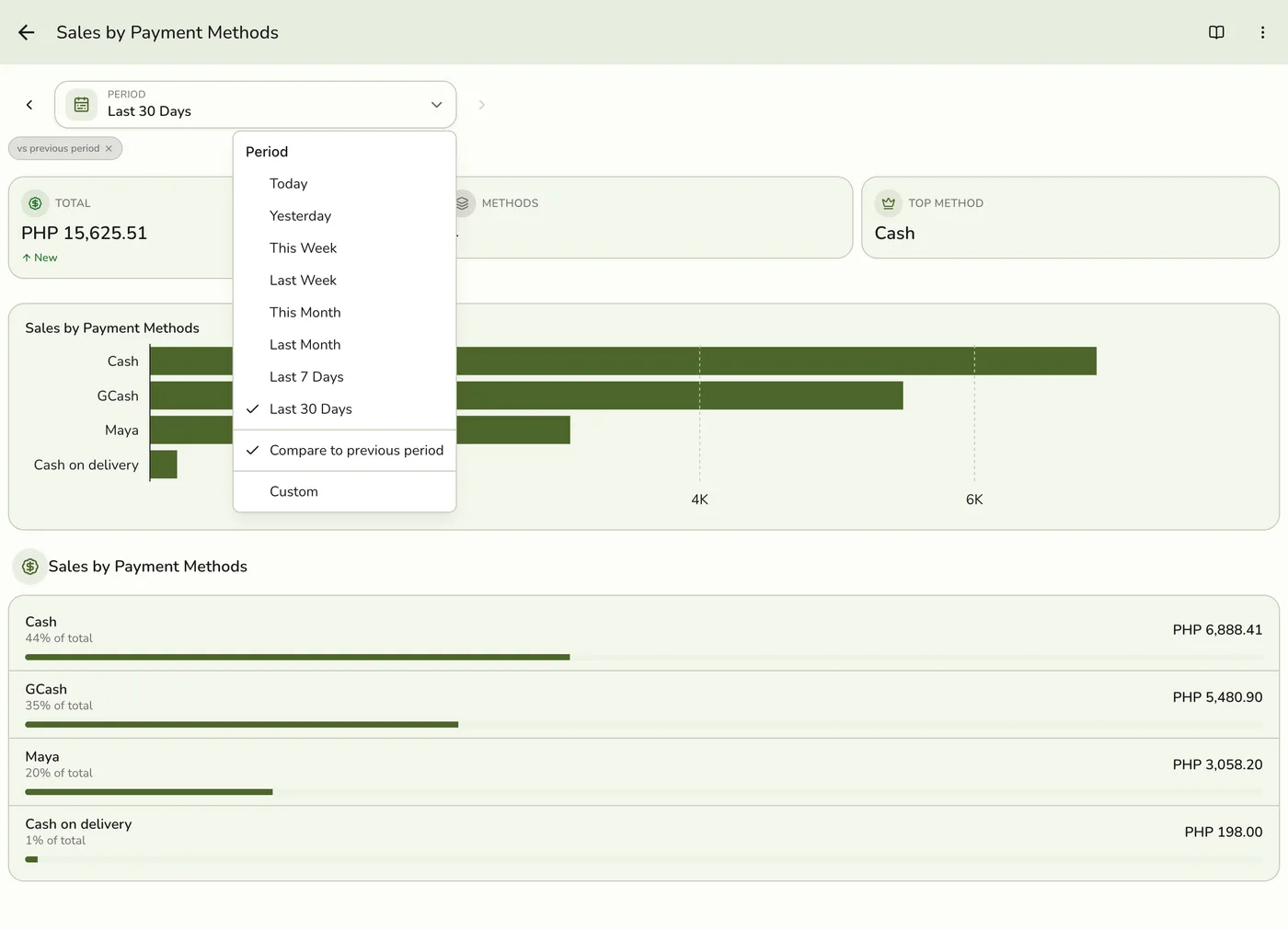
Pick a period
Tap Period and choose Today, Yesterday, This or Last Week, This or Last Month, Last 7 or 30 Days, or Custom dates. Weeks start on Monday and periods follow your store's time zone.
3
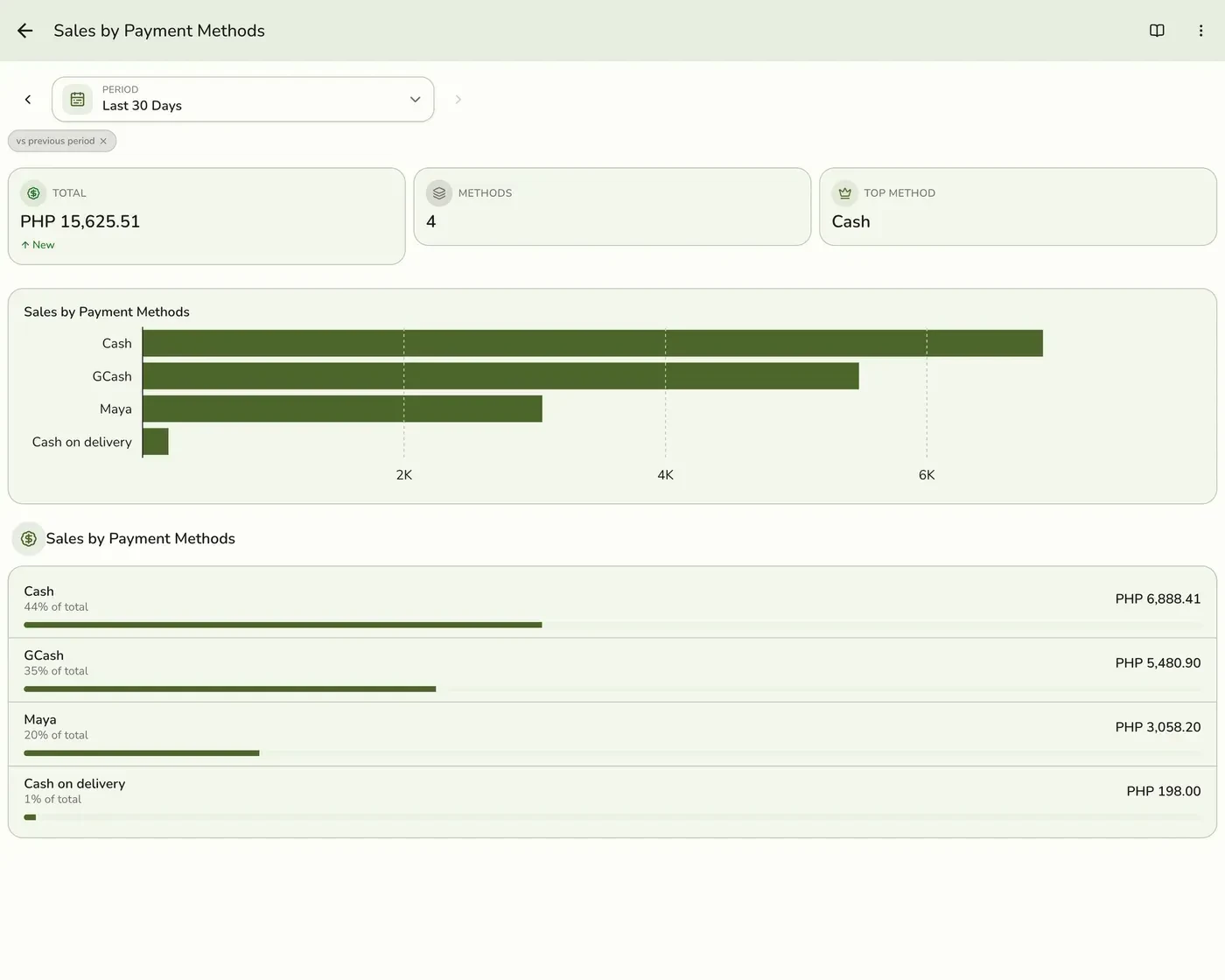
Read the figures
The Total, how many Payment methods were used, and the Top method, with a bar for each method.
4
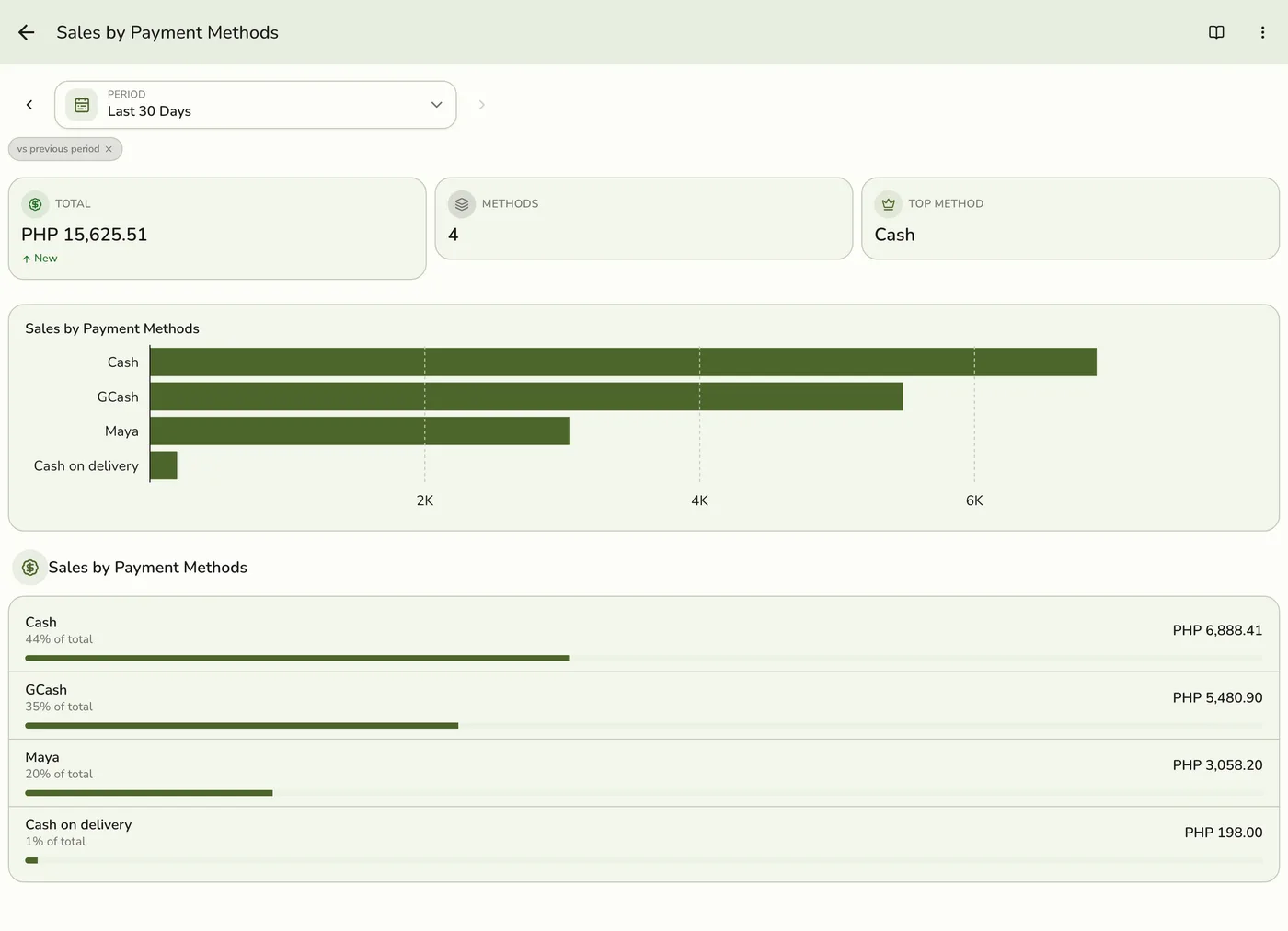
Read the rows
One row per method with its amount and its share of the total.
What happens next
- Only completed and closed orders count, at the moment they were completed. Pending, held, voided and cancelled orders are left out.
Edge cases
- What counts. Completed payments grouped by the method the cashier selected, dated by the transaction date. Pending and failed payments are left out.
- Cash is net of change. Cash rows show what the store kept, not what the customer handed over. The report subtracts change given back, so it agrees with the tender breakdown on the session Z-report.
- Refunds. A refund paid out from a method comes off that method's total.
- How every report works. The period, comparison and export controls are the same on every report. See How every report works.
Works with
| Add-on or plan | What changes on this page |
|---|---|
| Plan | Reports Basics need Starter and up. The free Basic plan has no Reports, only the Dashboard. |