

Discount Analysis Report
It shows what each discount cost you and how often it is used.
Before you start
- A plan that includes this report.
- The Reports · View permission.
Steps
1
Open the report
Open the drawer → Reports, then tap Discounts.

2
Pick a period
Tap Period and choose Today, Yesterday, This or Last Week, This or Last Month, Last 7 or 30 Days, or Custom dates. Weeks start on Monday and periods follow your store's time zone.

3
Read the figures and chart
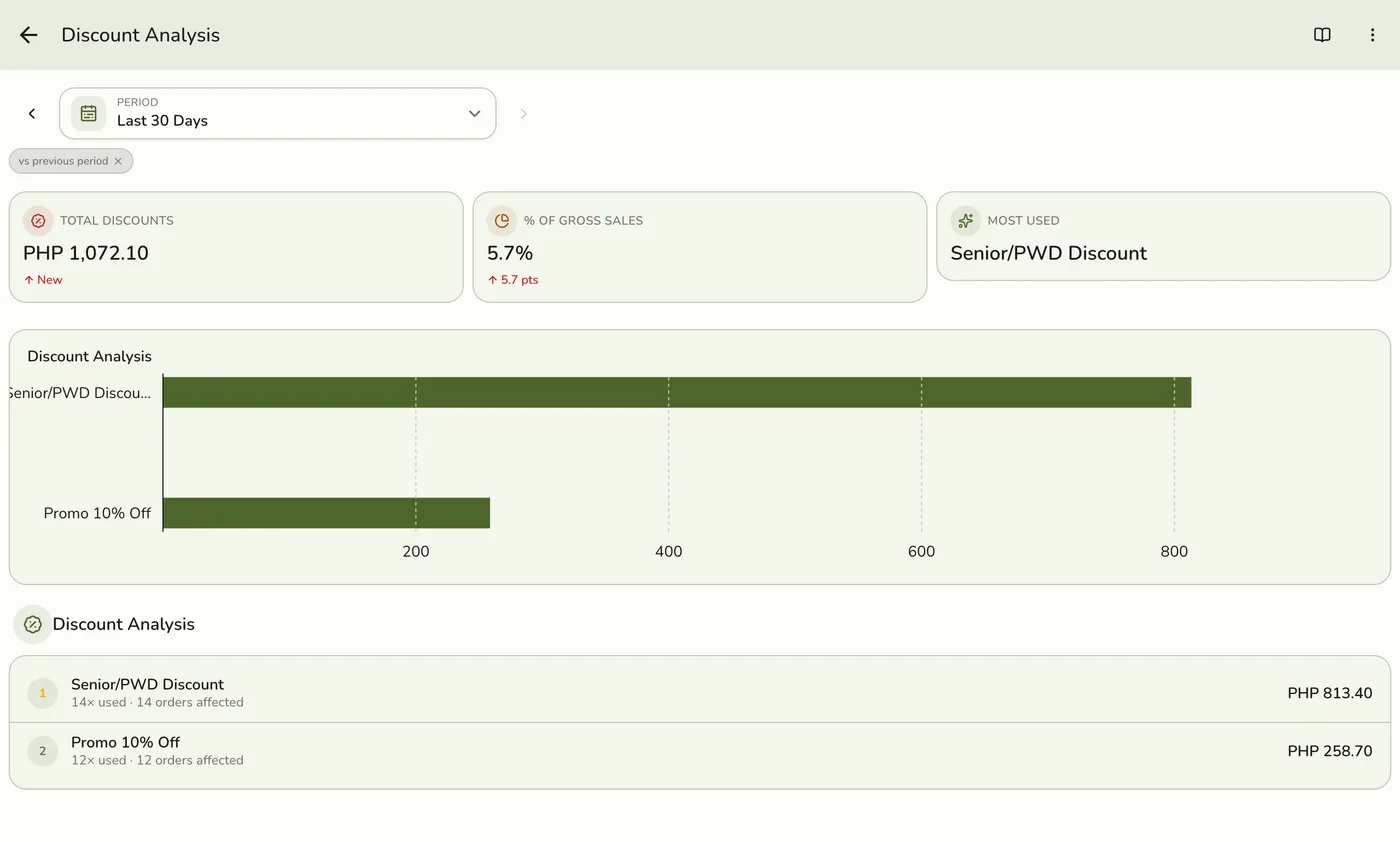
The total discounted, that amount as a share of gross sales, and the discount used most, with a chart of the ten biggest discounts.
4
Read the list
How often each discount was used and how many orders it touched.
Discount Analysis Report: read the list — screenshot coming soon
What happens next
- Only completed and closed orders count, at the moment they were completed. Pending, held, voided and cancelled orders are left out.
Edge cases
- The share is a percentage, so its change shows in points (pts). The base is gross sales: your sales of goods before discounts, with tax included, the same base as the Dashboard's discount rate.
- Two discounts on one order. Each counts its own part, and the total counts the order's discount once. Orders saved before this was recorded share their discount evenly between their discounts.
- Whole-order discounts on completed and closed orders are counted, merged by the name saved on the order.
- How every report works. The period, comparison and export controls are the same on every report. See How every report works.
Works with
| Add-on or plan | What changes on this page |
|---|---|
| Plan | Advanced reports need Lite and up. On Starter the card is hidden and the server refuses the report. |