

Sales Report
Sales is the main revenue report. It is a Basics report, on every plan that includes Reports.
Before you start
- A plan that includes this report.
- The Reports · View permission.
Steps
1
Open the report
Open the drawer → Reports, then tap Sales.

2
Pick a period
Tap Period and choose Today, Yesterday, This or Last Week, This or Last Month, Last 7 or 30 Days, or Custom dates. Weeks start on Monday and periods follow your store's time zone.

3
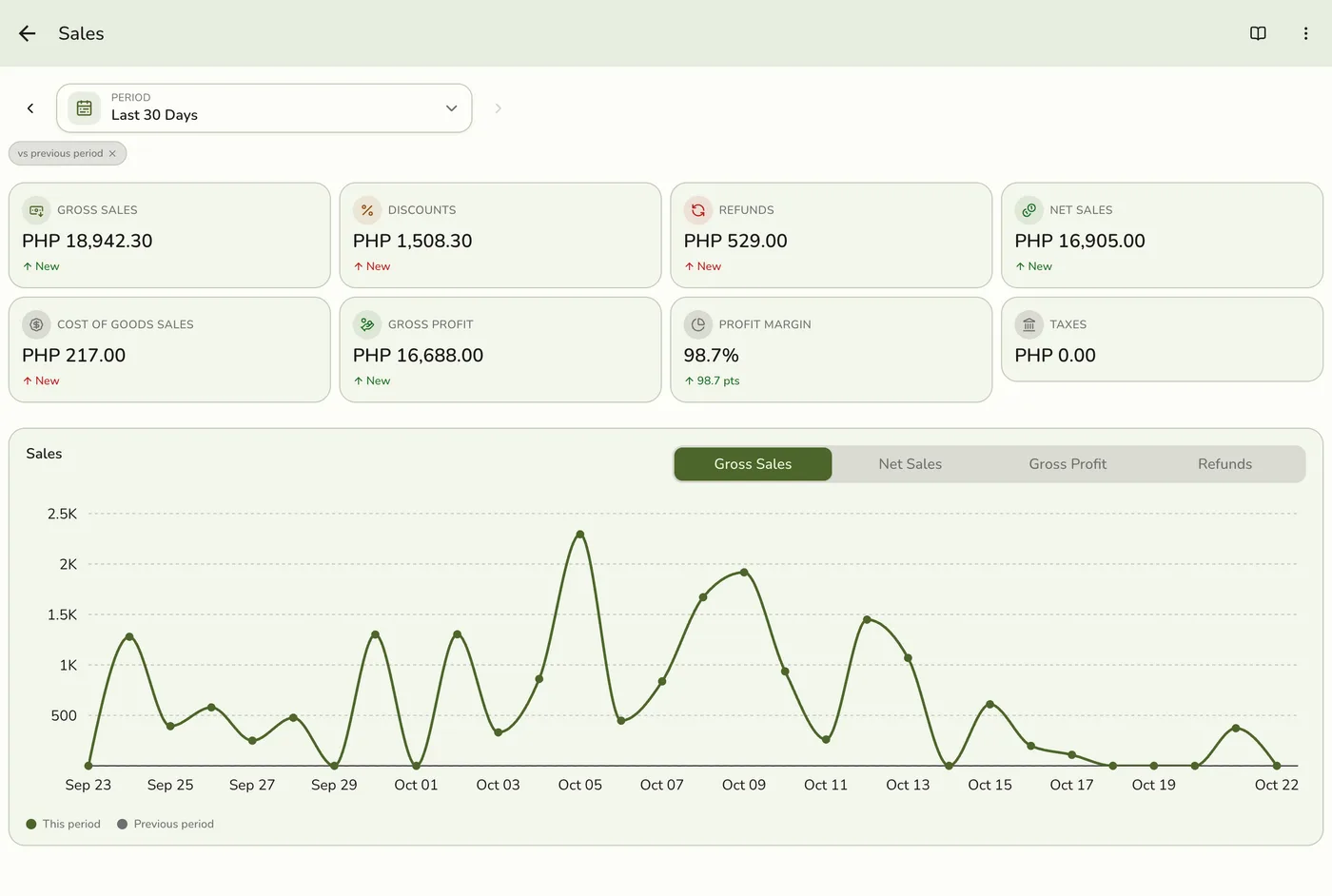
Read the eight figures
Gross Sales, Discounts, Refunds, Net Sales, Cost of Goods, Gross Profit, Profit Margin and Taxes. They count completed and closed sales, the same way the Dashboard does.
4
Switch the chart
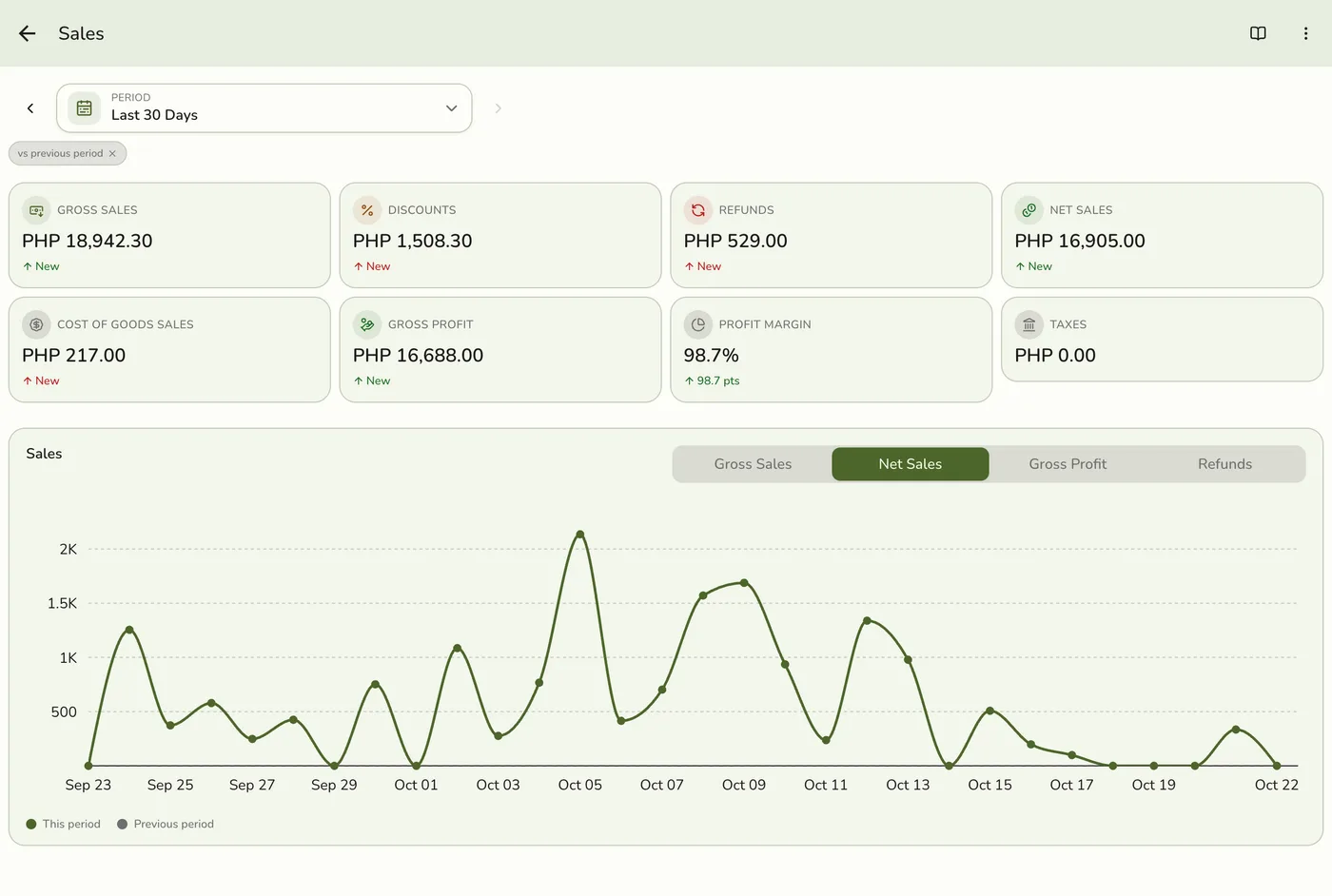
Use the chart buttons to show Gross Sales, Net Sales, Gross Profit or Refunds. One day charts by hour, up to a month by day, and longer ranges by month.
What happens next
- Only completed and closed orders count, at the moment they were completed. Pending, held, voided and cancelled orders are left out.
Edge cases
- How the figures are worked out. Gross sales is what was sold before discounts, with tax and without service charge or delivery. Net sales is the subtotal less refunds. Gross profit is net sales less the cost of the items sold, and the margin is gross profit over net sales. Cost of Goods leaves out items a refund put back on the shelf to sell again. A returned damaged item keeps its cost, because that stock is lost.
- Compared with the period before. The same length: This Week with the same days of last week, This Month with the same days of last month, a whole month with the whole previous month, and Today, Last 7 Days, Last 30 Days and custom dates move back by their own number of days. 10 to 16 March compares with 3 to 9 March.
- A refund comes off the day of the sale in Sales, not the day the money went back.
- Payment-method and best-seller breakdowns live on their own cards.
- How every report works. The period, comparison and export controls are the same on every report. See How every report works.
Works with
| Add-on or plan | What changes on this page |
|---|---|
| Plan | Reports Basics need Starter and up. The free Basic plan has no Reports, only the Dashboard. |