

Voids Report
Read the pattern, not the single void. One void on a busy night is normal.
Before you start
- A plan that includes this report.
- The Reports · View permission.
Steps
1
Open the report
Open the drawer → Reports, then under Operations, tap Voids.

2
Pick a period
Tap Period and choose Today, Yesterday, This or Last Week, This or Last Month, Last 7 or 30 Days, or Custom dates. Weeks start on Monday and periods follow your store's time zone.

3
Read the figures
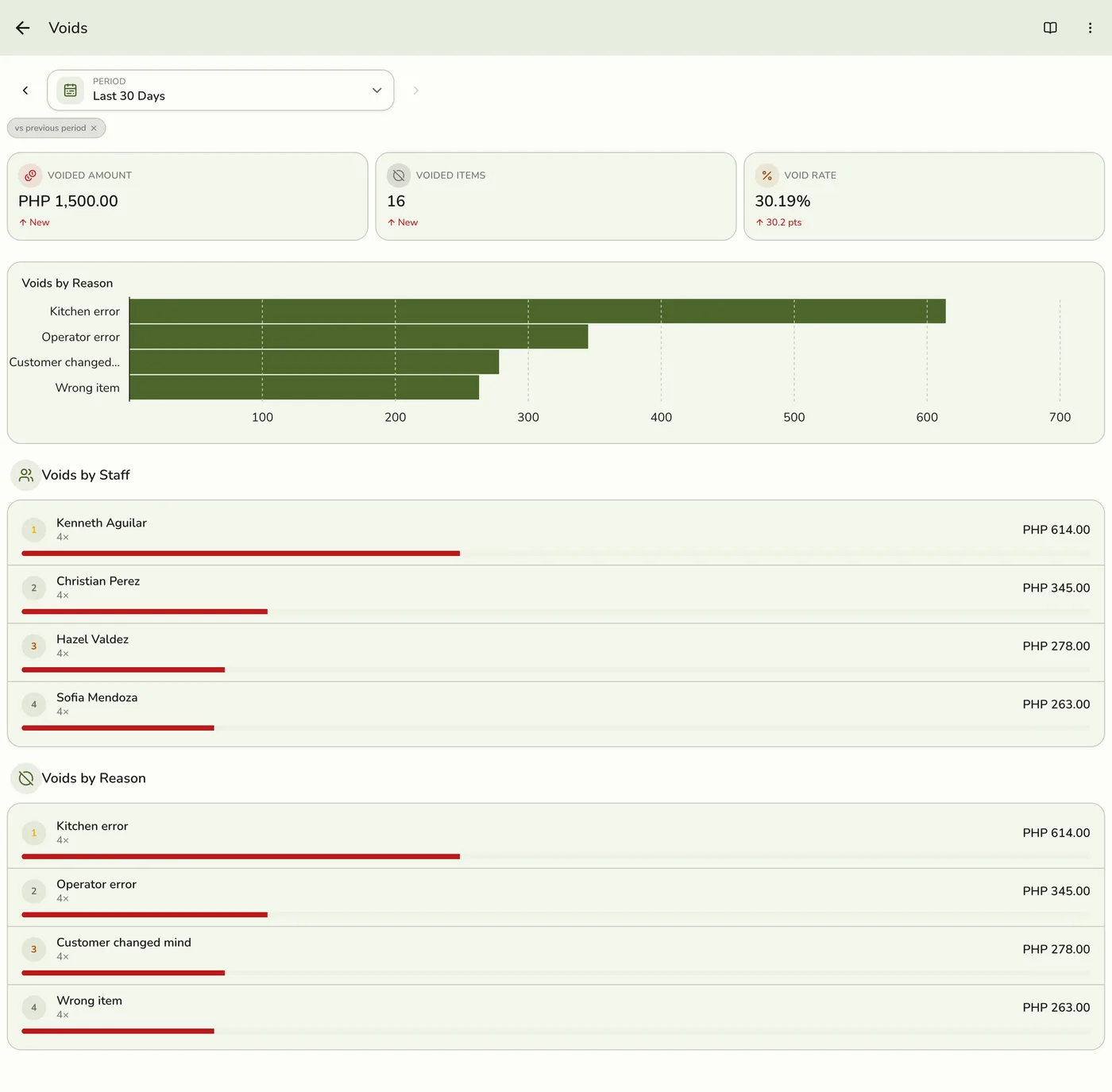
Voided Amount, Voided Items and Void Rate (voided lines against completed and closed orders). A rise in any shows in red.
4
Read the breakdowns
A chart of the voided amount by reason, then Voids by Staff and Voids by Reason, each with a share bar and a line count.
Voids Report: read the breakdowns — screenshot coming soon
What happens next
- Only completed and closed orders count, at the moment they were completed. Pending, held, voided and cancelled orders are left out.
Edge cases
- Dated by the void, not by when the order was created. Voided lines stay on the order for audit and never count toward sales, tax or stock.
- The pattern. The same cashier topping Operator error week after week is a training gap. A spike in Item unavailable is usually a stock problem.
- The rate's change shows in points (pts).
- How every report works. The period, comparison and export controls are the same on every report. See How every report works.
Works with
| Add-on or plan | What changes on this page |
|---|---|
| Plan | Advanced reports need Lite and up. On Starter the card is hidden and the server refuses the report. |