

Exporting Reports
There are two ways to get a report as a file: from the report itself, or as a whole-period summary from the Export screen.
Before you start
- A plan with advanced reports for most exports.
- The Reports · Download permission.
Steps
Export from a report
Open the report, set the period and any filter, tap ⋯ at the top right, then Export Excel or Export PDF. The file covers the period and filters on screen.

Or open the Export screen
Open the drawer → Reports, then Export in the Tools group. It shows only on plans with advanced reports.
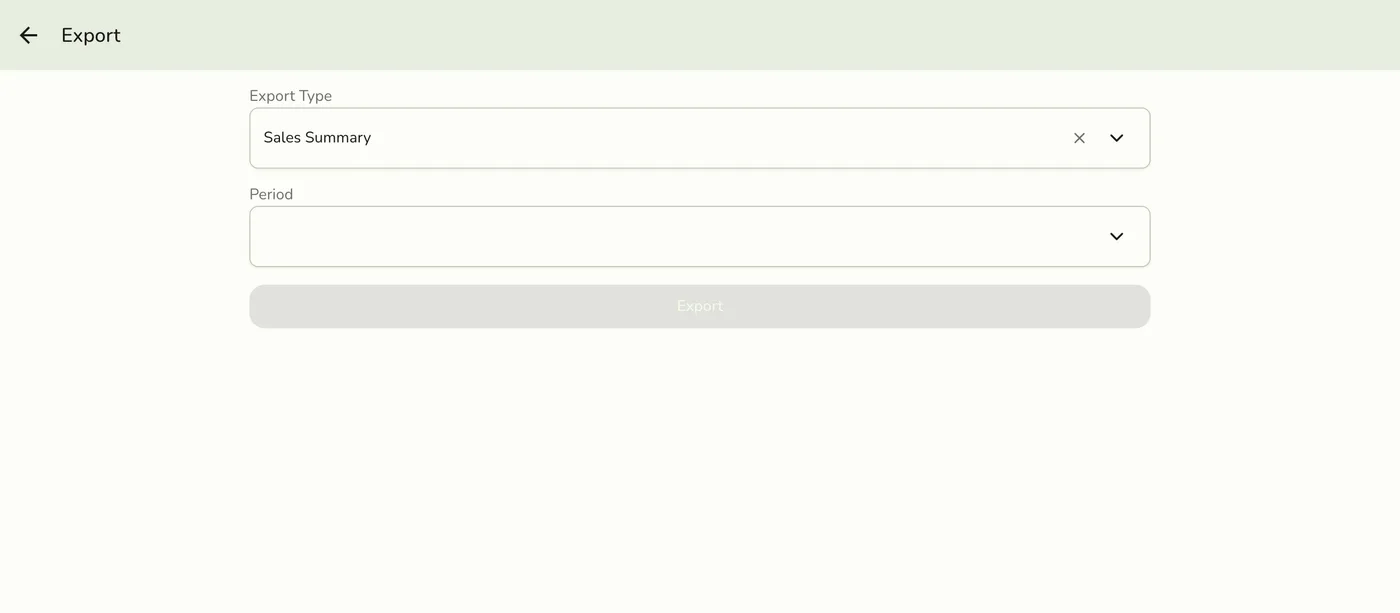
Choose the type and the period
Pick Sales Summary, Best Sellers Summary, Transactions Summary or, with the Store Session add-on, Session History Summary. Then pick Yearly, Quarterly or Monthly, a four-digit year, and the quarter or month.
Export type and period fields — screenshot coming soon
Tap Export and save the file
On a phone the share sheet opens (on Android the app first asks for a folder). On the web the file downloads. It is named after the store, the report and its dates.
The share sheet — screenshot coming soon
What happens next
- You get an
.xlsxor.pdffile. Summary files are always Excel.
Edge cases
- Which reports export. Daily Sheet: Excel and PDF. Staff Commissions: Excel (the payroll sheet) and PDF (one staff member's pay statement). Best Sellers, Sales by Categories and Transactions: Excel. Every other report shows "coming soon" and downloads nothing. The analytics reports have no export yet.
- Who sees the menu. Only staff who may download reports. The Daily Sheet and Transactions export on every plan with Reports, and Staff Commissions with the Staff Pay add-on. The others need advanced reports (Lite and up). The plan's separate data-export switch for catalog and staff lists does not open this.
- Transactions summary counts completed payments by their payment date, so a payment entered a month late lands in the month it was paid.
- Best Sellers on Starter has no Export Excel, since that needs Lite.
- A summary needs a YEARLY, QUARTERLY or MONTHLY period and a four-digit year, plus the quarter or month when chosen.
Works with
| Add-on or plan | What changes on this page |
|---|---|
| Plan | Advanced reports need Lite and up. On Starter the card is hidden and the server refuses the report. |
| Store Session add-on | Adds Session History Summary. |
| Staff Pay add-on | Staff Commissions export. |