

Cash Variance Report
Variance is counted cash minus expected cash, where expected is worked out when the session closed: starting cash + cash sales − cash paid out + cash paid in.
Before you start
- A plan that includes this report.
- The Reports · View permission.
Steps
1
Open the report
Open the drawer → Reports, then under Financial & Inventory, tap Cash Variance.

2
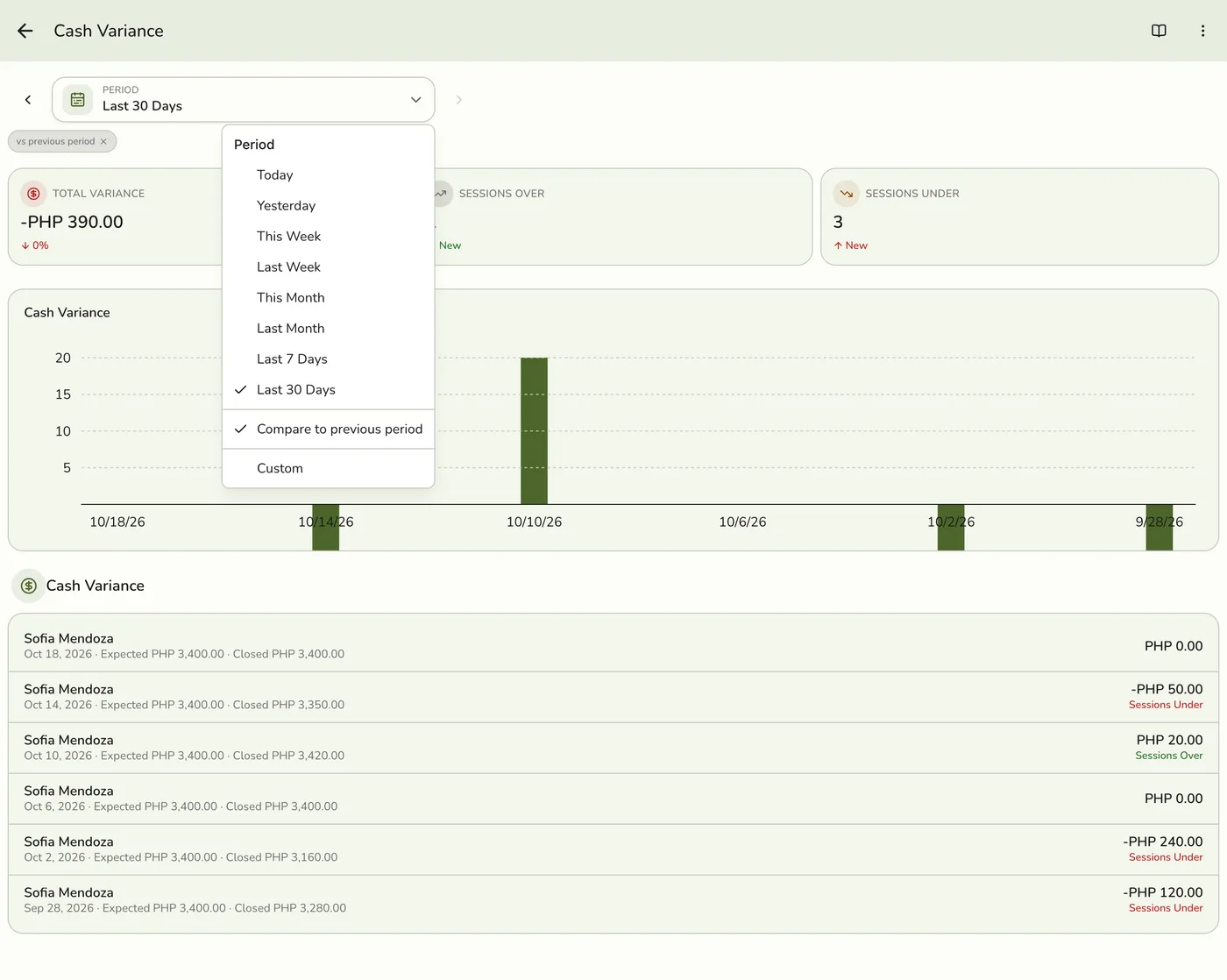
Pick a period
Tap Period and choose Today, Yesterday, This or Last Week, This or Last Month, Last 7 or 30 Days, or Custom dates. Weeks start on Monday and periods follow your store's time zone.
3
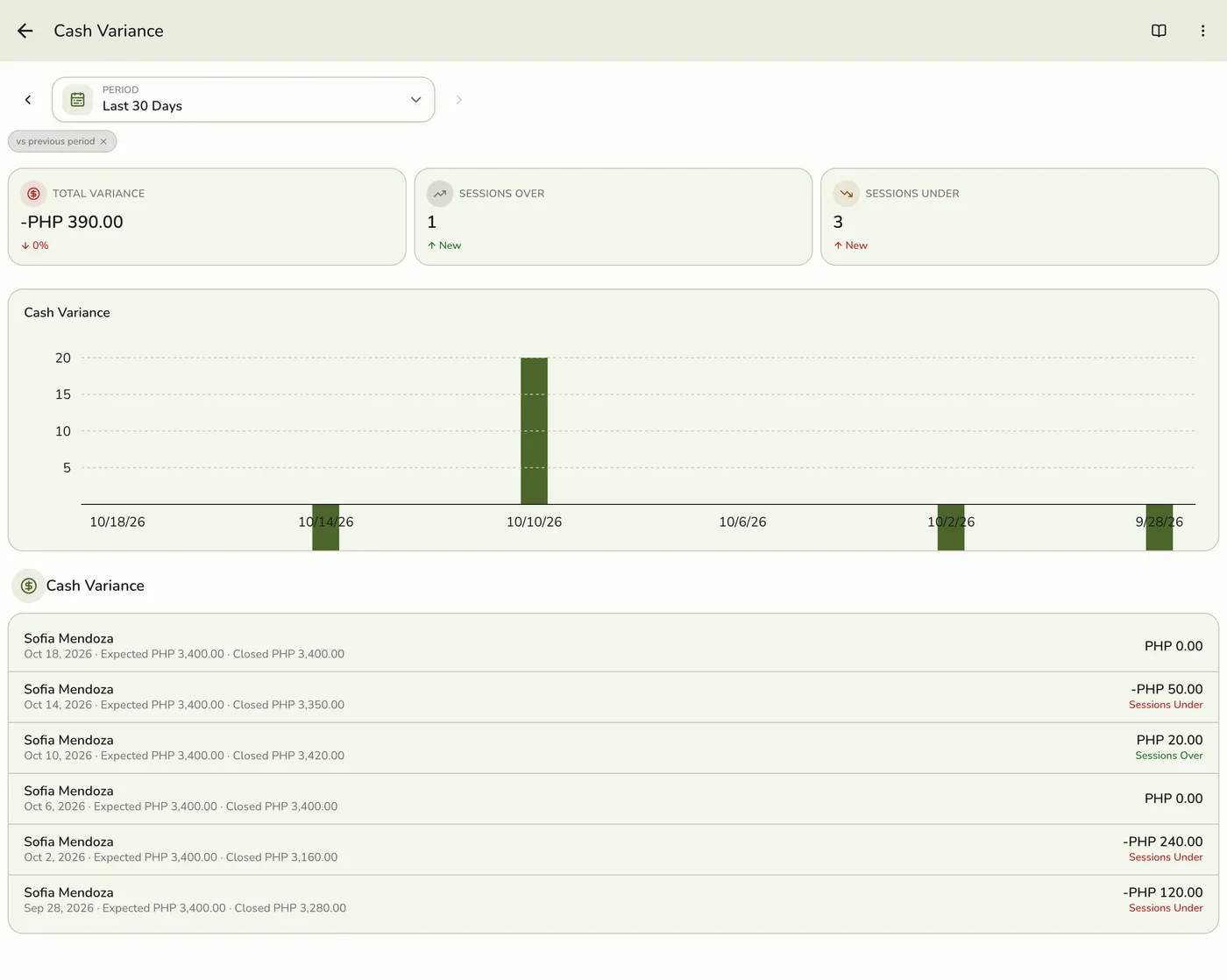
Read the figures and bars
Total Variance, Sessions Over and Sessions Under, with a bar for each session when the period has more than one.
4
Read the sessions
One row per closed session: the staff member, when it closed, the expected and counted closing cash, and the variance, marked over or under.
Cash Variance Report: read the sessions — screenshot coming soon
What happens next
- Only completed and closed orders count, at the moment they were completed. Pending, held, voided and cancelled orders are left out.
Edge cases
- Only cash counts. Card and e-wallet payments go to your account, not the drawer, so they never make a session look short. The numbers match the session's Z-report.
- Only closed sessions appear, dated by when they were closed. An open shift shows after the cashier closes it.
- Needs the Store Session add-on to produce data. Without it the report stays empty even on Lite and above.
- Thresholds. Set what counts as small, reviewable or escalated in Preferences → Policies → Cash variance.
- How every report works. The period, comparison and export controls are the same on every report. See How every report works.
Works with
| Add-on or plan | What changes on this page |
|---|---|
| Plan | Advanced reports need Lite and up. On Starter the card is hidden and the server refuses the report. |
| Store Session add-on | Required for data. |