

Item and Category Reports
There is no single "Item Report" card. Product performance is split across Best Sellers (Basics, Starter and up) and Sales by Categories (Advanced, Lite and up).
Before you start
- A plan that includes this report.
- The Reports · View permission.
Steps
Open the report
Open the drawer → Reports, then tap Best Sellers, or Sales by Categories on Lite and up.

Pick a period
Tap Period and choose Today, Yesterday, This or Last Week, This or Last Month, Last 7 or 30 Days, or Custom dates. Weeks start on Monday and periods follow your store's time zone.

Read Best Sellers
Three figures (Revenue, Quantity and Items), a chart of the top ten, and the full ranked list. Switch the chart between Revenue and Quantity. A long list shows ten rows, and Show all reveals the rest.
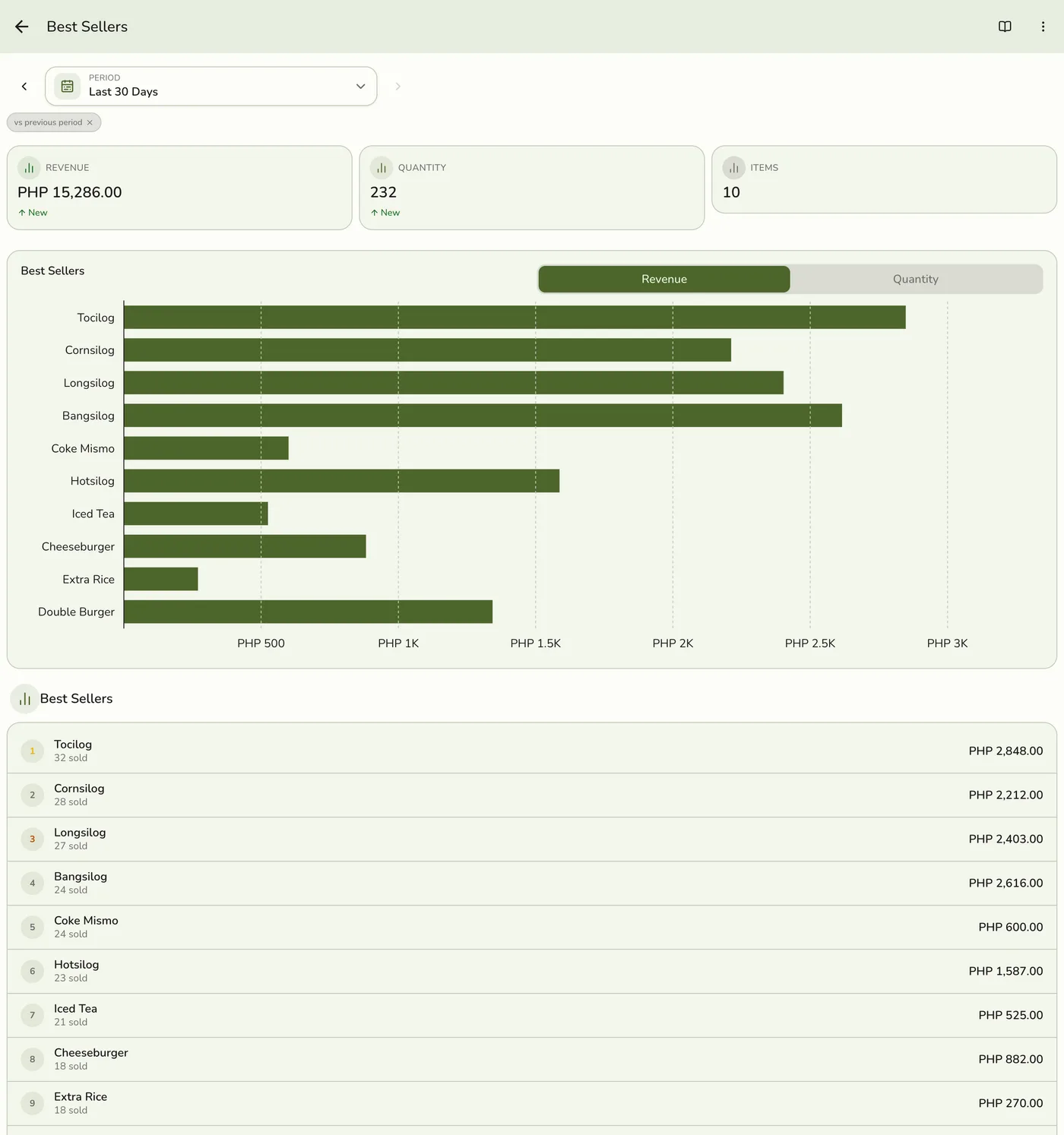
Read Sales by Categories
Three figures (Total Revenue, Categories and Top category) and a chart of the eight biggest categories. To see the products in one category, tap Filters, pick it and tap Apply. Close its chip to go back.
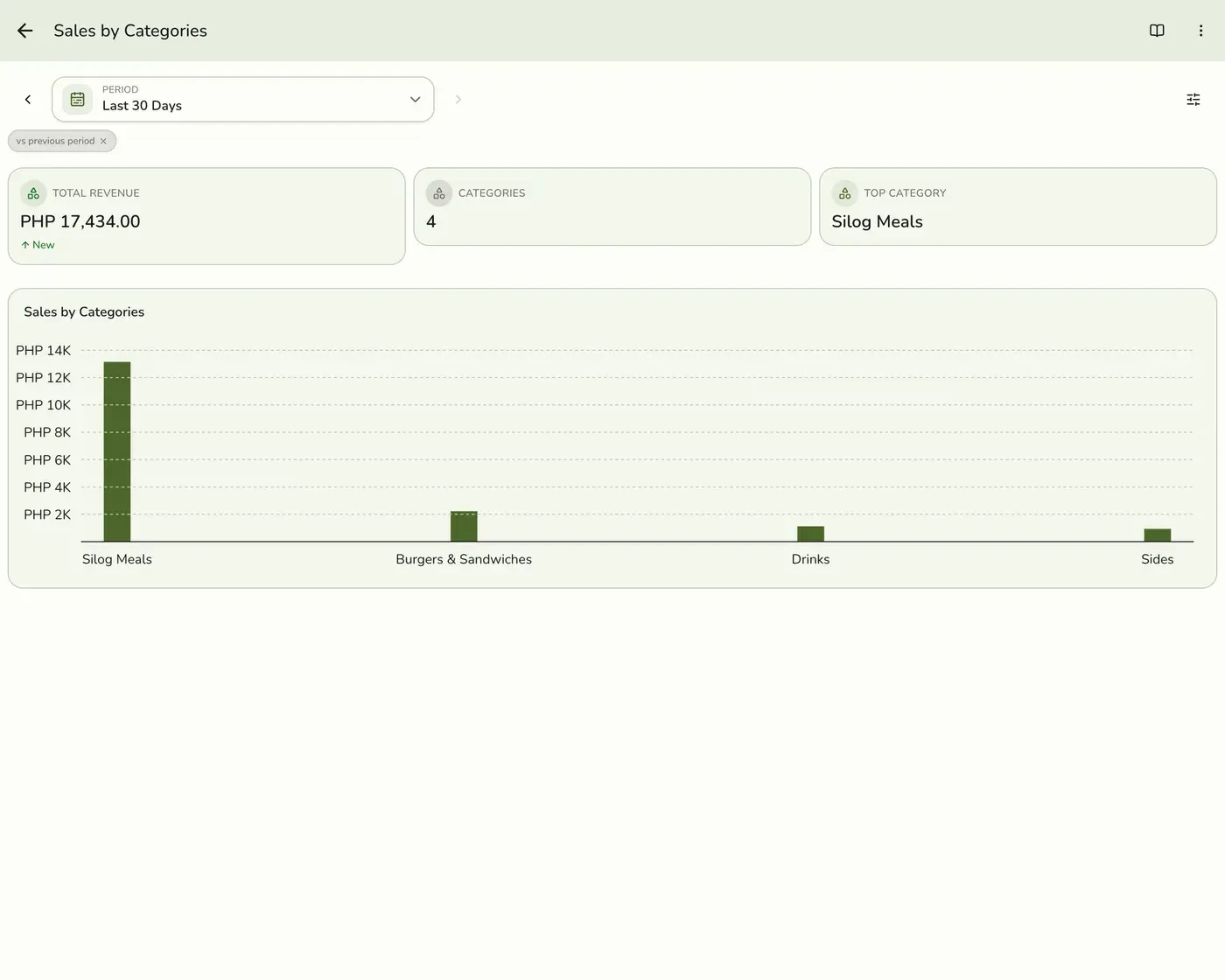
What happens next
- Only completed and closed orders count, at the moment they were completed. Pending, held, voided and cancelled orders are left out.
Edge cases
- Each order line counts once. Returns come from completed refunds only, and each return shows on the product that was returned, not on the other products in the order. A product in several categories counts once, under the first by name.
- On Starter, the category card is hidden from the hub, not shown as empty.
- Export Excel is on each card's ⋯ menu. For Best Sellers it needs Lite and up, so the menu does not show on Starter.
- Sold-out and stock-tracking do not change these figures. They reflect sales only.
- How every report works. The period, comparison and export controls are the same on every report. See How every report works.
Works with
| Add-on or plan | What changes on this page |
|---|---|
| Plan | Reports Basics need Starter and up. The free Basic plan has no Reports, only the Dashboard. |