

Staff Commissions Overview
Staff Commissions pays staff a percentage of the sale or a flat amount per unit, worked out from every completed order, with a ledger you turn into a payout each pay period.
What this covers
An example. Star Wash Carwash pays 40% on services. Jun is commission-only with no rate of his own, so he earns the store's 40%. Marco has his own 45%. Jun washes a ₱350 car alone: 40% of ₱350 is ₱140. When Jun and Marco share a wash and nobody types a rate, each person's rate is split evenly across the crew, so Marco earns 22.5% and Jun 20%. A rate typed at the register is that person's own cut and is not split. The only rule the register enforces is that typed percentages cannot add up to more than 100% of the line.
What Fuze Store works out. Per-line staff, each on their own rate. Rate resolution: an item override beats the staff rate, which beats the store default. A running ledger with refunds and voids written as negative entries. Cash advances, kept apart from Paid. Pay statements and payouts. A per-staff report.
What it does not. It does not withhold or calculate SSS, PhilHealth, Pag-IBIG, withholding tax or overtime. Pay statements take free-text additions and deductions so you can add those by hand. These numbers are commission math, not full payroll.
Turning it on. Commissions need the Staff Pay add-on, then a switch in preferences. Staff Operations is not needed, though its PIN sign-in proves who tagged each line. See Turning On Commissions. It also switches on per-line staff at the register.
Works with
| Add-on or plan | What changes |
|---|---|
| Staff Pay add-on | Required. Free during the free trial. Without it the commission, payout and cash advance screens are hidden and no commission is recorded. |
| Staff Operations add-on | Optional. A PIN sign-in proves who tagged each line. |
| Staff Commissions preference | The switch inside Staff Pay that turns commissions on. See Turning On Commissions. |
| Organization add-on | The organization's people earn commission here but are paid by the organization's pay runs. See Organization Pay Runs. |
Guides in this section
- Turning On Commissions
- Setting Commission Rates
- Assigning Staff Per Line
- Order-Level Staff and Commissions
- Staff Pay Structure
- How Commissions Are Calculated
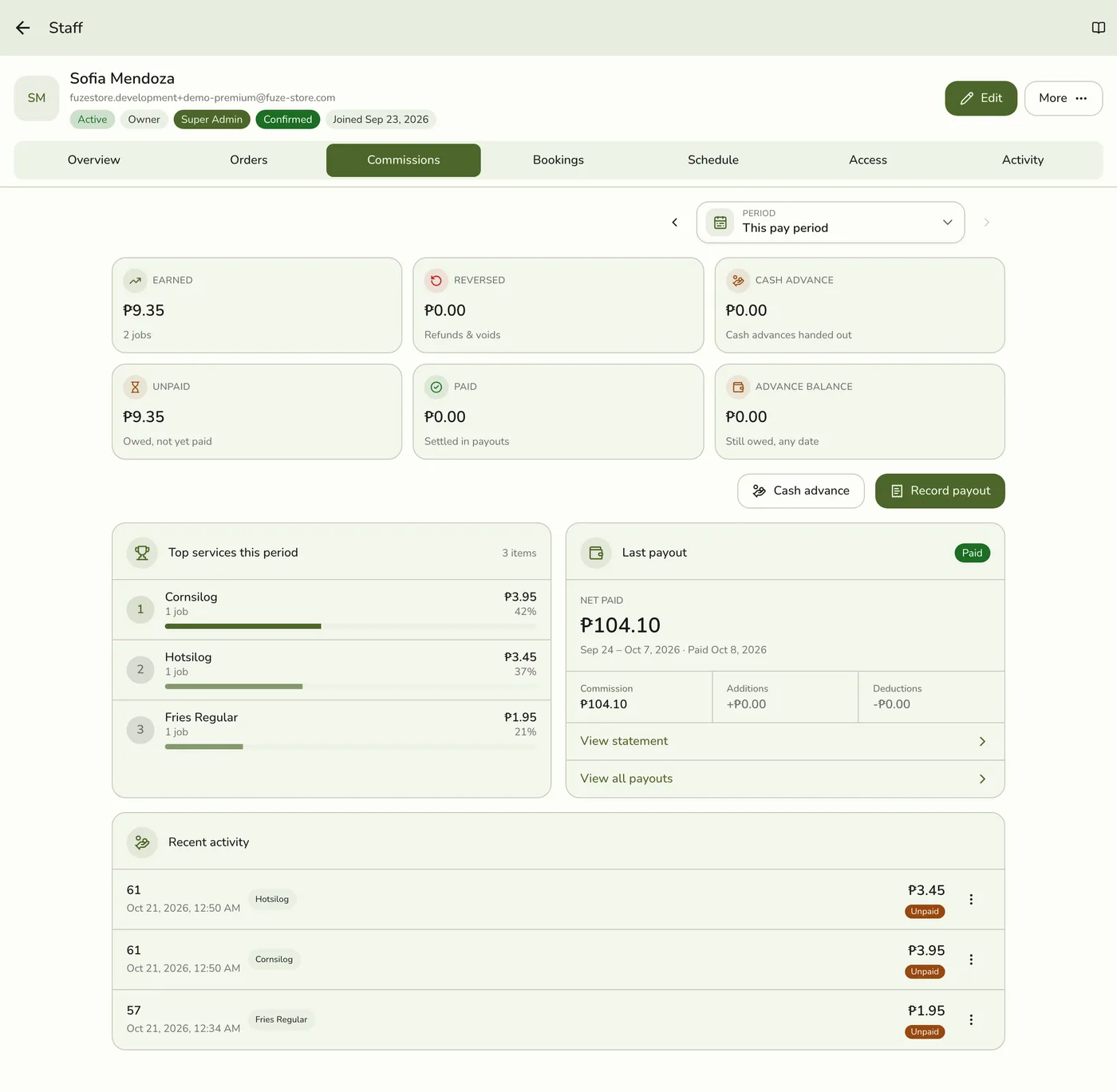
- Staff Commissions Page
- Recording a Payout
- Cash Advances
- Commissions Troubleshooting
Related guides
Edge cases
- Stores in an organization. The organization's people earn commission here as usual, but your store does not pay them. Their pay comes from their pay profile and the organization's pay runs.
- Everyone can see their own commissions from My Profile → Commissions, with no permission.
- Order-level staff still earn on lines with no staff of their own, by default. See Order-Level Staff and Commissions.