

Order-Level Staff and Commissions
Applies toEvery plan, including free BasicdocsChrome.gates.addons.STAFF_PAYNeeds Preferences · ModifyUsually owner, manager
Every order can have staff assigned to the whole order, separately from staff tagged to lines. This switch decides what a line with no staff of its own earns.
Before you start
- Staff commissions is on.
- The Preferences · Modify permission.
Steps
1
Open Staff commissions in Preferences
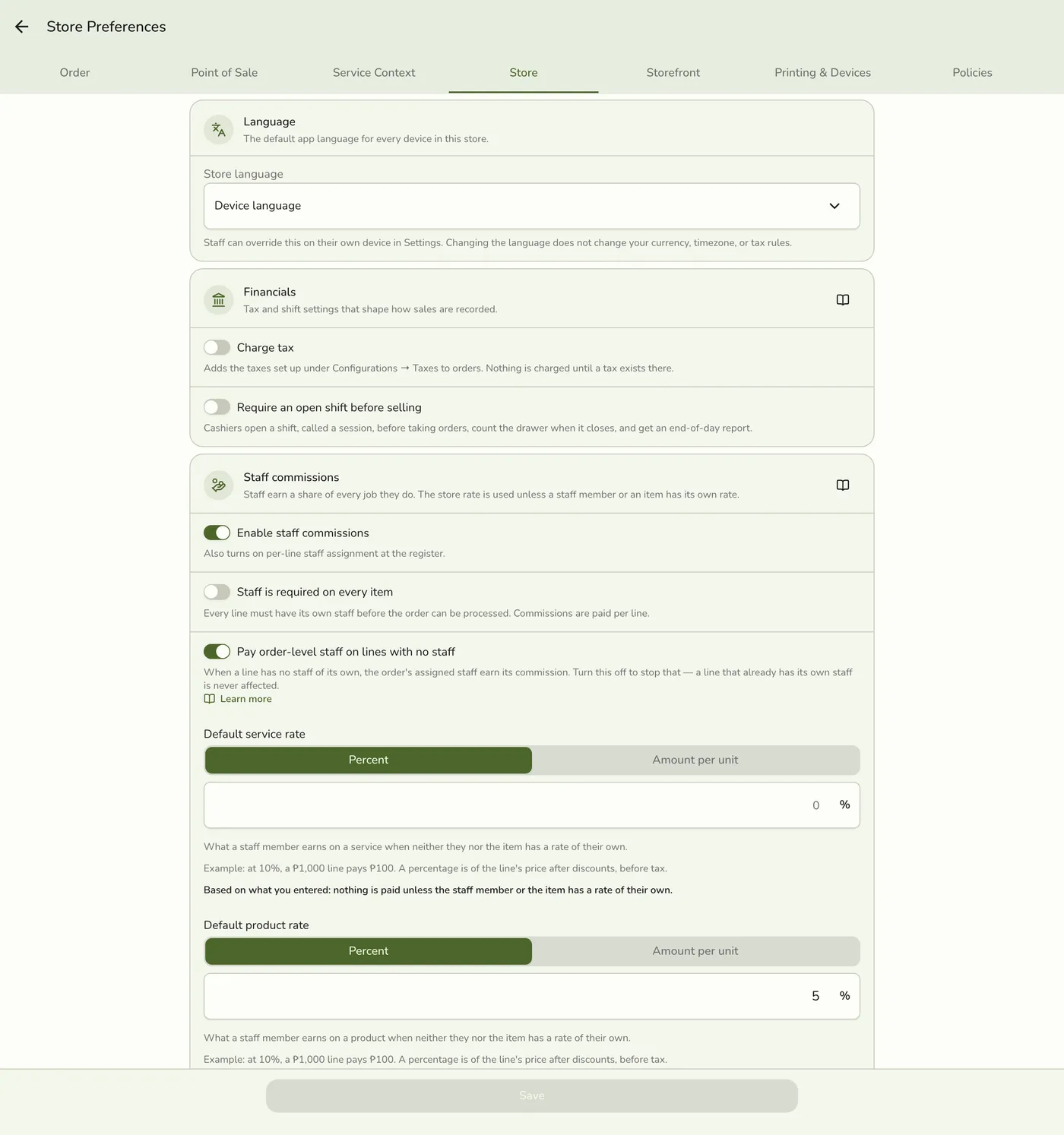
Go to Preferences → Store → Staff commissions.
2
Set Apply commission to order-level staff
On (the default): a line with no staff falls back to the order's staff, splitting the store's default rate across them. Off: such a line earns no commission for anyone.
The Apply commission to order-level staff switch — screenshot coming soon
3
Save
Tap Save.
Saving preferences — screenshot coming soon
What happens next
- New orders follow the new setting at once.
Edge cases
- A line with its own staff pays that staff on their own rate, and order-level staff earn nothing extra on it.
- Off is the stricter setting. Commission only ever reflects a deliberate tag. Order-level staff still count for attribution and staff performance reports.
- When a change takes effect. An unpaid order that is edited later is re-checked against the current setting. An order whose commission was already paid out is never touched.
Works with
| Add-on or plan | What changes on this page |
|---|---|
| Staff Pay add-on | Required. Free during the free trial. Without it the commission, payout and cash advance screens are hidden and no commission is recorded. |
| Staff Operations add-on | Optional. A PIN sign-in proves who tagged each line. |
| Staff Commissions preference | The switch inside Staff Pay that turns commissions on. See Turning On Commissions. |