

Commissions Troubleshooting
Applies toEvery plan, including free BasicdocsChrome.gates.addons.STAFF_PAYNeeds Commissions · ViewUsually owner, manager
If a commission number looks wrong, it is almost always one of these. Each links to the guide with the full rule.
Before you start
- Staff commissions is on.
Steps
1
Check the switch
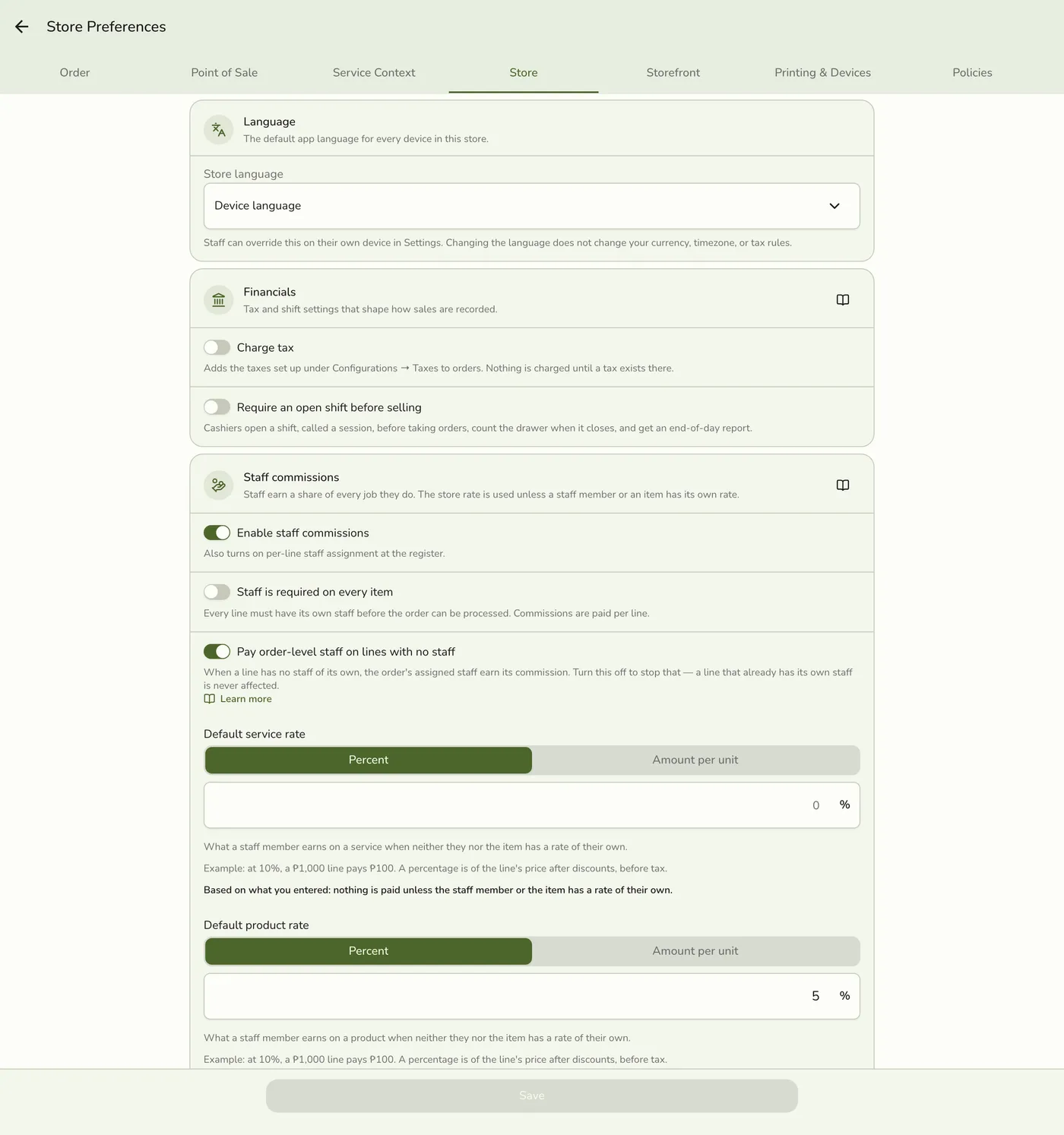
Open Preferences → Store → Staff commissions and confirm it is on.
2
Check the rate on the line
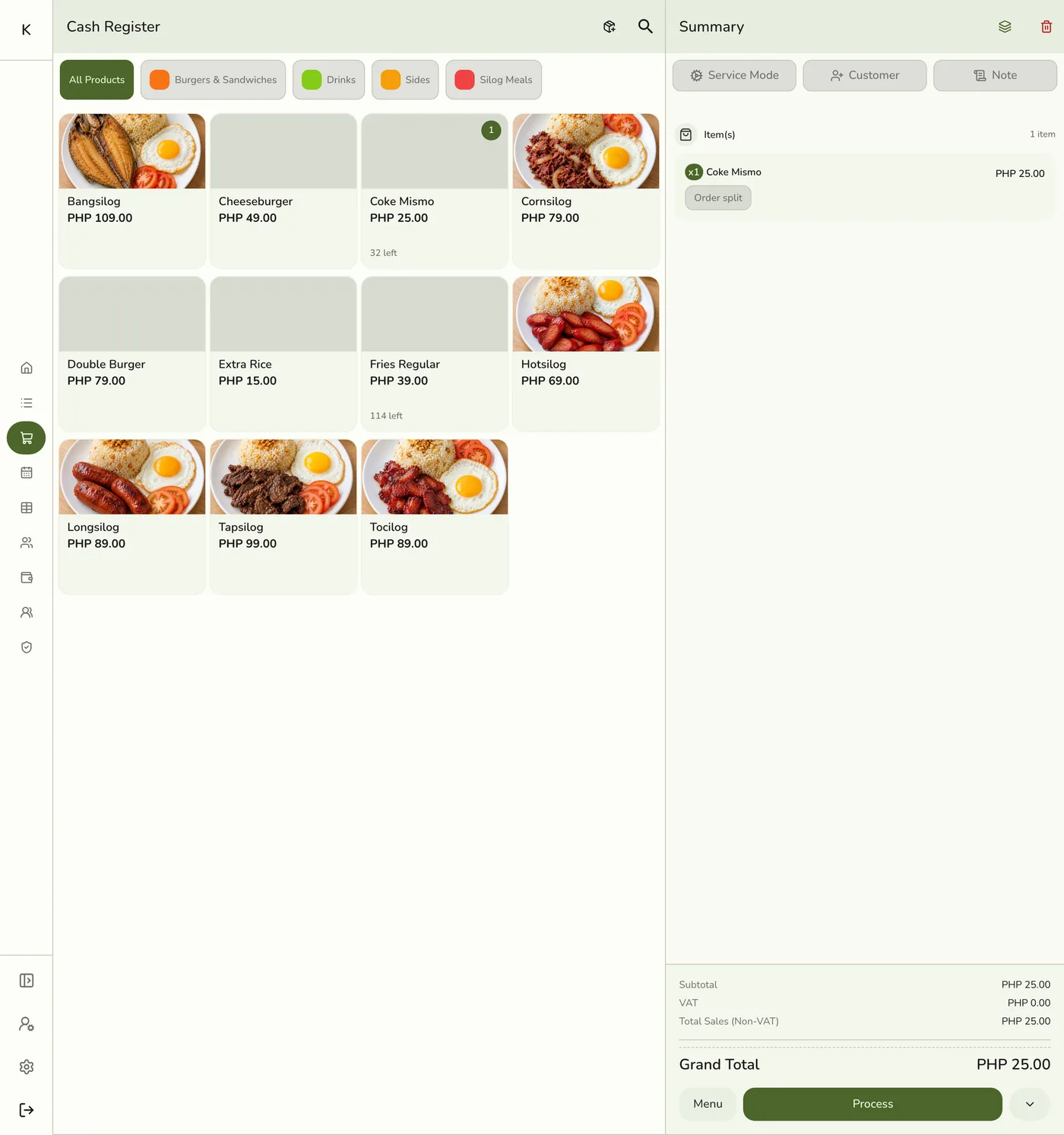
Open the product for a commission override, the staff member for their own rate, and the store default.
3
Open the staff member's Activity list
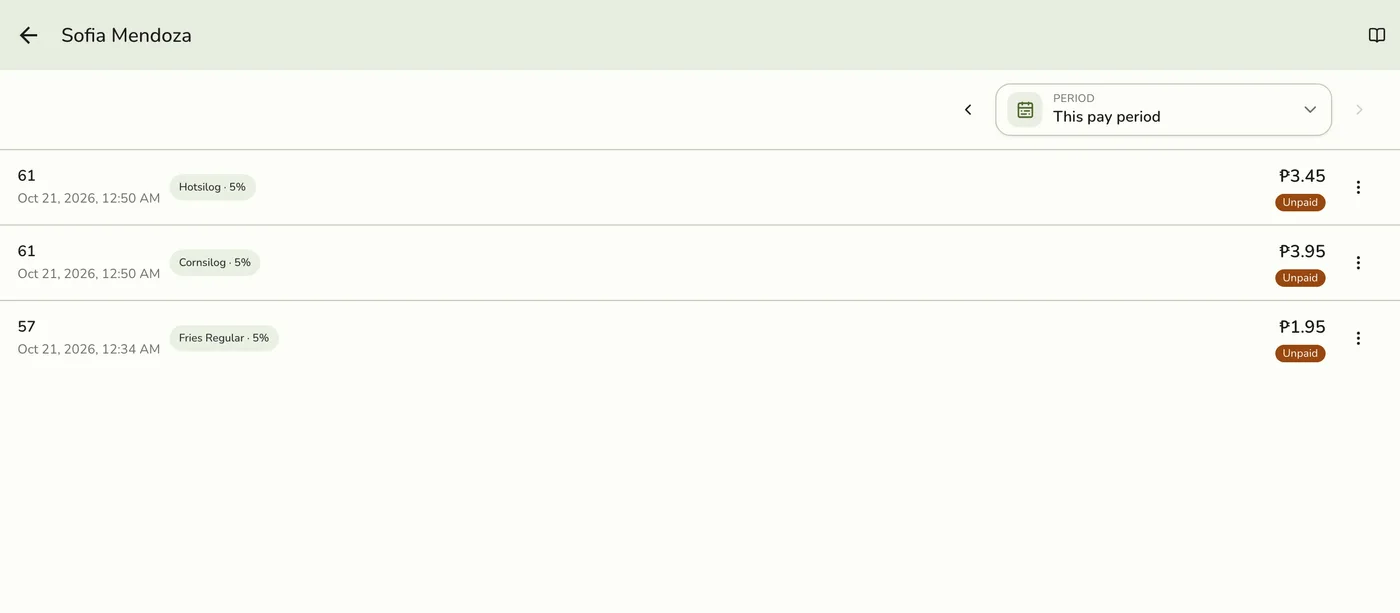
Open Staff → Commissions → View all and find the entry. It shows its status and the rate used.
What happens next
- Follow the matching row below.
Edge cases
- Nobody earns anything. The switch is off, or the item's resolved rate is 0%. A 0% item override wins over everything and means nobody earns on it, on purpose.
- A rate is not what I expected. An item override beat their staff rate, or they have no staff rate and resolve to the store default.
- A line has no staff but someone earned. The order-level fallback is on (the default). See Order-Level Staff and Commissions.
- Two staff on one line earned different amounts. Expected. With no typed rate, each person's resolved rate is split across the crew. A typed rate is their own cut, not split.
- I changed a rate and old sales did not change. A sale keeps the rate it was first priced at.
- I cannot set a rate on a line. Typed percentages cannot add up to more than 100% of the line. Lower one. Auto and flat rates do not count toward this.
- Earned went down after a refund or void. It did not. The original entry stays, and a separate negative entry shows in Reversed.
- Paid looks lower than what they received. A cash advance is tracked separately from Paid, so Paid means settled through a payout or an organization pay run. See Cash Advances.
- A payout's numbers changed while I was filling it in. A sale, refund or void was recognized for that person. Review the refreshed totals. See Recording a Payout.
- Gross does not match commission alone. Gross is base pay plus commission for their pay type. See Staff Pay Structure.
- Orders from before it was on never got an entry.
Works with
| Add-on or plan | What changes on this page |
|---|---|
| Staff Pay add-on | Required. Free during the free trial. Without it the commission, payout and cash advance screens are hidden and no commission is recorded. |
| Staff Operations add-on | Optional. A PIN sign-in proves who tagged each line. |
| Staff Commissions preference | The switch inside Staff Pay that turns commissions on. See Turning On Commissions. |