

Turning On Commissions
Applies toEvery plan, including free BasicdocsChrome.gates.addons.STAFF_PAYNeeds Preferences · ModifyUsually owner, manager
Staff Commissions is one switch plus two default rates. There is nothing extra to buy.
Before you start
- The Staff Pay add-on.
- The Preferences · Modify permission.
Steps
1
Open Preferences
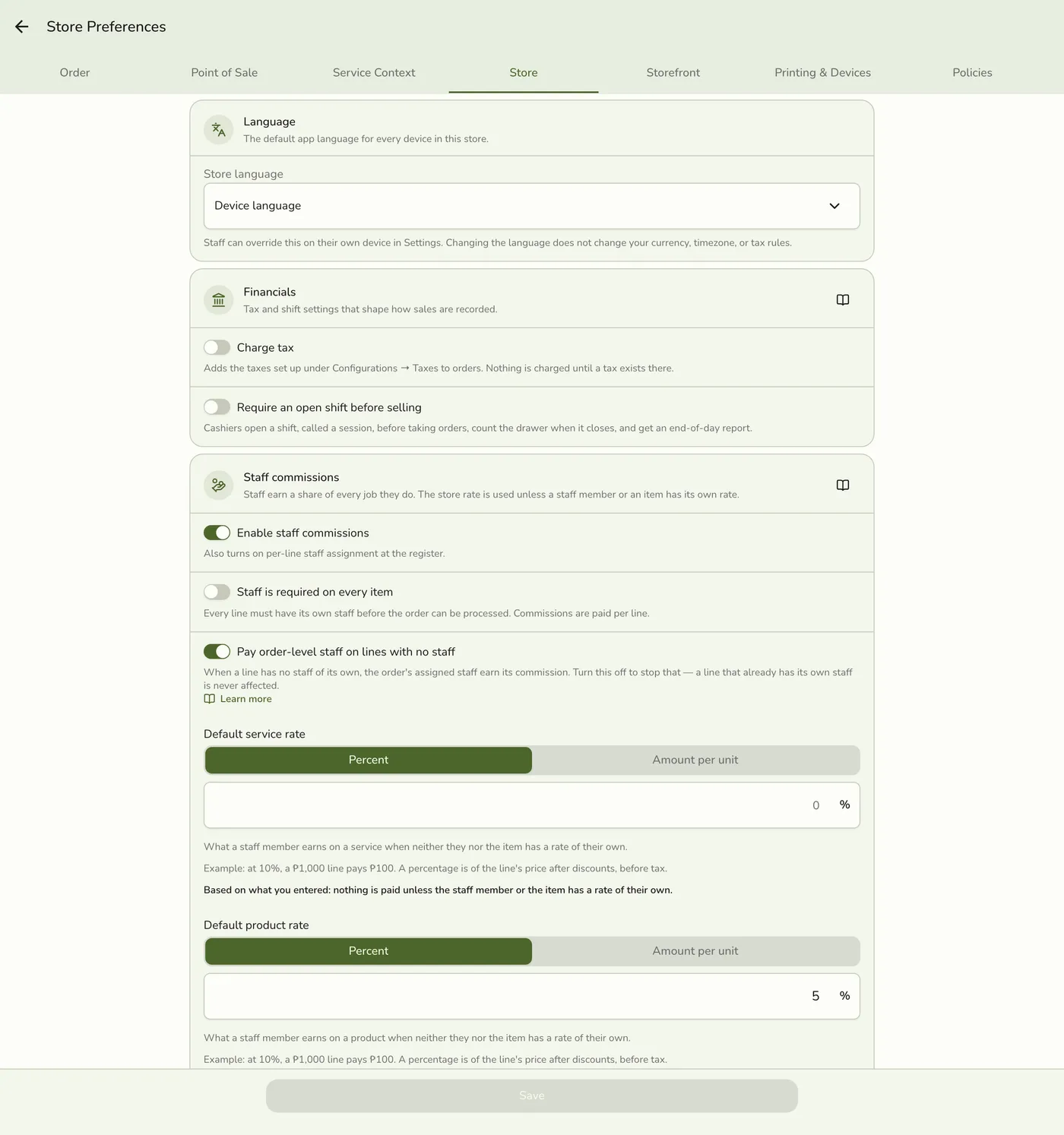
Go to Preferences → Store → Staff commissions.
2
Turn on Staff commissions
This is the master control. With it off there is no ledger, no rates and no per-line staff.
The Staff commissions switch — screenshot coming soon
3
Set your default rates
Set one default for services and one for products, each a percent of the sale or a flat amount per unit.
Default rate fields — screenshot coming soon
4
Choose the pay period
Weekly (Monday to Sunday), Twice a month (1st to 15th, 16th to month end) or Monthly. It starts on twice a month and sets what This pay period and Last pay period mean.
The pay period setting — screenshot coming soon
What happens next
- Commission starts accruing on new completed orders.
Edge cases
- Per-line staff turns on too, and a new Staff field appears on each cart line. By default, staff on the order still earn on lines with no staff of their own.
- Not back-filled. Orders completed before you flipped the switch never get a commission entry, even when closed later. Add an older sale as a manual addition on a payout.
- Permissions. Commissions · View shows commission figures, the ledger and the report. Commissions · Manage sets pay structure and default rates. Payouts · View, Manage, Delete cover payouts and cash advances. They are independent. Everyone sees their own numbers.
- Turning it off stops new commission. History, statements and payouts stay, but you cannot record new commission or open new payouts.
- Minimum wage note. An optional regional minimum daily wage shows an informational shortfall note on pay statements.
- Needs the add-on. Without Staff Pay the switch is hidden.
- Cards in the role editor. Commissions has View and Manage. Payouts has View, Manage (record payouts) and Delete (delete payouts). Giving and deleting cash advances is a third card, Cash advances (Give and Delete). See Cash Advances. Changing line staff on an open order is part of running the register, not any of these cards.
- The commission rules and payroll settings on the Preferences screen (the switch, default rates, pay period and minimum wage) can be changed only with Manage on the Commissions card, or by the store owner and organization admins. Without it they are read-only.
Works with
| Add-on or plan | What changes on this page |
|---|---|
| Staff Pay add-on | Required. Free during the free trial. Without it the commission, payout and cash advance screens are hidden and no commission is recorded. |
| Staff Operations add-on | Optional. A PIN sign-in proves who tagged each line. |
| Staff Commissions preference | The switch inside Staff Pay that turns commissions on. See Turning On Commissions. |