

Voiding an Event Order
Applies toStarter plan and upNeeds Point of Sale · Modify; Bookings · ModifyUsually owner, manager, cashier
Void on a booking opens Void Items for its linked order. It corrects order lines before payment, the same as on a register order. It is not the way to cancel a booking.
Before you start
- The Point of Sale · Modify and Bookings · Modify permissions.
- The booking's order has no payment.
Steps
1
Open the booking
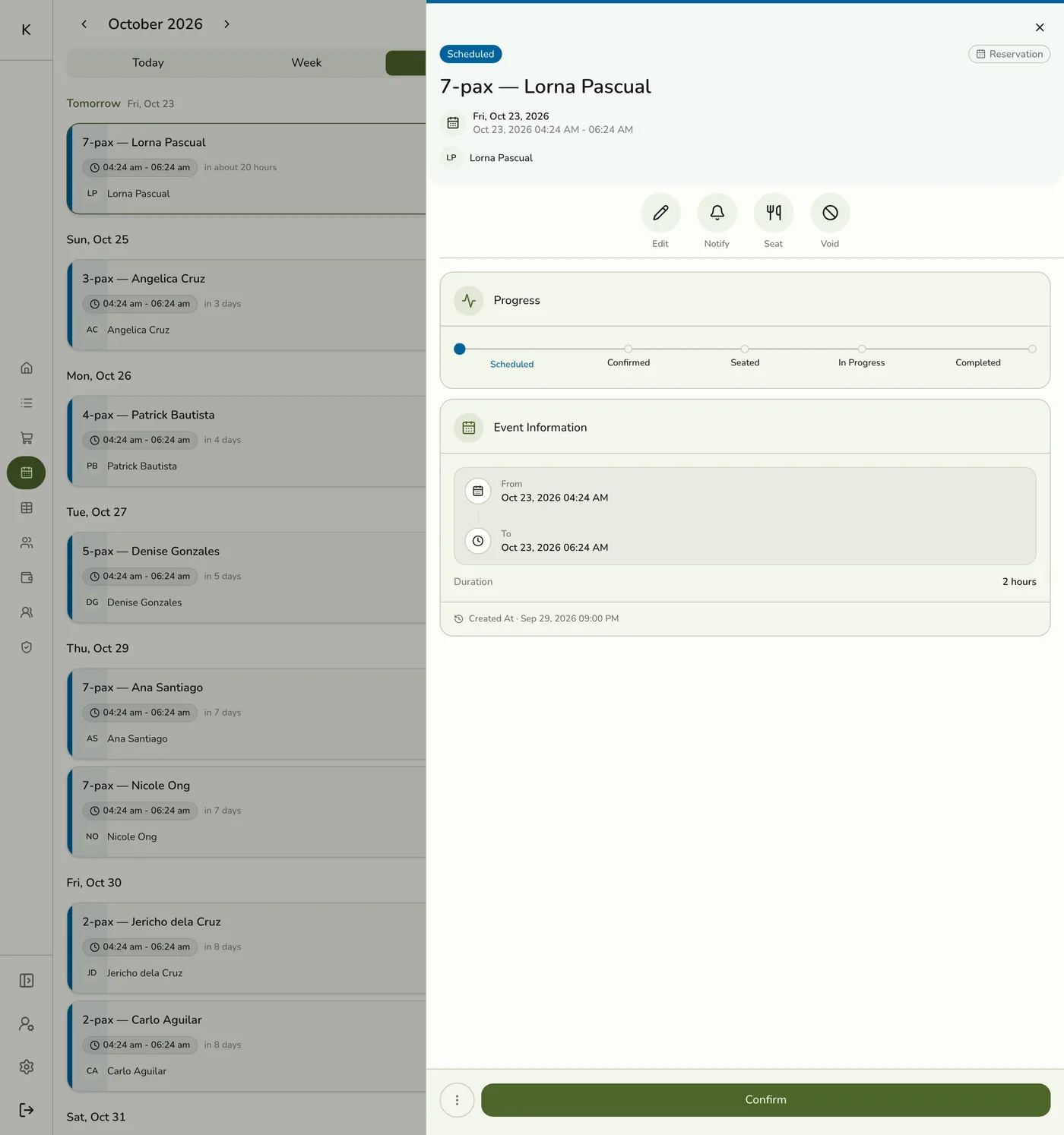
Open Events and tap the booking that has an unpaid order.
2
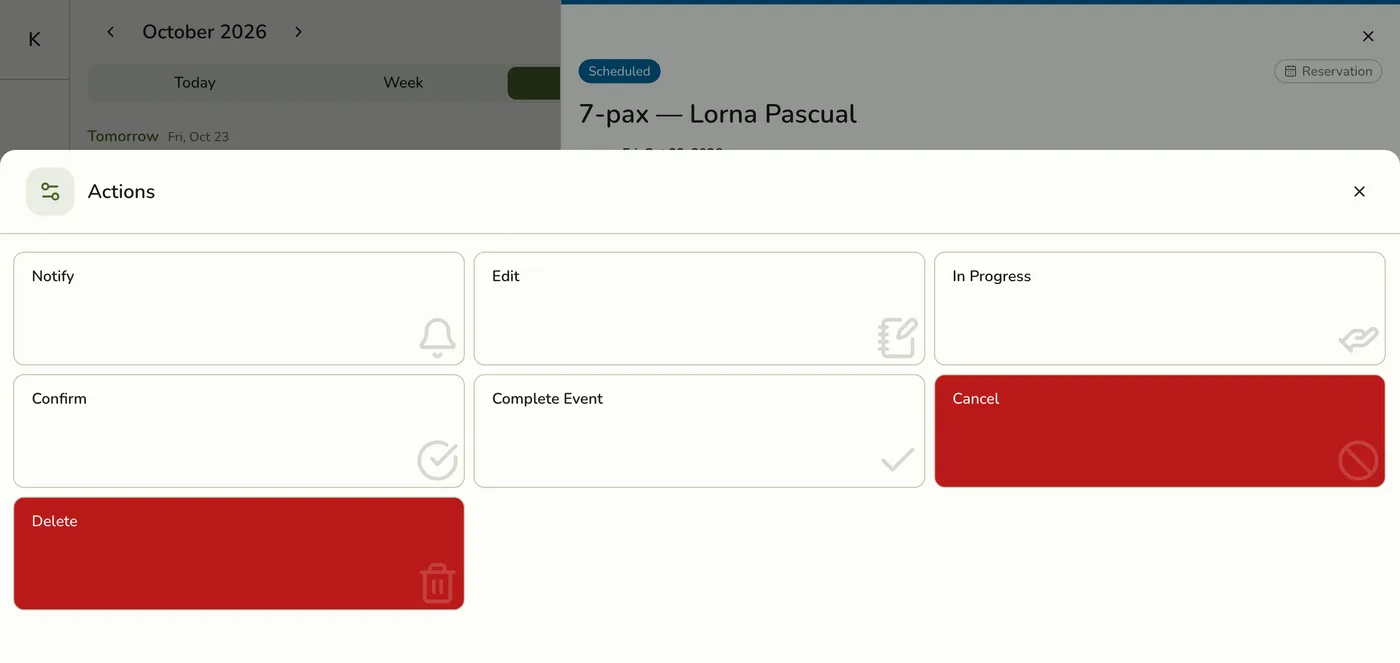
Tap Void
Choose Void from the actions. It needs the Point of Sale permission and is hidden without it.
3
Pick the lines and confirm
Select the lines and quantities. A booking void sends the reason Other. Confirm, with a manager's approval if your store asks for one.
The Void Items sheet for the booking order — screenshot coming soon
What happens next
- The lines are flagged, stock goes back, and the kitchen ticket lines are voided.
- The booking is cancelled too. See below.
Edge cases
- Any void on an order linked to a booking cancels the booking, even when most lines remain and the order stays open. Edit or reschedule the booking instead when you only want to change a line.
- The reason is always Other. If your store's allowed void reasons do not include Other, the void is refused.
- To cancel the booking itself, use Cancel. See Canceling an Event.
- A paid order cannot be voided. Refund it instead. See Managing POS Orders.
Works with
| Add-on or plan | What changes on this page |
|---|---|
| Events (Starter and up) | Bookings, check-in and reminders. Not on the free Basic plan. |
| Lite and up | Event Services, the catalog of bookable services, and the staff lookup for appointments. On Starter you can take reservations; appointments need a bookable service. |
| SMS Notifications add-on | Texts for scheduled, rescheduled, checked in, in progress, completed and cancelled bookings, when each is turned on. |
| Live sync (Lite and up) | Other devices see the change at once. On lower plans they pick it up the next time they refresh. |