

Connecting Cursor
Cursor supports MCP on every plan, including free.
Before you start
- The AI Connections add-on on the store.
- Owner, organization admin, or a role with AI Connections → Connect.
Steps
Copy your store's link
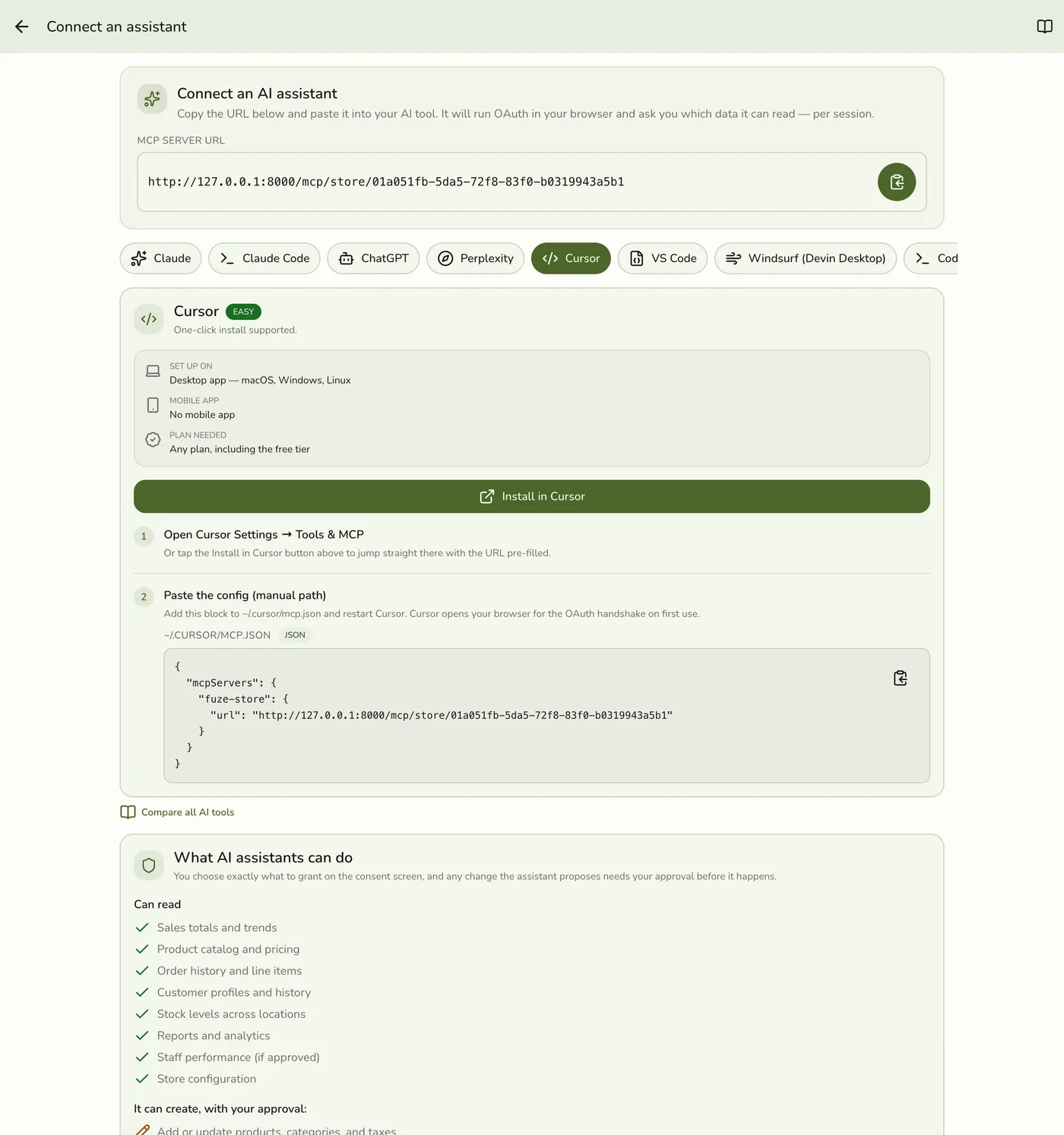
In the Fuze Store app open Configurations → MCP → Connect an assistant and copy the MCP Server URL. It looks like https://api.fuze-store.com/mcp/store/<your-store-id>. It is unique to one store, so there is no store picker on the approval screen.
Install in one click
Tap Install in Cursor on the Connect screen in the Fuze Store app. It opens Cursor with the link filled in.
Install in one click — screenshot coming soon
Or add it by hand
In Cursor open Settings → Tools & MCP, click New MCP Server, and add { "mcpServers": { "fuze-store": { "url": "https://api.fuze-store.com/mcp/store/<your-store-id>" } } } to ~/.cursor/mcp.json (every project) or .cursor/mcp.json (one project). Restart Cursor.
Or add it by hand — screenshot coming soon
Approve in the browser
Cursor opens a browser. Sign in, review the permissions and Approve.
Approve in the browser — screenshot coming soon
What happens next
- The assistant appears under Active connections on Configurations → MCP, with its name, who connected it, the permissions granted and when its key expires. Start asking questions about your store.
Edge cases
- If Cursor does not list the server, check the JSON is valid and that you restarted Cursor.
- Sign-in problems. The usual causes are not being signed in to Fuze Store in the browser, the AI Connections add-on being off, or pasting the link for a different store. See Setting Up AI Access.
- Your role limits what you can grant. You can only give permissions your own role holds. A role without AI Connections → Connect is refused at sign-in.
- No client ID is needed for tools that register themselves from the link alone.
Works with
| Add-on or plan | What changes on this page |
|---|---|
| AI Connections add-on | Required on the store. Paid, and free during the free trial and early release. The AI vendor may also need a paid plan, which is separate. |
| Cursor plan | Any plan, including free. |