

App General Information
The About App page is a snapshot of your install. Open it when support asks "what version are you on?".
Steps
1
Open About
Go to Account → About.

2
Open About App
Tap About App.
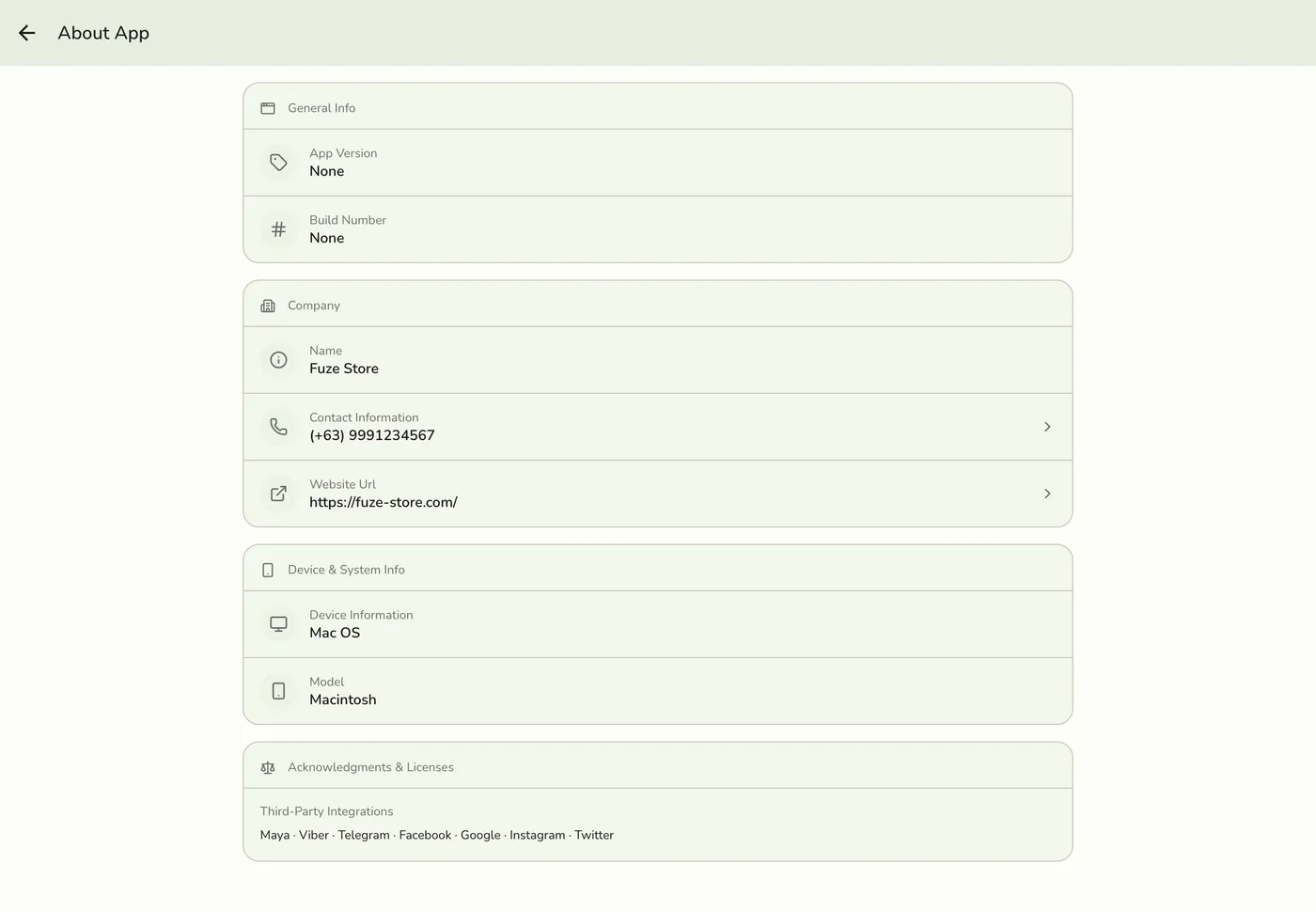
3
Read the details
General Info has the app version and build number. Quote both to support. Company is Fuze Store's own name, contact number and website. Device & System Info shows the operating system and device model. Acknowledgments & Licenses lists the third-party services.
App version and device info — screenshot coming soon
What happens next
- Nothing is changed. The page shows only the basics about the app and device, never private data.
Edge cases
- Company is the software vendor, not your store. Your own store details live under Configurations → General.
- Privacy Policy, Terms and Delete Account and Data are on the About page one level up, not on About App.
- Requirements. Fuze Store is cloud based, so you can reach your business anywhere with an internet connection. It works best on current Chrome, Safari or Edge, and on mobile devices running iOS or Android.
- Updating the app. See What's New and App Updates.
Works with
| Add-on or plan | What changes on this page |
|---|---|
| Plan | Available on every plan. |