

What's New and App Updates
A dot or a number on What's New in Account means a new Fuze Store release is out. Separately, every cold start checks which app versions the server still supports.
Steps
Spot the badge
Open Account. A dot, or a number once the list has been opened on this device, means a new release.
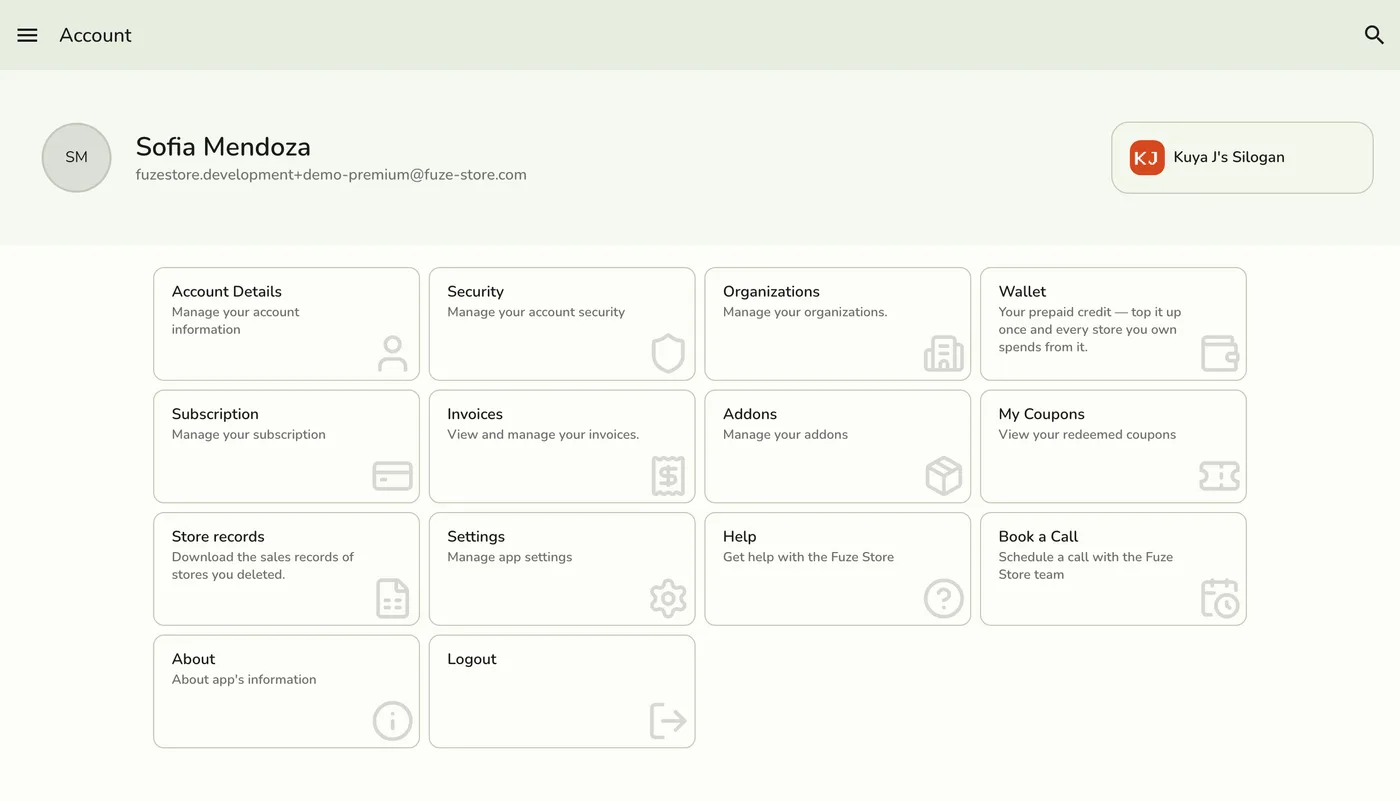
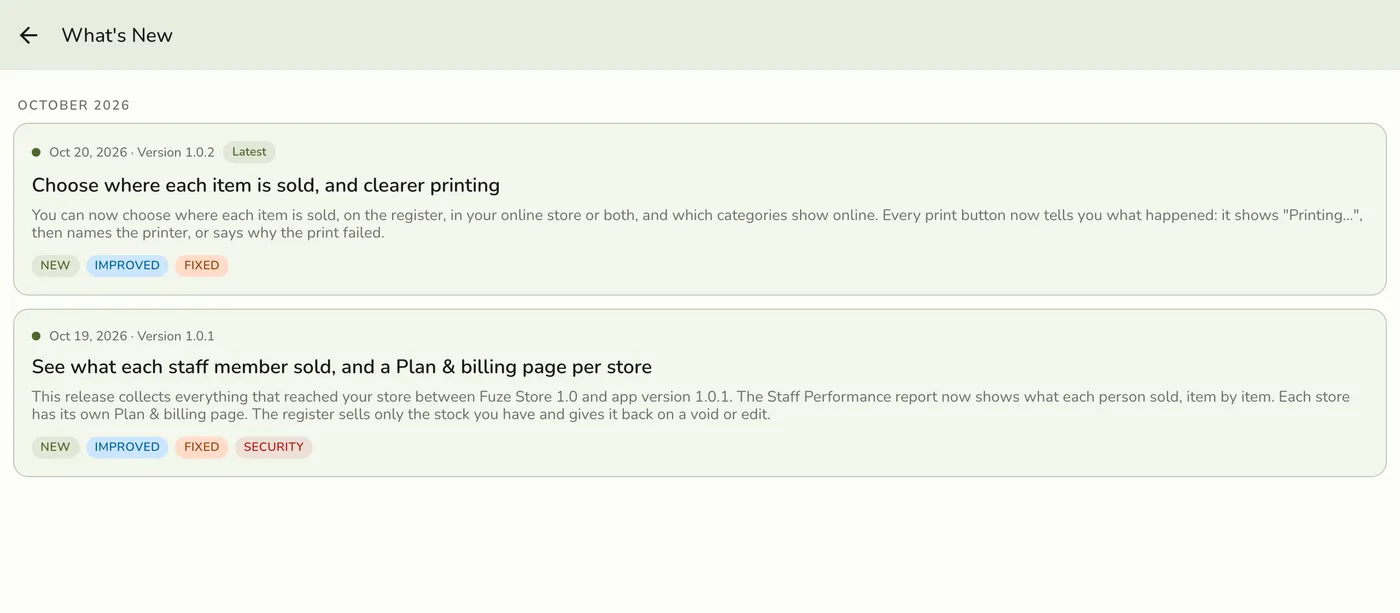
Open What's New
Tap What's New. Releases are grouped by month, newest first, each with its date, version, a short preview and its kind: New, Improved, Fixed or Security. Opening the list clears the badge.
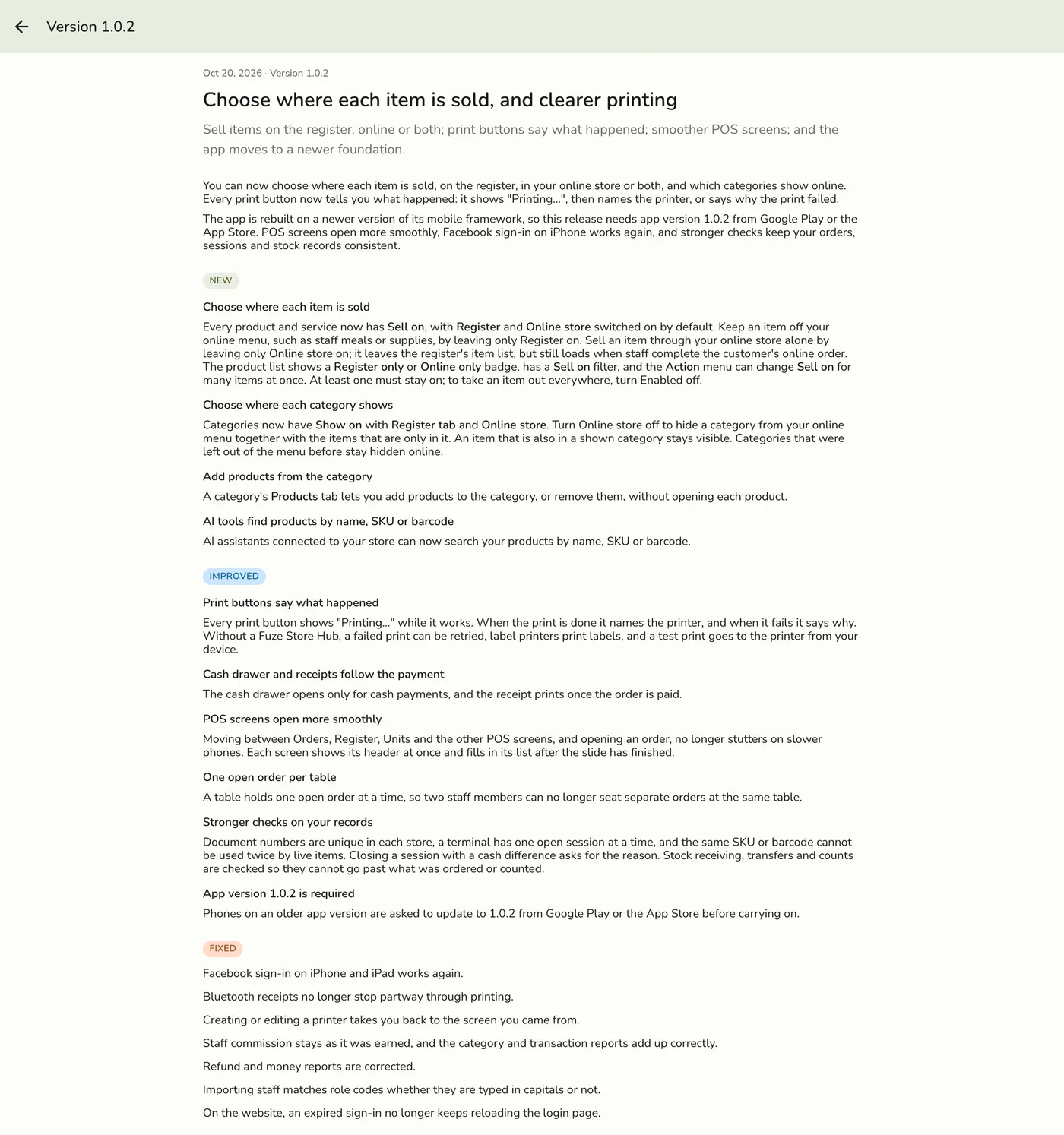
Read a release
Tap one to read it in full. Learn more opens the related help article and View on the web opens it on the website.
Update when asked
Update Available with Not Now and Update is a suggestion. Update Required with Update Now cannot be dismissed. Both open the store listing.
The Update Available prompt — screenshot coming soon
What happens next
- A published fix downloads in the background and is used the next time the app opens.
Edge cases
- Each person has their own read state. One staff member reading does not clear it for anyone else, and signing out of a shared device clears it for the next person. The list is saved on the device and shows offline. Some releases are only for owners or only for staff, and each person sees their own. On the web app the badge appears after the list has been opened once.
- The version check never waits more than five seconds for the network. No connection, a bad answer or a slow server all let the app open as it is.
- Update Required appears only when the server moves its hard floor, for a change an old build genuinely cannot work with. Update Available shows at most once every three days per target version.
- A build is never updated from inside the app. The prompts open the app's store listing. Code fixes download as an over-the-air update for the same build, and are used from the next open.
- A quiet moment. A register that is rarely closed restarts into a downloaded update after at least 15 minutes in the background, only when nothing is in progress: an empty cart, no payment open, nothing saving and no loading screen.
- A code floor. If the server names the oldest code it accepts, an older running app shows Installing an update…, waits up to 30 seconds, and restarts into the new code. With no connection it carries on.
- The What's New entry is hidden until its switch is on.
Works with
| Add-on or plan | What changes on this page |
|---|---|
| Plan | Available on every plan. |