

Account-Level AI Connection
A store connection is tied to one store. An account connection is tied to you and covers every store you own, including ones you create later. Use it for live demos: create a configured store, import a menu from a photo and hand over a claim QR in one conversation.
Before you start
- A free trial or at least one owned store with the AI Connections add-on.
Steps
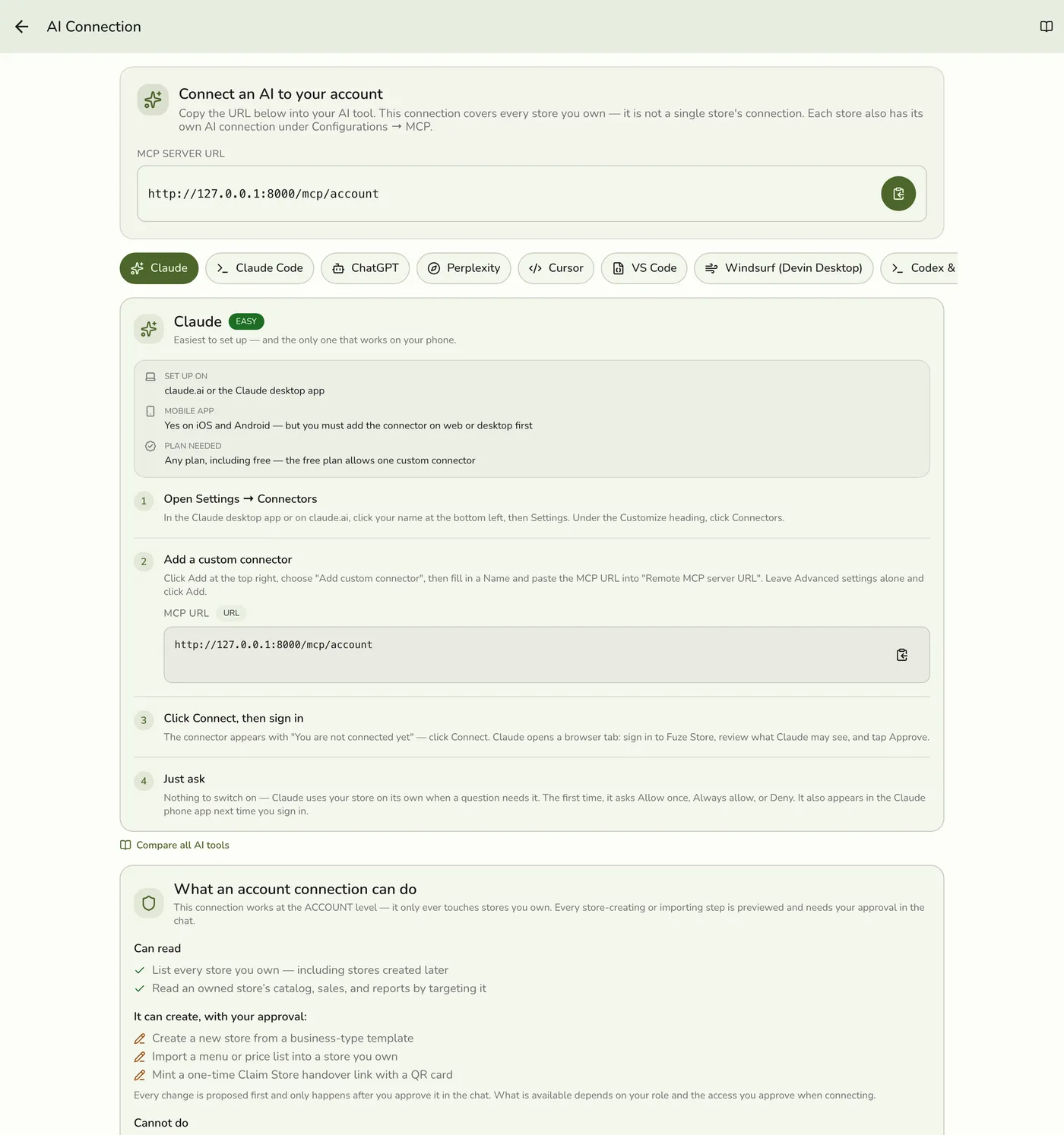
Open AI connection in Account Details
Go to Account → Account Details and open AI Connection near the bottom. It is deliberately not on the main Account list, where it could be confused with a store's Configurations → MCP.

Copy the account link
The link is your API host followed by /mcp/account: https://api.fuze-store.com/mcp/account. Add it in your AI tool exactly as for a store connection.
Approve for your account
Consent says all stores you own, and adds two permissions: Create stores & handover and Catalog import (write).
The account consent screen — screenshot coming soon
Create a store, import a menu, hand it over
Give the AI the business name and type. It previews the store from the matching template, including roles, taxes, charges, order tabs and service modes, and whether it starts on the free trial or Basic. Then share a menu for a catalog import. When ready, it mints a Claim Store link and shows a QR in the chat.
An AI conversation creating a store — screenshot coming soon
What happens next
- The new owner scans the QR, signs up and presses Claim Store. You approve the handover in the app.
Edge cases
- Only stores you own. Stores where you are staff are invisible to it. Keep using each store's own connection for day-to-day questions.
- Nothing is created until you approve the preview in the chat.
- The claim link is shown once and expires after 20 minutes. Ask the AI for a fresh one.
- Handover approval stays in the app. The AI can check progress but never approves it.
- Seeing and disconnecting. The same screen lists your active connections to your account and to organizations, with a bin on each. Only you see this list. Store connections are on that store's AI Assistants screen.
- Who can connect. While on a free trial, or once any store you own has the AI Connections add-on.
Works with
| Add-on or plan | What changes on this page |
|---|---|
| AI Connections add-on | Required on the store. Paid, and free during the free trial and early release. The AI vendor may also need a paid plan, which is separate. |