

SMS Message Templates
A template is the wording Fuze Store uses for one kind of text. There is one per situation, such as "order ready", "appointment reminder", or "refund completed". You can rewrite any of them in your own voice and use placeholders that fill in real details when the message is sent.
Before you start
- The SMS add-on is active.
- The SMS · Modify permission.
Steps
Open the templates list
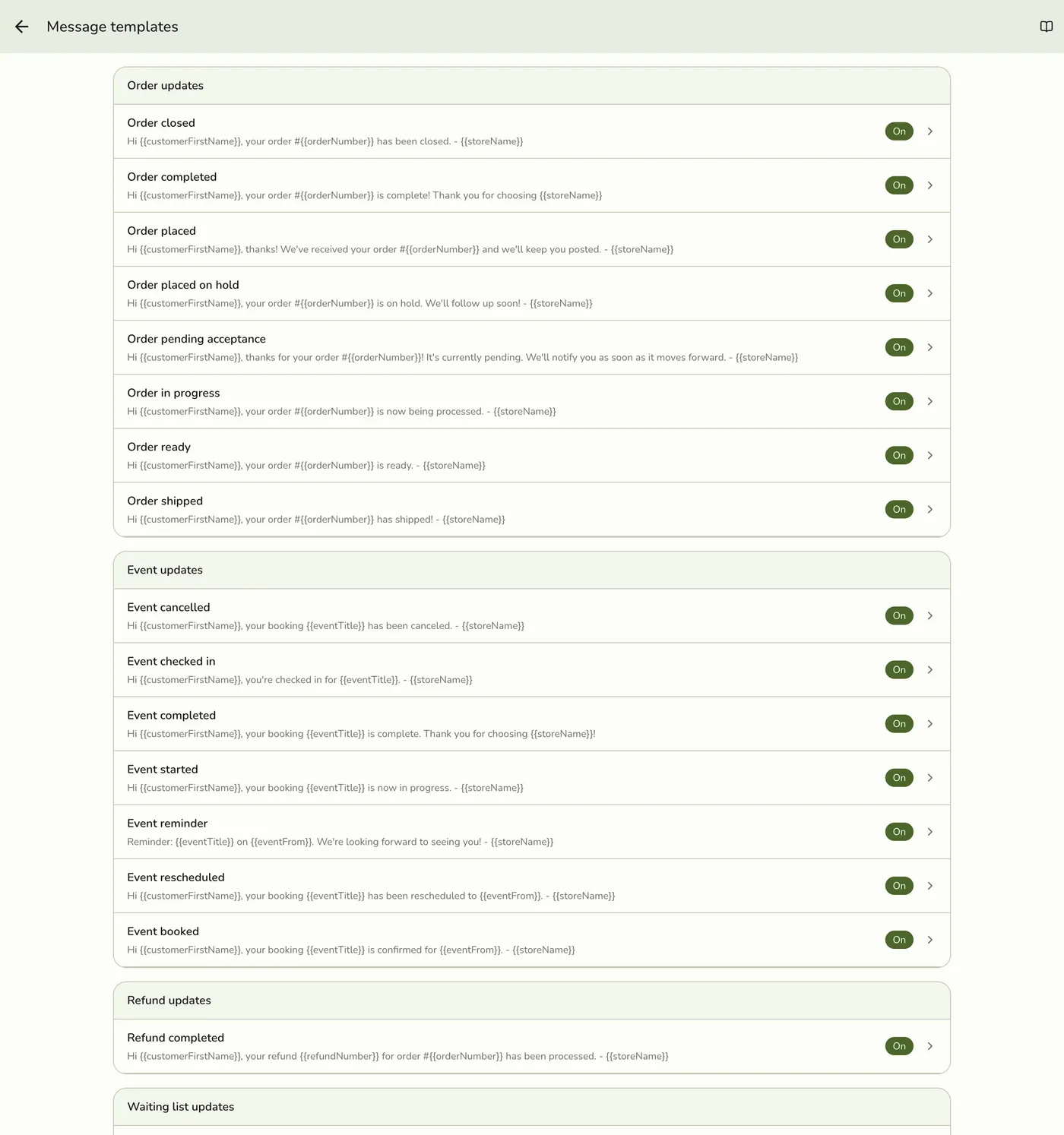
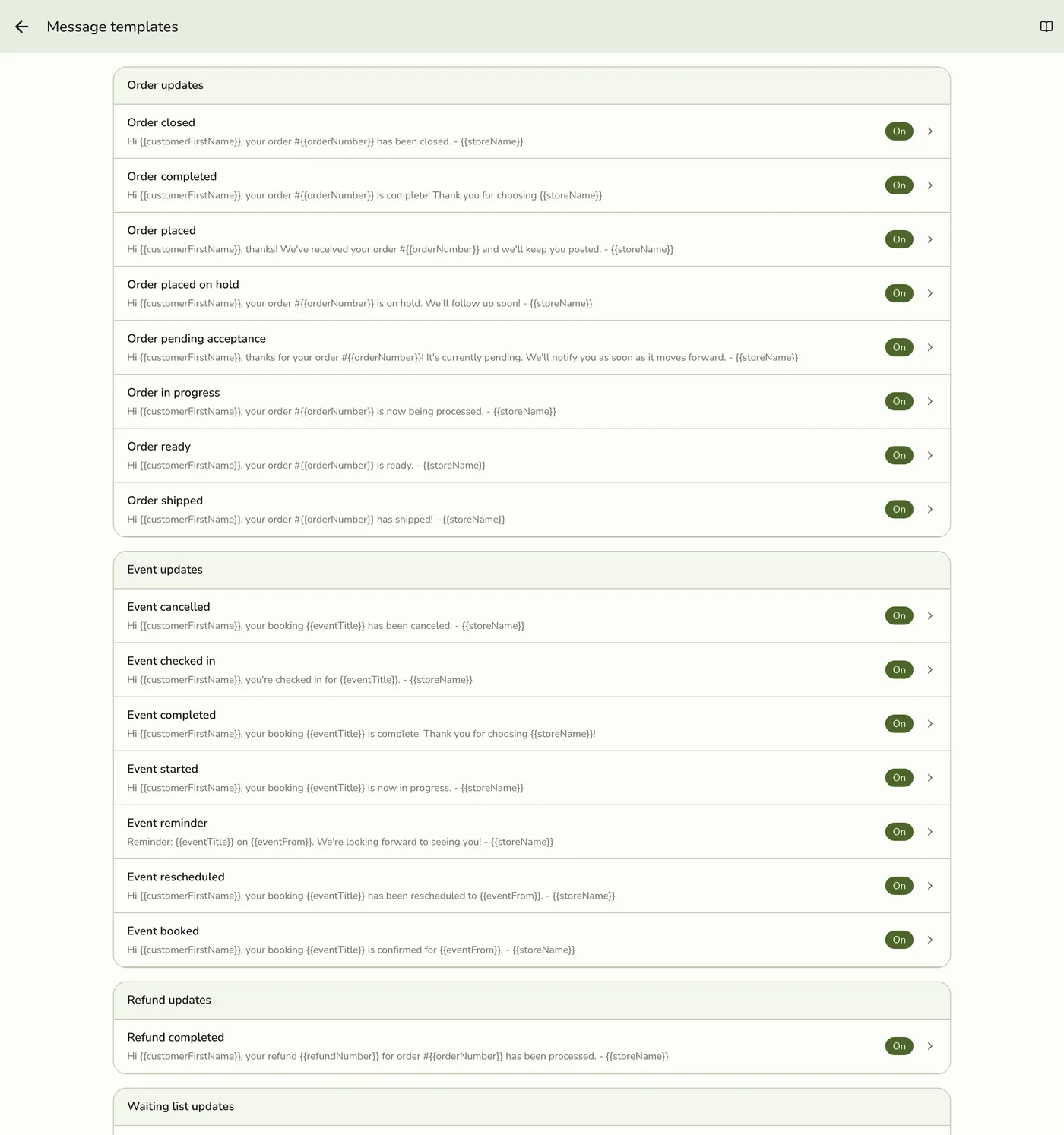
Go to Configurations → SMS → Message templates. Templates are grouped by Order, Event, Refund, and Waiting list. The first visit fills in the default wording, every one switched on.

Pick a message to edit
Tap the message you want to change, for example "Order ready".
Rewrite the message
Edit the text in your own words, up to 1,000 characters. Use the placeholder helper to tap in details such as the customer's first name, order number, live status link, or estimated time. The default wording is shown for reference. You can also switch the message off.

Save, then test
Save. The new wording is used the next time that kind of message is sent. Send a test from Configurations → SMS → Settings to check it.
What happens next
- Placeholders are words in double curly braces, like
{{orderNumber}}. When the text is sent, each is swapped for the real value. "Hi{{customerName}}, your order{{orderNumber}}is ready!" might go out as "Hi Maria, your order #1042 is ready!". - Order and waiting-list templates also offer
{{statusUrl}}, a link to the customer's live status page. Event and refund templates do not. Default order bodies usually omit it, and some waiting-list defaults include it. A typical "order ready" text with the link often uses 2 segments (2 points) instead of 1.
Edge cases
- A mistyped placeholder is sent as typed. A name that does not exist, like
{{ordernumbr}}, is not replaced. There is no preview and no segment count, so always send a test to yourself. - There is no way back to the default wording. Keep a copy of the default before you rewrite it.
- A switched-off message is never sent, automatically or by hand.
- Keep it short. Shorter texts cost fewer points. Any character outside the basic alphabet, such as an emoji, drops a part to 70 characters.
- Keep your store name in the text so customers know who is texting.
- Waiting list. There are two templates: one for when someone joins the queue (it can auto-send and carries a link to their live position) and one for when you Call them.
Works with
| Add-on or plan | What changes on this page |
|---|---|
| SMS Notifications add-on | Required to send texts and use the SMS screens. It is free and included in the free trial. Without it every SMS screen and call is refused. |
| Wallet | Every text sent spends points. See Wallet Overview. |