

How to Assign a Role to Staff
A role decides what a staff member can see and do. You give one on the staff form or on the Access tab of their page.
Before you start
- The Staff Members · Modify permission.
- The Roles & Permissions add-on, to see the Role field.
Steps
1
Open the staff member
Open Staff and tap the person's name, or ⋮ → Edit for the form.

2
Pick the role
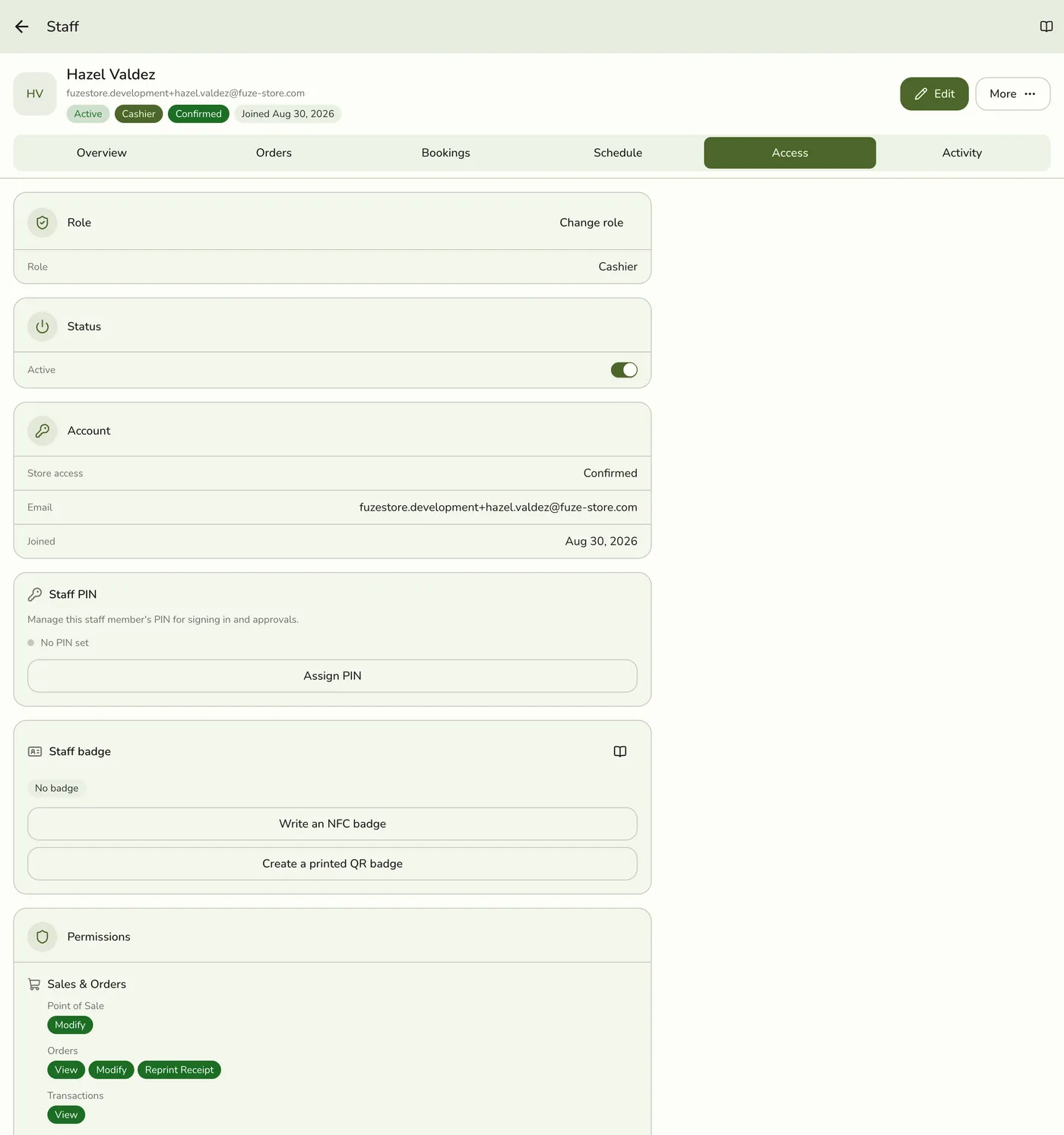
On their page, open the Access tab and tap Change role, then pick a role. It saves as soon as you tap it. On the edit form, choose from the Role dropdown and tap Save.
3
Check the result
The role chip at the top of their page updates. Their permissions apply from the next screen they open.
What happens next
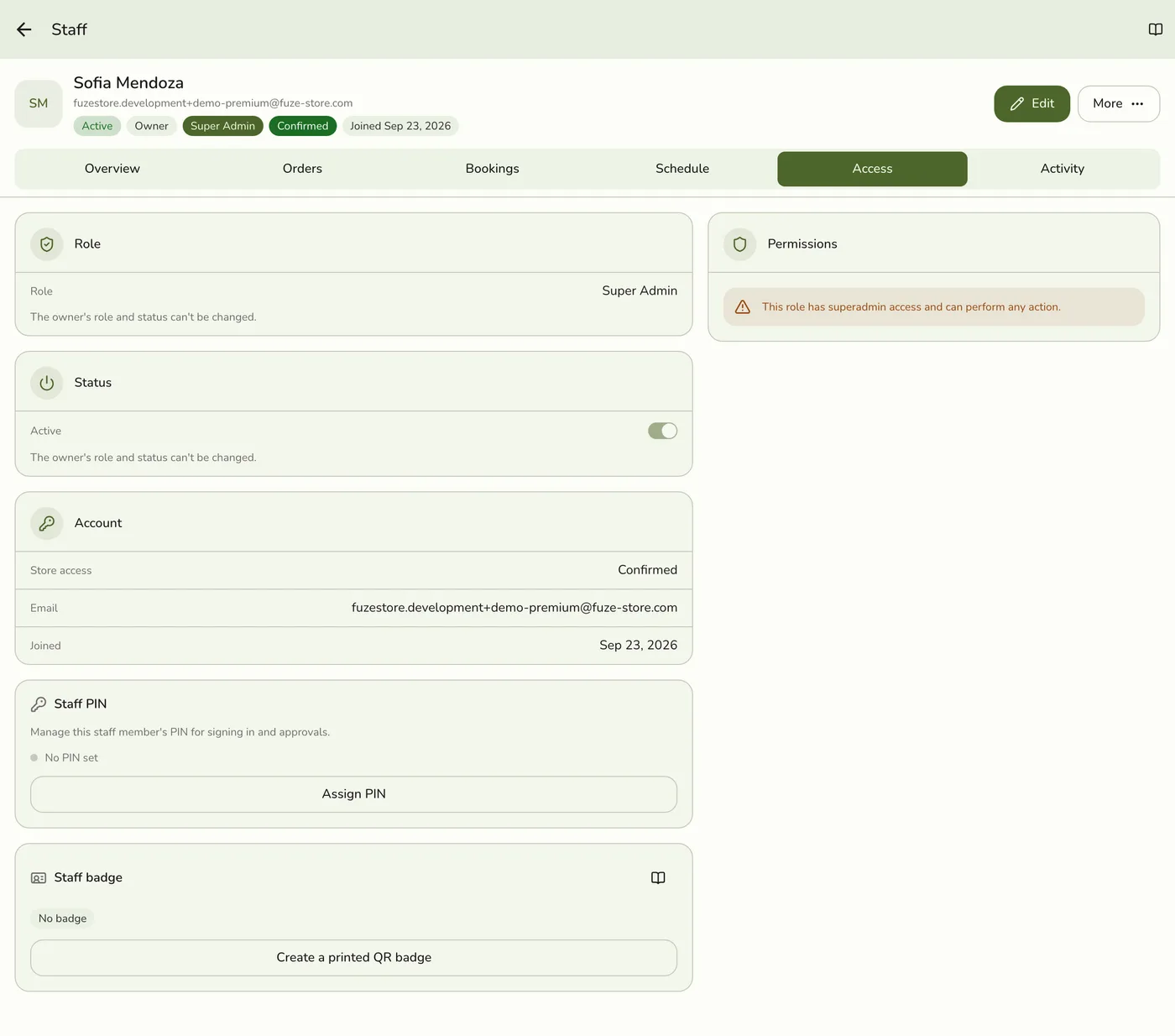
- Everything the person can do now follows the role. Super Admin allows everything.
- Their saved staff record is refreshed so the new permissions are read.
Edge cases
- Which roles you can give. The list shows only roles whose permissions you already hold, counting your own role and what an organization role grants you at this branch. This stops anyone from handing out more access than they hold. The owner, an organization member who holds every branch permission, and an organization admin can give any role.
- A role is missing from the list. Ask the owner to assign it, or ask them to grant you the matching permissions first.
- A refused save. Saving a role you may not give is refused with a message that the role is not assignable.
- Clearing a role is always allowed. With the add-on on, a person with no role is refused anything that needs a permission, unless they are the owner or an organization admin.
- No add-on, no roles. Without Roles & Permissions the Role field and Change role are hidden and every staff member has full access. The roles come back into force when the add-on does.
- Create a role while assigning. Tap New role under the dropdown, if you may create roles.
- The owner's role cannot be changed. The Access tab says so.
- A stale Role list after a change. If the old role still shows, pull to refresh. The server saved the new one.
- Branches of an organization. You set the role of the organization's people here like anyone else's, including visitors. Organization members who reach your branch through their organization role do not need one.
Works with
| Add-on or plan | What changes on this page |
|---|---|
| Roles & Permissions add-on | Controls whether roles are enforced. With it on, a staff member may do only what their role allows. With it off, every staff member has full access and the Role field is hidden. Roles stay on file and apply again when the add-on returns. |
| Plan | Available on every plan. |
| Live sync (Lite and up) | Other devices learn of staff and role changes at once. On lower plans they pick the change up the next time they refresh. |