

How to Update a Gift Card
Applies toEvery plan, including free BasicGift Cards add-onNeeds Gift Cards · ModifyUsually owner, manager
You can change a gift card's code, expiry, or any other detail at any time. Updates take effect immediately.
Before you start
- The Gift Cards · Modify permission.
Steps
1
Go to Gift Cards
Open the sidebar menu and select Gift Cards.

2
Find and open the card
Search by code or description (every word must appear in one of them, ignoring case), or filter to cards that are on or off. Tap Edit on the card or tap its code. The page is titled with the code.

3
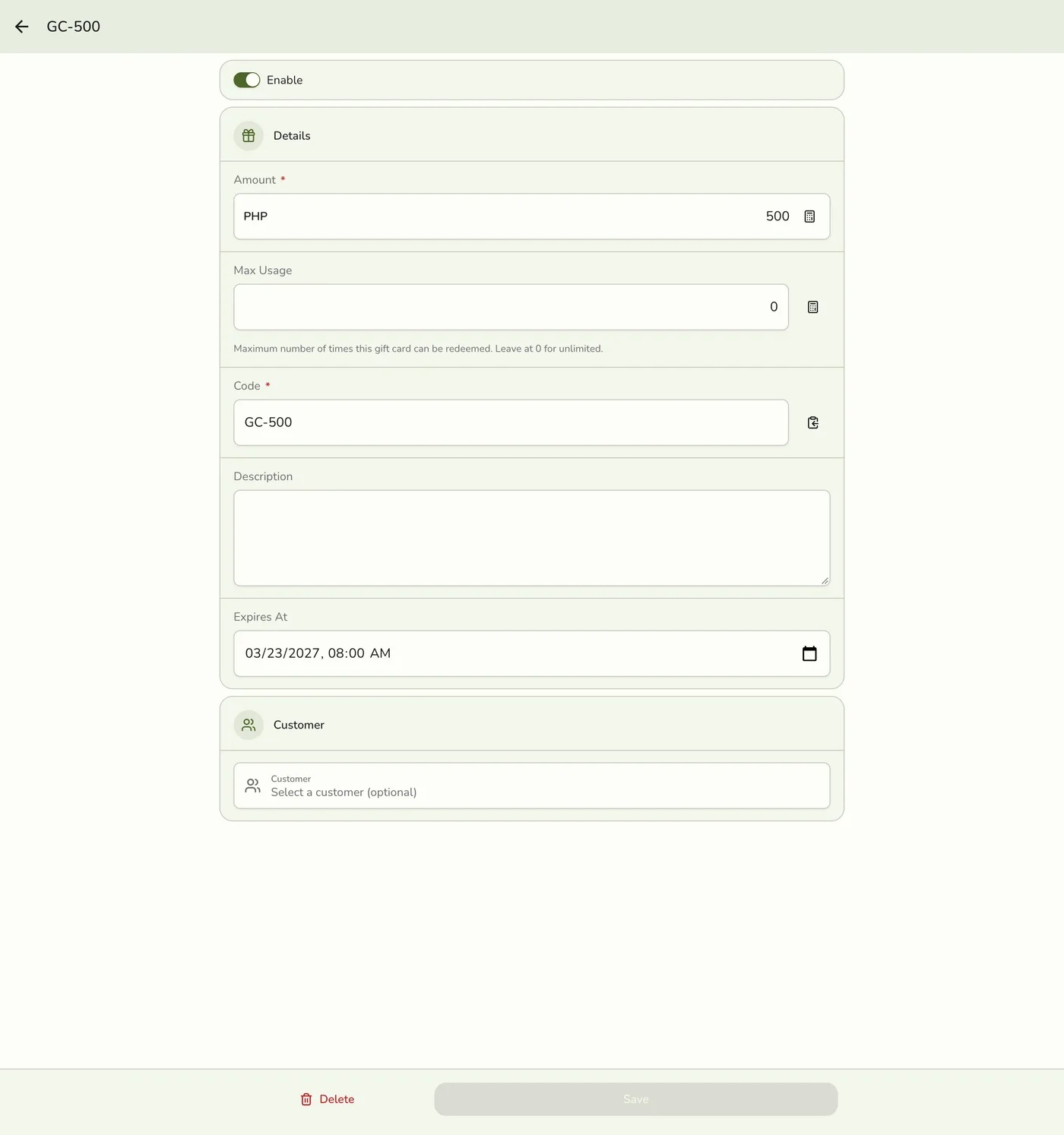
Edit the fields
Change Enable, Amount, Max Usage (0 is unlimited), Code, Description, Expires At (clear it for no expiry), or the Customer.

4
Save
Tap Save. Your changes take effect right away.
What happens next
- Other devices are told only on plans with live sync.
Edge cases
- Editing never changes the remaining balance. It is safe to edit a card a customer has spent from. Changing the code, expiry, or anything else leaves the balance and use count alone. Changing Amount updates only the face value for reporting. A card cannot be topped up in the app.
- Codes stay unique, deleted cards included. A code used by another card is refused.
- Switching a card off, or letting it expire, stops it being checked or redeemed. Nothing else happens to its balance.
- The list shows no balance left. Neither the list nor a card's page shows what remains, only the issued amount. Check the code at the register to see the balance.
- The list. On a wide screen it is a table in numbered pages (code, amount, uses, most uses, on or off, expiry, created). On smaller screens it is tiles that load more as you scroll, marked Used up when every use is spent.
Works with
| Add-on or plan | What changes on this page |
|---|---|
| Gift Cards add-on | Required to create, edit, list, and delete cards. It is unlocked during the free trial. Without it the Gift Cards menu does not show. |