

Members and Points
Only enrolled customers earn points. This guide covers enrolling, spending points at the register, and fixing a balance.
Before you start
- The program is on.
- The Loyalty Program · Modify permission to enrol or adjust. The register permission to redeem.
Steps
Enrol a customer
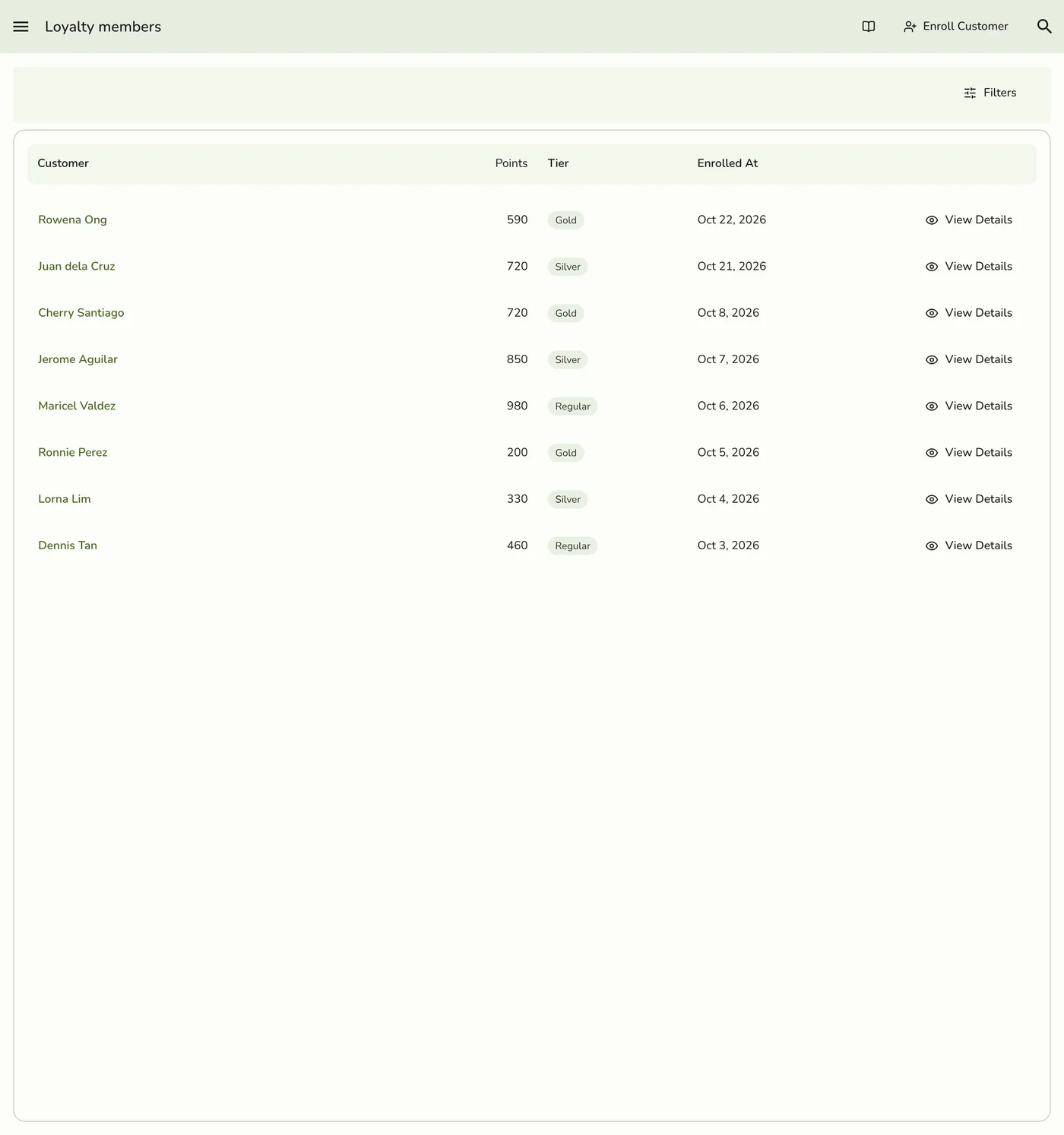
Open Loyalty members in the sidebar, tap Enroll Customer, pick the customer and tap Enroll Customer again. From a customer's page use More → Enrol in loyalty: the same window opens with them already picked.
Redeem at the register
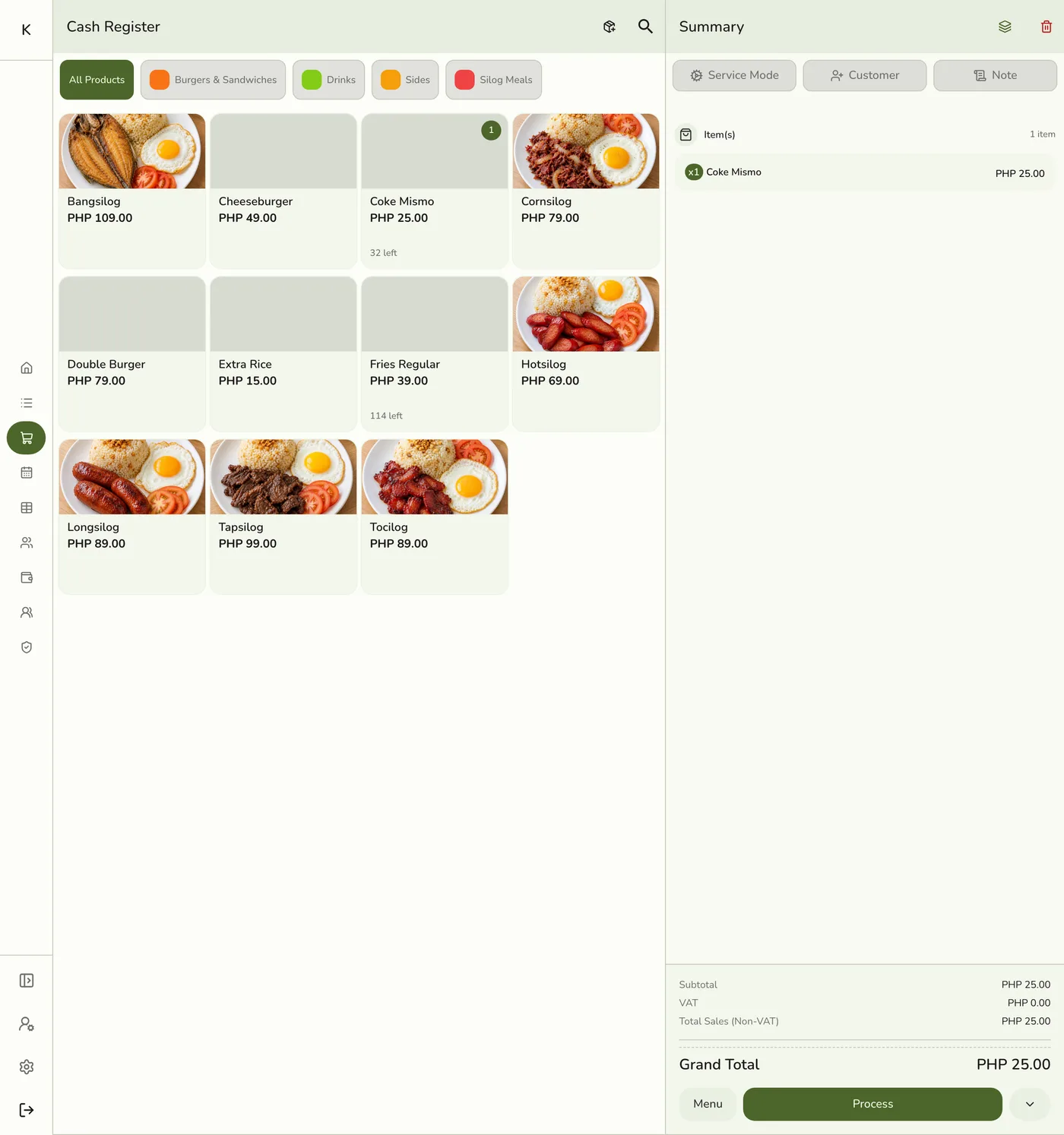
Attach the member to the order and add items. The Summary's Loyalty section shows "683 pts available" and what they are worth on this sale. Tap Redeem, choose the points (type, or Minimum, Half, Max) and apply.
Open a membership
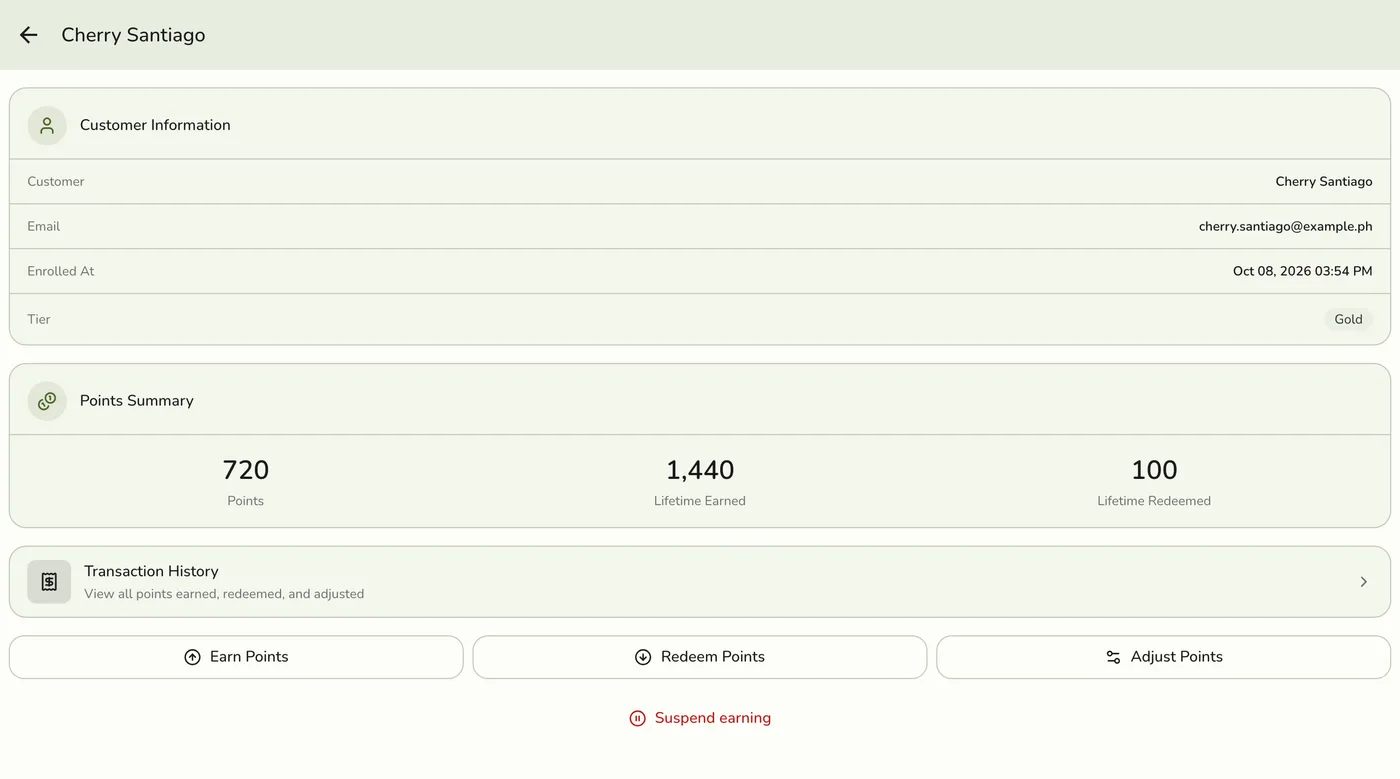
Open Loyalty members and tap a member, or tap the Loyalty tab on the customer's page. You see their balance, lifetime earned and redeemed, tier, and a Suspended badge.
Earn, redeem or adjust by hand
Tap Earn, Redeem or Adjust, enter the points and a note. Adjust asks whether to Add points or Remove points, how many (1 or more) and a required reason.
Suspend or read history
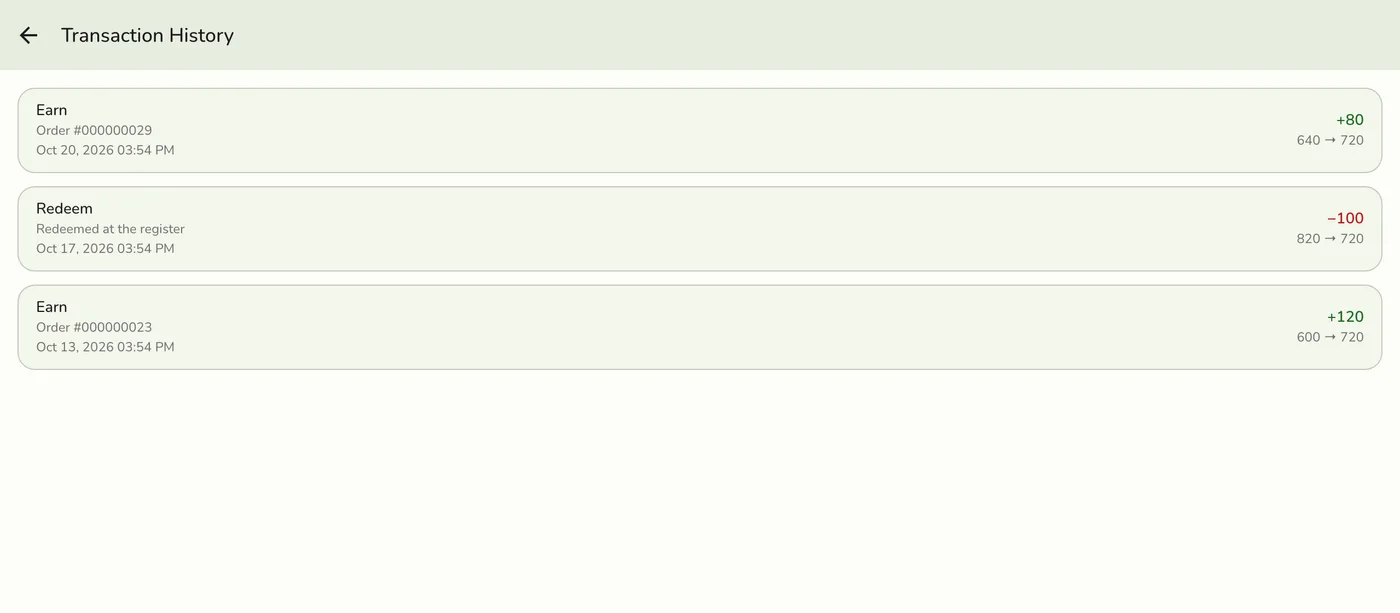
Tap Suspend (or Unsuspend) and confirm, or tap Transaction History for every earn, redemption, adjustment, refund and expiry with the balance before and after.
The Transaction History list — screenshot coming soon
What happens next
- Every change is recorded with the staff member who made it. Redemption takes the points off with the order in one step, so two registers cannot spend the same points.
Edge cases
- A new member starts with 0 points. A tier at threshold 0 is given at enrolment. Enrolling is refused while the program is off, or if they are already a member.
- Redeeming. Refused under the minimum and over the balance. Only the points the order needs are used. If the order is not saved, the points stay.
- Earn by hand adds exactly the points entered with no multiplier, and updates the tier. Refused while the program is off or the member is suspended.
- Adjust corrects the balance only. Lifetime points and tier stay. It works even while the program is off, and cannot take the balance below 0.
- Suspended members keep their balance and can still redeem, but earn nothing, at the register or by hand.
- Points are earned when the order completes, not when it is placed, and taken back in proportion when it is refunded.
- A customer who is not enrolled has no Loyalty tab.
- Enrolling everyone at once exists only through the API.
- Customers can see their points on their own phone from a card. See Customer Cards.
Works with
| Add-on or plan | What changes on this page |
|---|---|
| Loyalty add-on | Required. Free during the free trial. Without it the Loyalty menu hides and the server refuses. |
| Customers | Only enrolled customers earn points. New customers are not enrolled automatically. |
| Gift Cards add-on | The part of a sale paid by gift card earns points. The part paid with points does not. |
| Customer cards | A customer can see their points on their own phone. See Customer Cards. |
| Live sync (Lite and up) | Other devices see the change at once. On lower plans they pick it up the next time they refresh. |