

Setting Up a Loyalty Program
You can set up a program in a few minutes. You need the Loyalty add-on and permission to change loyalty.
Before you start
- The Loyalty add-on is on.
- The Loyalty Program · Modify permission.
Steps
Create the program
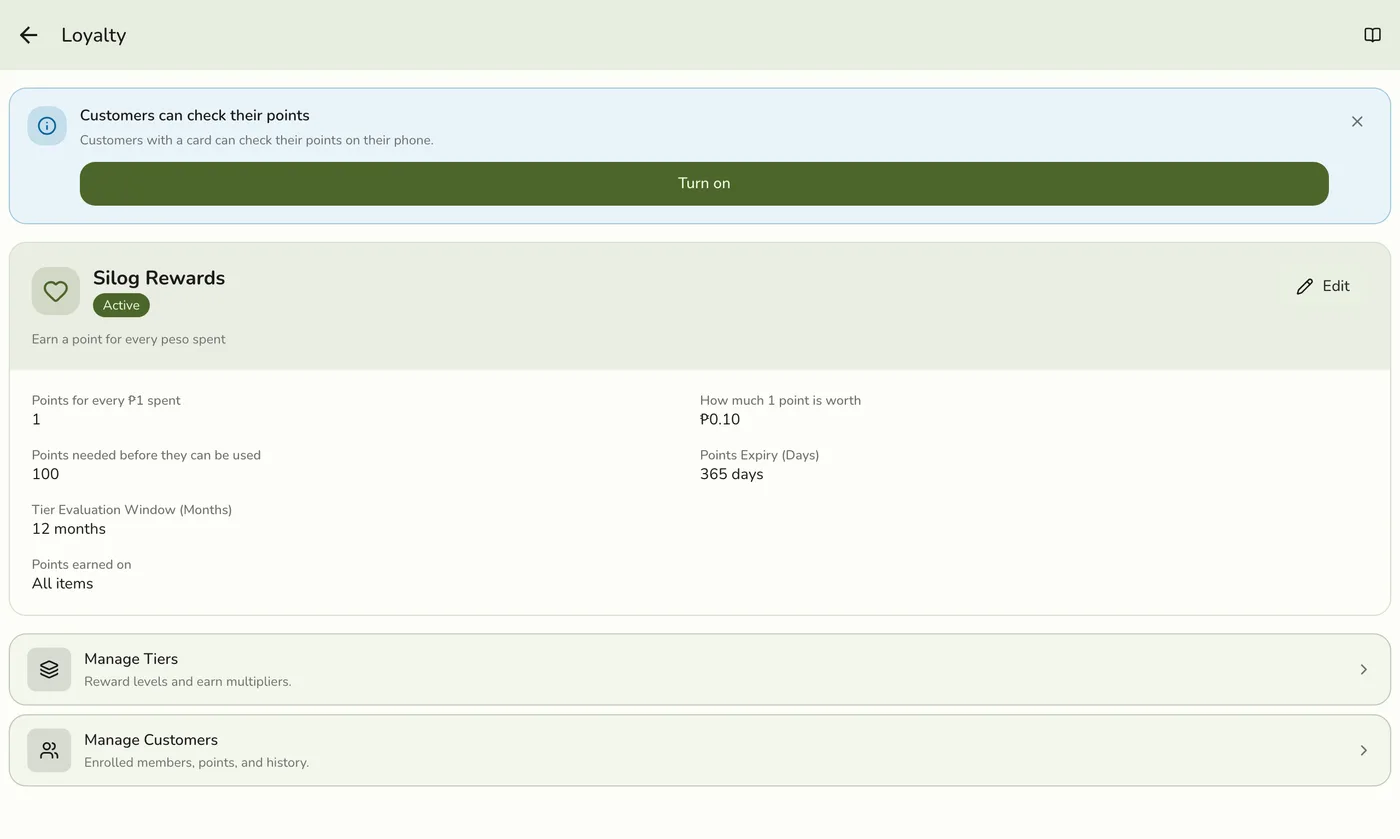
Open Configurations → Loyalty and tap Create program. Enter a Program Name customers will see, such as Kape Rewards.
Set the point rules
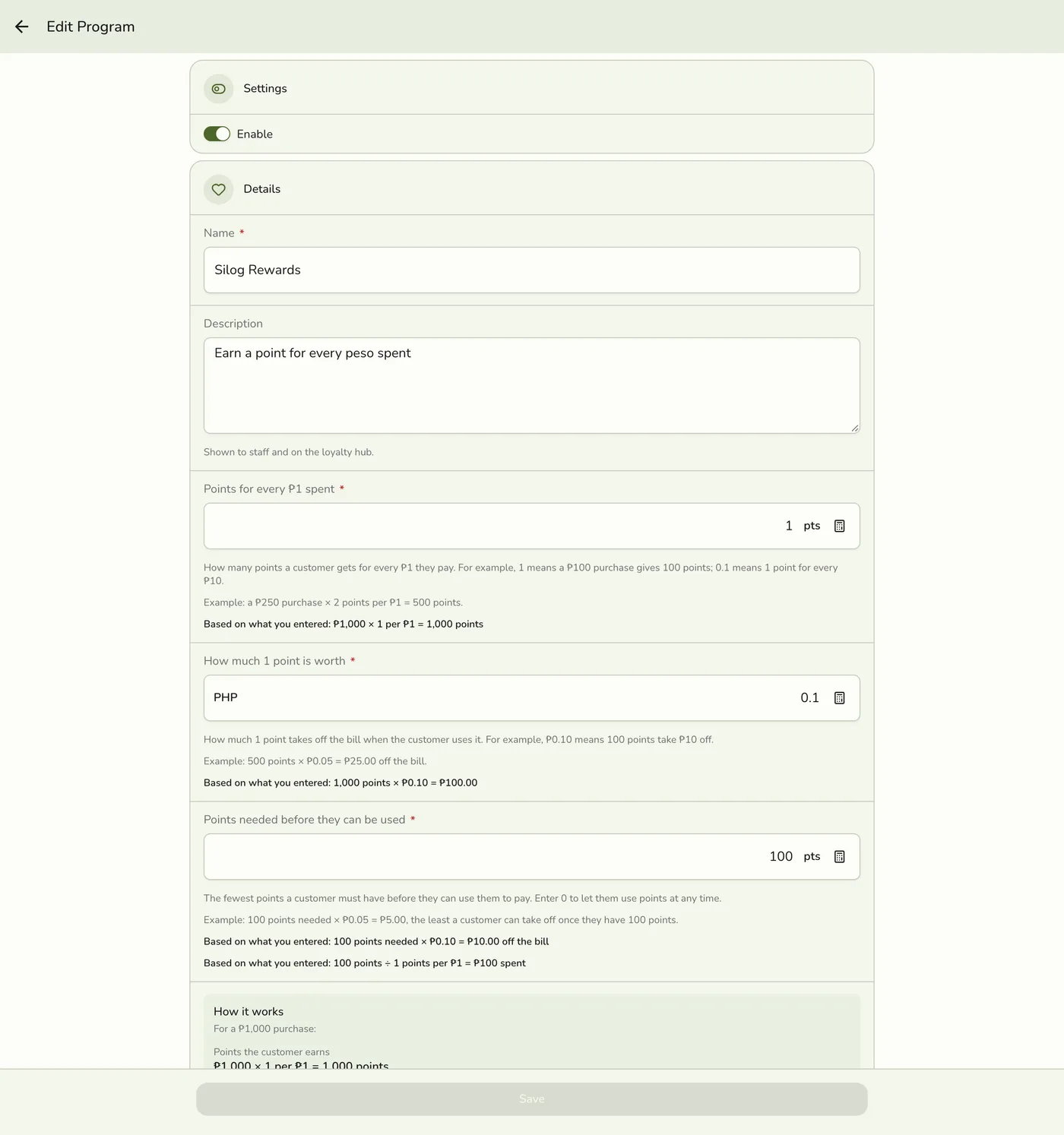
Points for every ₱1 spent: from 0.01 to 10,000, up to 2 decimals. 1 is 1 point per ₱1, 0.1 is 1 per ₱10. How much 1 point is worth: from ₱0.01 to ₱9,999.99. Points needed before they can be used: 0 for no minimum. Optionally Points Expiry (Days) and the tier evaluation window in months.
Choose which items earn points
Under Earning eligibility, pick All items (default), Selected (only the categories and items you pick) or All except. Add categories and single items (up to 200 categories and 500 items). Turn Service charges and delivery earn points off if only items should earn.
The earning eligibility section — screenshot coming soon
Add your tiers
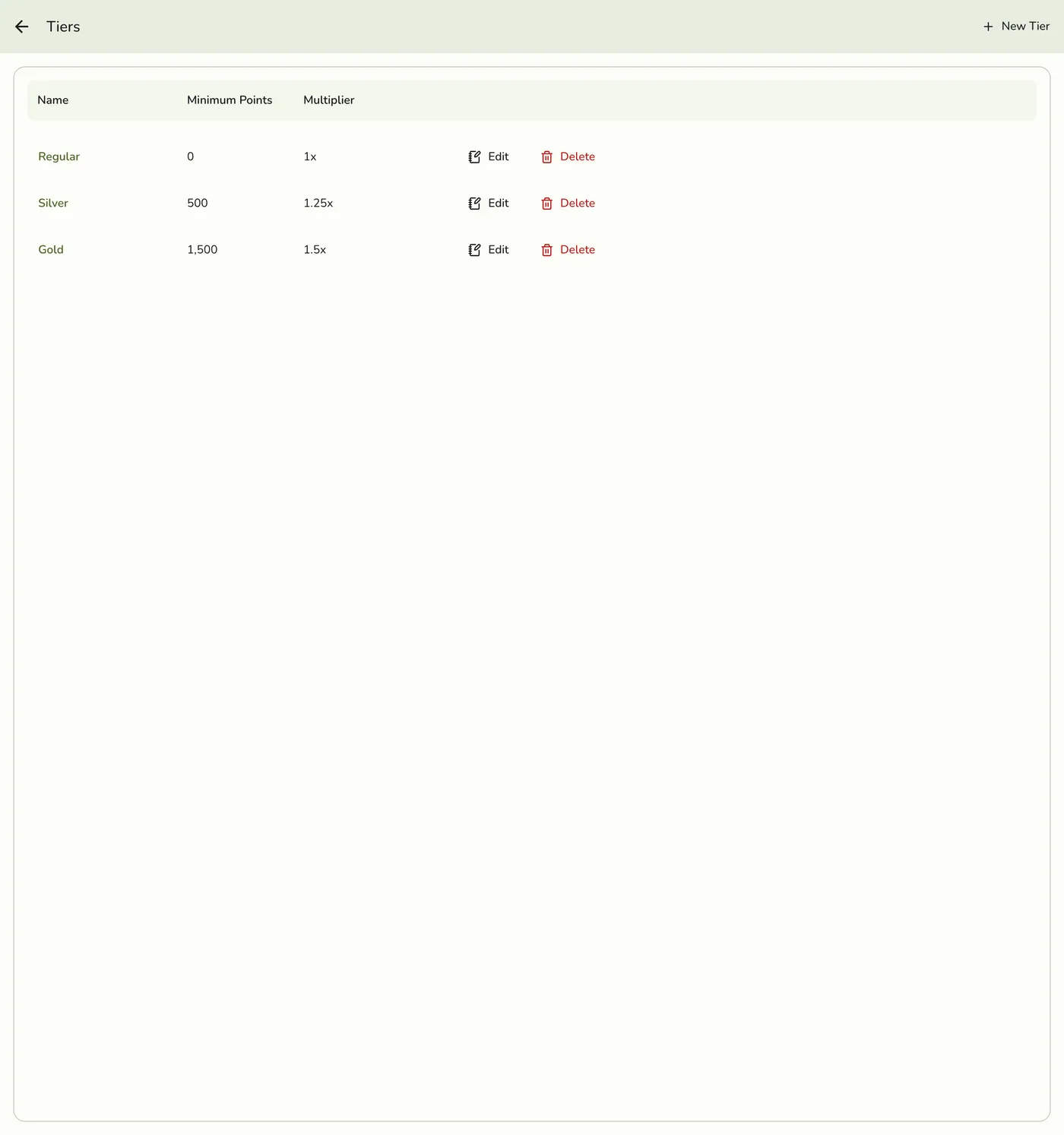
Open Tiers and tap Add Tier. Enter a Name, a Point Threshold and a Multiplier (1 to 99.99). Repeat for each tier, lowest first. A tier at 0 is given to every new member when they enrol.
Save and review
Save. The form shows what a ₱1,000 sale earns, what those points are worth, the share back, and a warning if the program gives back more than 20 percent. Customers start earning on their next purchase once enrolled.
The How it works card — screenshot coming soon
What happens next
- The program is on. Points already earned keep their count, and new rates count from the next sale or redemption.
Edge cases
- The two rates multiply. Points per ₱1 times the value of a point is the share of spending returned. At 1 point per ₱1 and ₱0.10 a point, a ₱1,000 sale earns 1,000 points worth ₱100, which is 10 percent back.
- Points expiry is in DAYS and clears the whole balance. Enter 365, not 12. If a customer earns or redeems nothing for that many days, their entire balance is zeroed at once. A manual adjustment does not count as activity.
- Tier evaluation is in months. Blank means tiers follow lifetime points only. With a window, each tier follows the points earned in that many past months, reviewed on the 1st.
- An item's own setting wins. On the item's Pricing tab set Loyalty points to Eligible or Not eligible. An item in two categories, one excluded, is excluded.
- Switching between Selected and All except keeps your lists but reverses their meaning, and the form warns you. Save names an item on your list that was deleted.
- Example. A ₱150 coffee, a ₱100 pastry and a ₱500 mug, with mugs excluded, at 1 point per ₱1, earn 250 points. The payment screen shows the points earned and how many items did not earn.
- Rounding. A ₱99.99 sale at 1 point per ₱1 earns 99 points.
- Turning it off pauses points. Sales earn nothing, the register offers no redemption, and enrolling or earning by hand is refused. Balances are kept.
- Service charges and delivery count only while that switch is on. Tax always counts as part of the item price.
- Start simple. Two or three tiers work for most businesses.
Works with
| Add-on or plan | What changes on this page |
|---|---|
| Loyalty add-on | Required. Free during the free trial. Without it the Loyalty menu hides and the server refuses. |
| Customers | Only enrolled customers earn points. New customers are not enrolled automatically. |
| Gift Cards add-on | The part of a sale paid by gift card earns points. The part paid with points does not. |
| Customer cards | A customer can see their points on their own phone. See Customer Cards. |
| Live sync (Lite and up) | Other devices see the change at once. On lower plans they pick it up the next time they refresh. |