

Creating a Service
Create a service from Products, the same place you add products.
Before you start
- The Products · Modify permission.
Steps
1
Go to Products
Open the sidebar menu and choose Products (under Catalog). There is no separate Services menu.

2
Tap New Product
Tap New Product.

3
Turn on This is a service
On General, turn on This is a service, then enter the name, price, categories, and other details as usual.

4
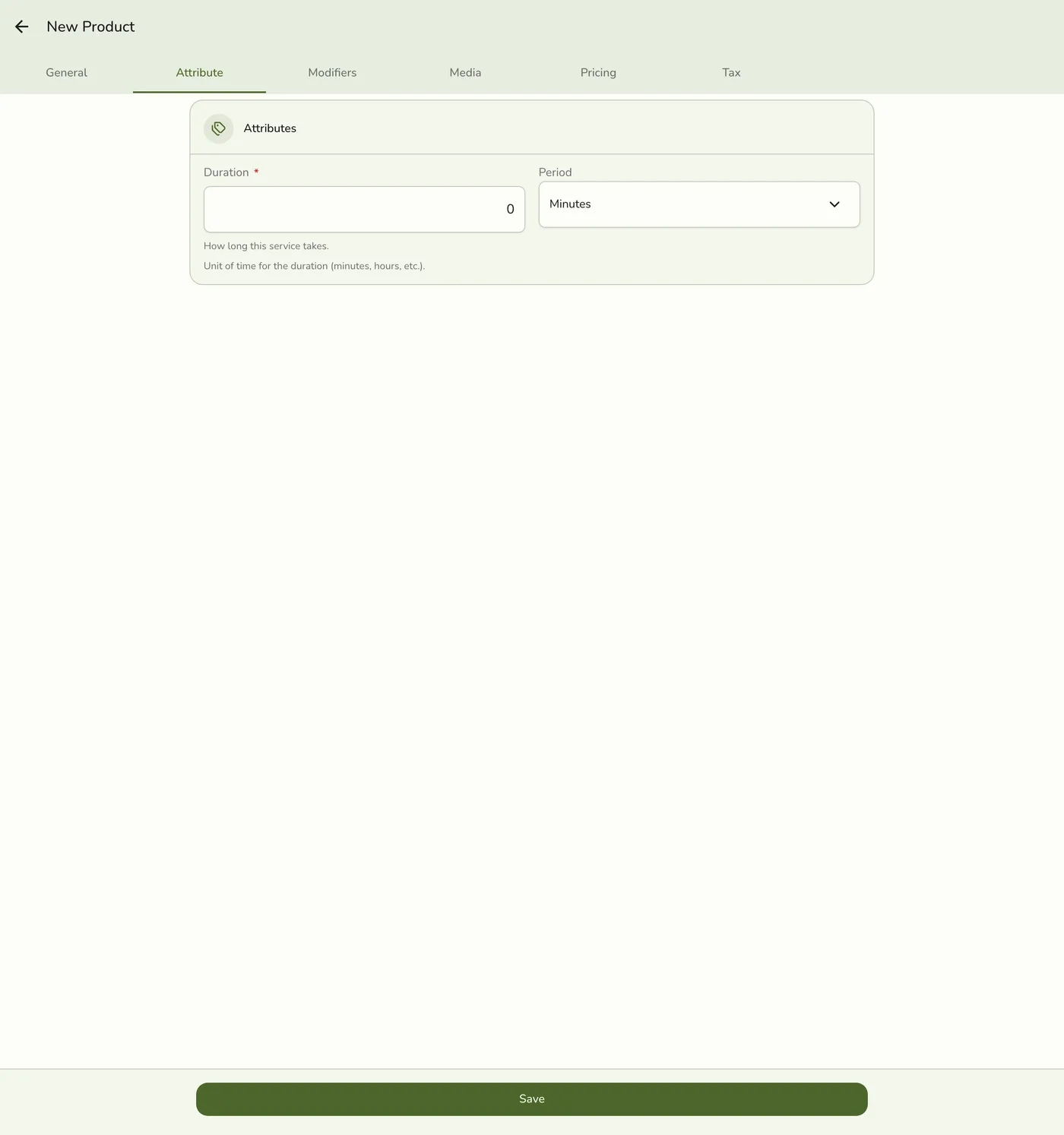
Set the duration
Open the Attribute tab and set Duration and Duration Period. A service needs a duration to save.
5
Save
Tap Save. Filter the list by Kind: Service to confirm it appears.

What happens next
- The service is on the register and, when Sell on includes the online store, on your public menu.
- It counts toward your plan's item limit together with products.
Edge cases
- A service has no Stock tab. Services do not track stock.
- Required: a name, a price, and a duration. A tab with a problem is marked with a dot.
- Plan limit. Free Trial 500 items, Basic 150, Starter 500, Lite 1,000, Standard 3,000, Premium no limit.
- Prefer modifiers for optional add-ons instead of many near-duplicate services.
- You can disable a service later without deleting its history.
Works with
| Add-on or plan | What changes on this page |
|---|---|
| Basic plan | Up to 150 items, with no Tax rules. |
| Starter and up | Higher limits and Tax. |
| A plan with events | Bookable event services are separate. See Events and Appointments. |