

Closing the Day with the Z-Report
Closing the day is the moment you reconcile what your POS thinks happened with what is actually in your drawer, and produce the Z-report that captures the day for your records, your accountant, and any audit.
Before you start
- A session is open.
- All open orders are handled and all drawer movements are logged.
- The Register Sessions · Modify permission.
Steps
Open the active session
Sidebar, then Session. The active session shows at the top.
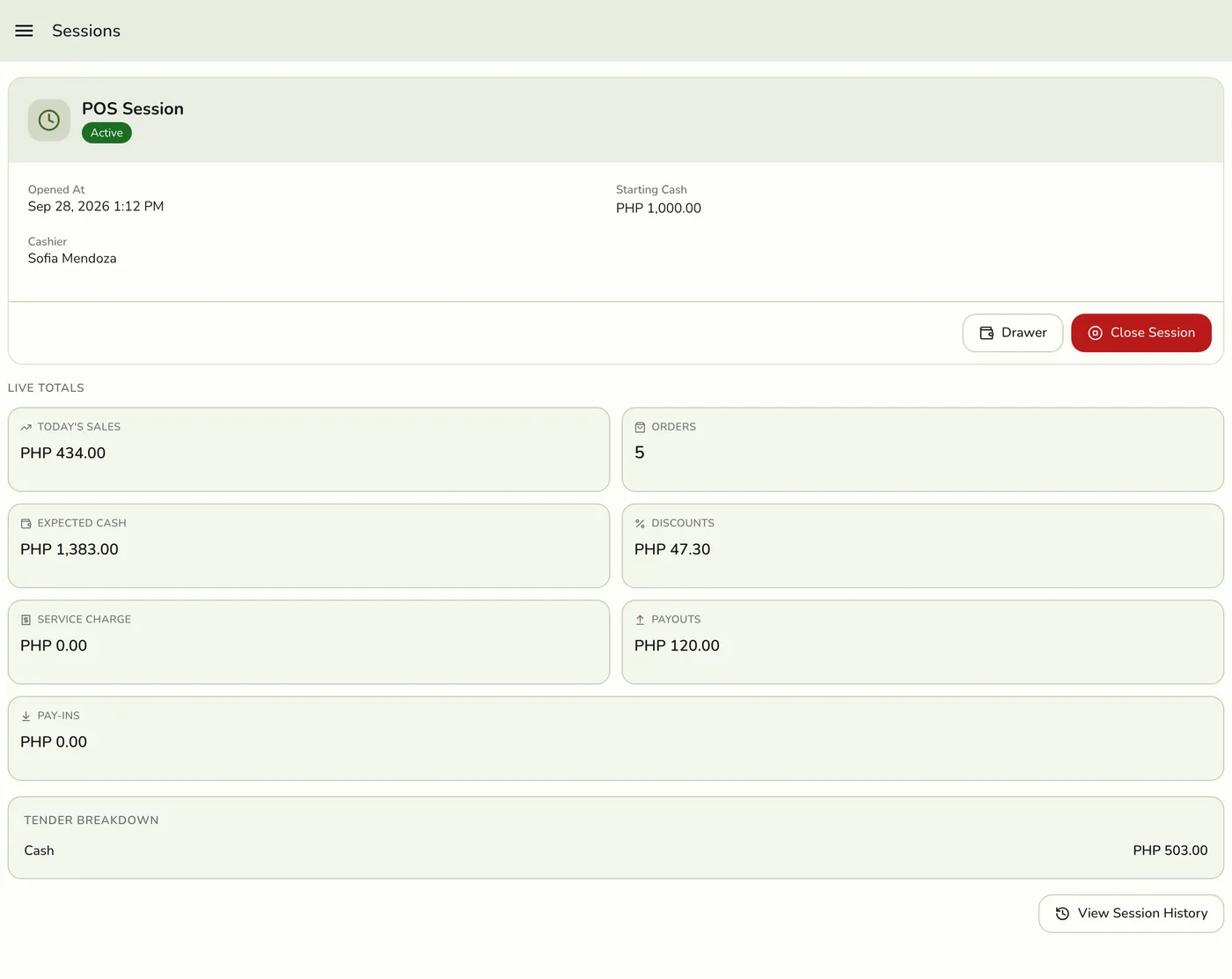
Tap End Session
You see the closing screen with running totals: opening cash, cash sales (less any cash refunded from the drawer), payouts, payins, and the expected cash.

Count your drawer twice and enter the closing cash
Take the cash out, count it, then count it again. Type the total. To be extra careful, tap Denomination breakdown and enter counts per denomination. They add up into Closing Cash for you, so compare that with your hand count. If they differ, count again.
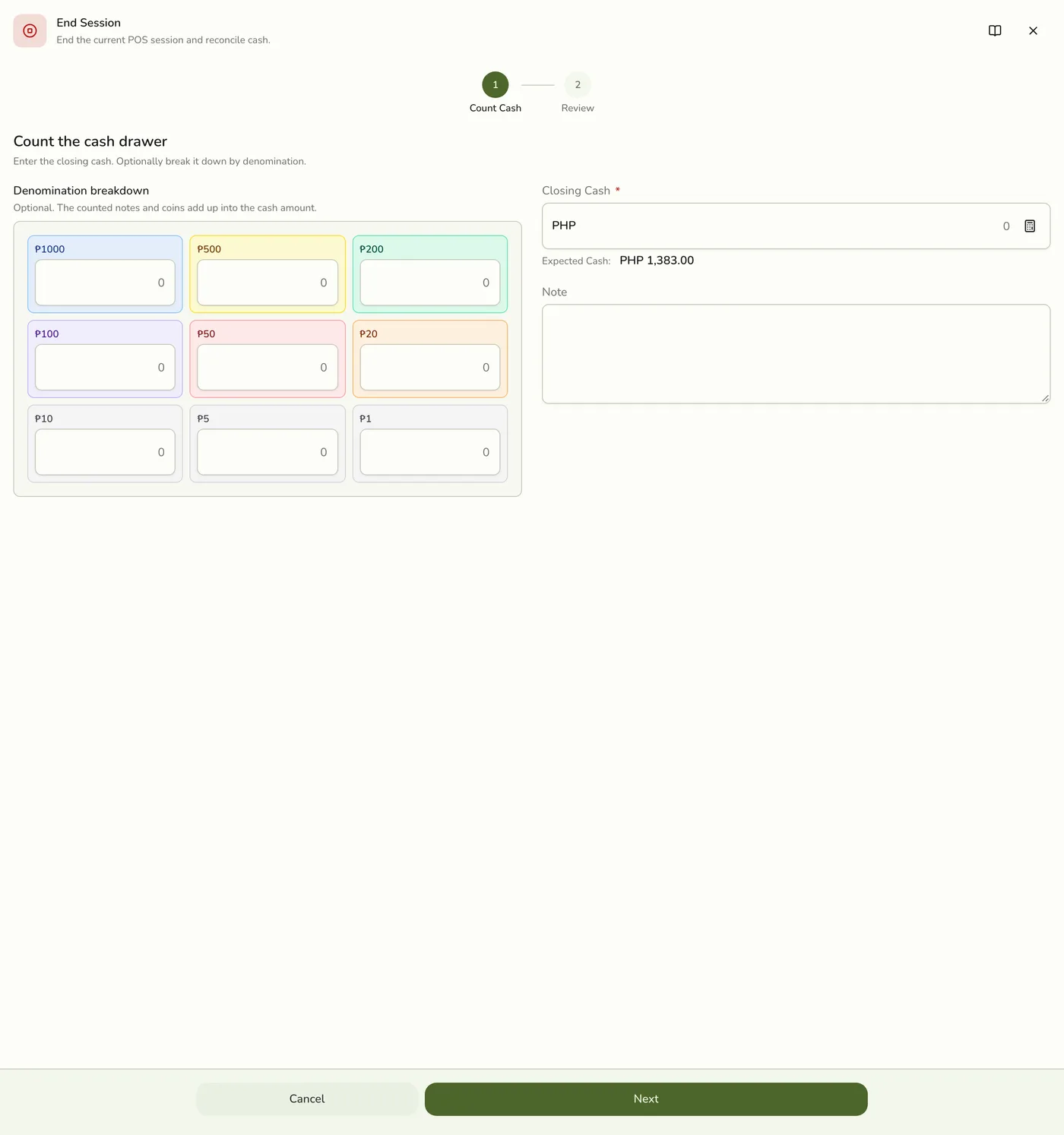
Review the variance
Fuze works out variance = closing cash − expected cash and shows it as a badge: balanced, minor, review, or escalate. Above Review you must pick a reason. Above Escalation you also need a note. If orders from this shift are still open and unpaid, the review step warns you with how many and the amount due. Closing still goes through.

Pick a reason if prompted
The picker offers Wrong change, Counterfeit bill, Drawer skim, Miscount, Bank deposit, and Other. Pick the closest and add a short note if you pick Other or if the variance escalates. Be honest: repeated patterns are how managers spot real problems.
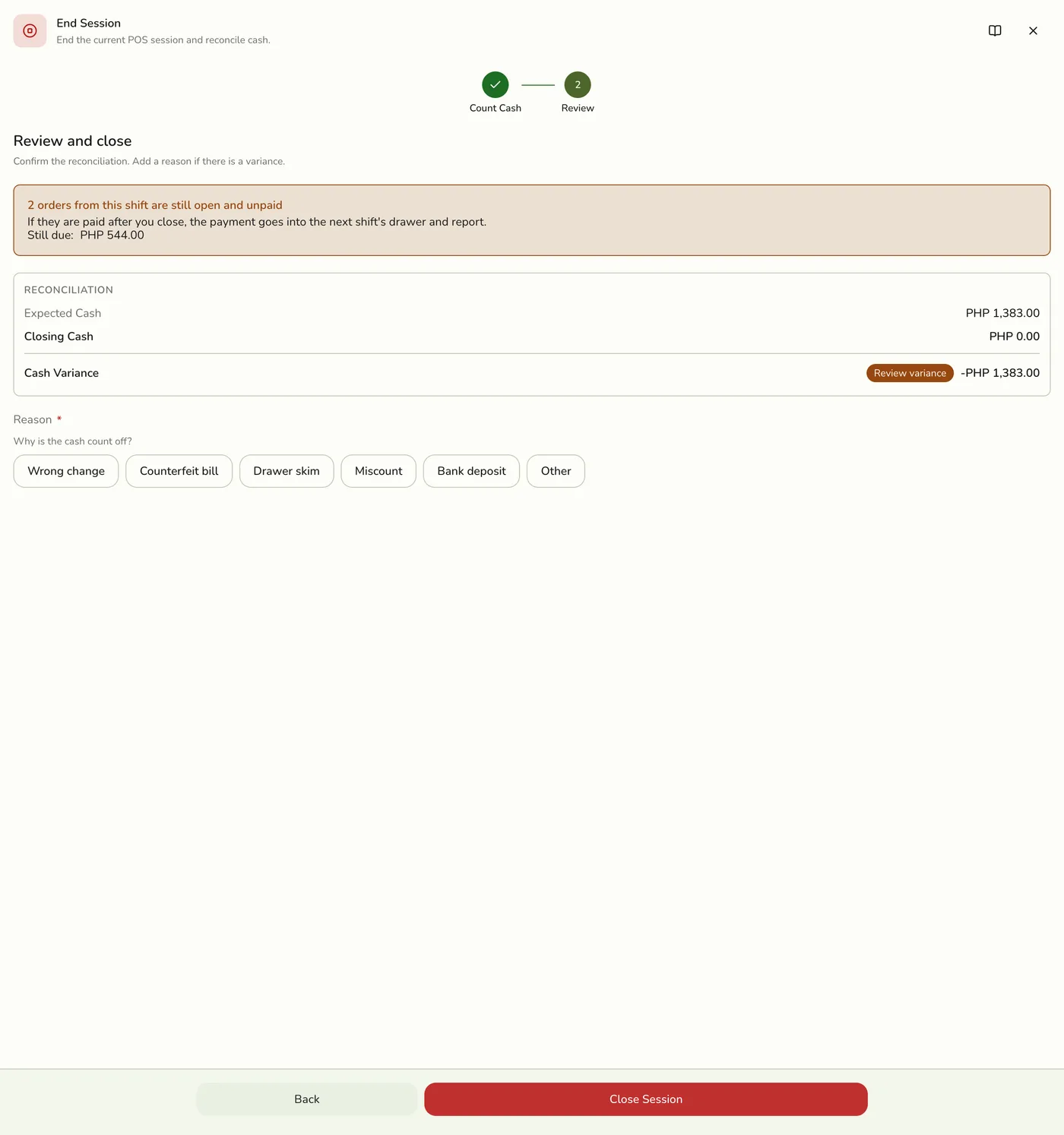
Tap Close Session
Done. The closed session is now in Session History.

Print or share the Z-report
Open the closed session from Session History. Print Report builds the Z-report on your device and sends it to your default Bluetooth thermal printer. Share Report opens your share sheet, for emailing your accountant or head office.
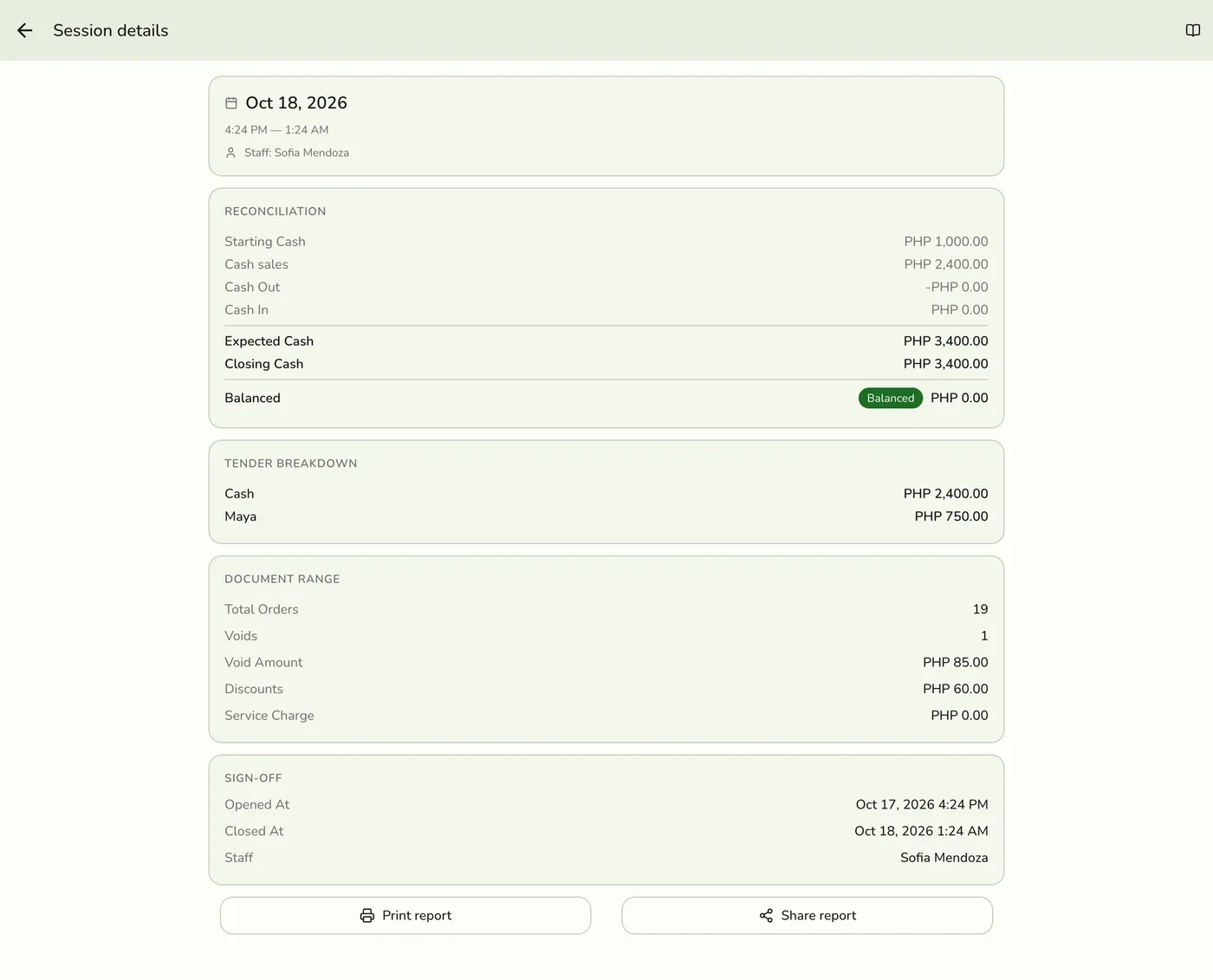
What is on the Z-report
| Section | Fields |
|---|---|
| Store header | Store name, address, TIN. |
| Session window | Open time, close time, cashier name. |
| Cash | Opening cash, closing cash, expected cash, variance, variance reason and note, optional denomination breakdown. |
| Tenders | Payments taken during the shift, by kind of payment method. |
| Orders | First and last order number, total orders, total discounts, total service charge, total voids and void amount. |
| Drawer movements | Cash In total, Cash Out total, and each movement. |
The Z-report is BIR-friendly: it carries opening and closing receipt numbers, voids, and the tender breakdown so your accountant has everything in one place.
What happens next
- The server writes a Z snapshot of the session that never changes afterwards.
- The Z-report is not printed on its own when the session closes. Print it from history.
- New orders wait for the next session while sessions are required.
Edge cases
- Handle open orders first. Complete them, or move them to On Hold so they survive the close. A payment counts in the shift that takes it. An order rung up now and paid after the close lands in the next shift's drawer and Z-report.
- Log every drawer movement before you close. You cannot add one afterwards. A rider paid out of the till is a Cash Out.
- Record every payment. POS payments are recorded the moment you take them. Make sure each paid order has its payment logged so tender totals match the drawer.
- Closing is never hard-blocked by a big variance. Even a very large one closes once you give a reason and a note.
- The server checks too. It works out the difference itself. If someone took a payment while you were counting, the difference can grow past a threshold. The close is then refused, the session stays open, and you add the reason or explanation and close again.
- The numbers on screen can lag. The close form reads totals from a copy kept for up to 30 seconds, so an order paid just before closing can make the screen differ from what the Z-report records.
- If the Store Sessions add-on lapses, the Close session action may still show, but closing is refused as the add-on is required.
- The Z-report lists takings by kind of payment method, not by each method. Two custom methods or two bank accounts of one kind show as one combined line.
- Print Report needs a Bluetooth printer. A store printing through the Hub cannot print it. Use Share.
- Escalation (above the Escalation threshold): on plans with live sync, the store's other signed-in devices show a warning and refresh session history. No email is sent. The closed session is flagged in Session History.
- Staff handovers. Have the outgoing cashier close their session and the incoming cashier open a new one with the carried-over cash as opening cash.
Works with
| Add-on or plan | What changes on this page |
|---|---|
| Store Sessions add-on | Required. Without it there are no sessions, and the register never asks for one. If the add-on lapses, new orders are no longer tied to a session and none is required. |
| Expenses add-on | Cash expenses paid from the drawer count in the session. Set Paid from to Other for money that never left the drawer. |