

Retail Store POS
Retail Store POS Built for the Philippines
Scan the barcode, take the cash or the e-wallet, and know at closing what sold, what is running low, and who your regulars are. Built for sari-sari stores, clothing and gift shops, hardware, gadget stores, and every shelf in between.

Built for businesses like yours
What kind of business do you run?
Pick your operating model to see how the day flows, where it breaks, and how Fuze Store fits.
Sari-Sari Store
The neighbourhood store — hundreds of small items, dozens of tiny sales an hour, and a suki who buys the same things every day.
Who walks in
Neighbours, kids sent for a sachet, tricycle drivers buying a cold drink. Walk up → ask for the item → pay a few pesos in cash → gone in twenty seconds.
Where it breaks
- Dozens of small cash sales a day are impossible to add up from memory
- You cannot tell which items actually move and which sit for months
- Restocking at the wholesaler is a guess
- Change is counted by hand while the next customer waits
What Fuze does for you
- Runs on the phone you already own — no hardware
- Tap-to-sell catalog organised by category
- Cash and your own e-wallet QR recorded on the sale
- Stock counts and low-stock alertsAdd-on
- Daily sales total without a notebook
A typical order
- Customer asks for an item
- Tap it on the phone
- Take the cash, the change is computed
- The sale is recorded
- Restock from the low-stock list
What changes
Every small sale is counted, the wholesaler run is planned from real numbers, and closing takes a glance instead of an hour.
Clothing & Ukay Shop
Racks of sizes and colours, seasonal drops, and buyers who want to know if you have it in medium before they try it on.
Who walks in
Browsers who become buyers when the size is right, and regulars who come for every new drop. Browse the rack → try it → bring it to the counter → pay → maybe come back for the next batch.
Where it breaks
- With items in different sizes and styles you cannot tell what is left
- Price lookups by hand slow the line and lose impulse buyers
- Regulars go unrecognised and unrewarded
- A new drop sells through with no record of what went first
What Fuze does for you
- Each size and colour as its own item with a barcode
- Barcode scanning for instant price lookup
- Print barcode labels for new stockAdd-on
- Loyalty points for repeat buyersAdd-on
- Best sellers by item and by day
A typical order
- New stock is added and labelled
- Customer brings a piece to the counter
- Scan the tag
- Customer pays — cash, QR, or your own card terminal
- The size sold comes off the count
What changes
You know exactly what is left in every size, checkout takes seconds, and the next drop is ordered from what actually sold.
Gift & Pasalubong Shop
Hundreds of low-cost SKUs, seasonal peaks around Christmas and graduation, and customers who ask for gift certificates.
Who walks in
Tourists, balikbayans, and office workers buying for someone else. Browse → pick several small items → pay → ask if you sell gift cards for next time.
Where it breaks
- Too many small items to manage on paper
- Seasonal demand means you over- or under-stock every year
- No clean way to sell and redeem a gift certificate
- Bundles and sets are priced from memory
What Fuze does for you
- Bulk-import hundreds of items from a spreadsheet
- Sell and redeem gift cardsAdd-on
- Low-stock alerts before a peakAdd-on
- Product bundles for gift sets
- Sales by category and by month
A typical order
- Customer picks a basket of items
- Scan or tap each one
- Apply a gift card or a discount
- Customer pays
- Stock and the day’s report update
What changes
Every SKU is tracked, gift certificates are a product instead of a favour, and December is stocked from last December’s numbers.
Hardware Store
Nails by the kilo, cement by the bag, a job delivery for the contractor, and a stockroom that never matches the shelf.
Who walks in
Contractors with a list, homeowners with a broken faucet, and repeat trade customers. Ask for the items → staff pull them → pay → carry them out, or have the bags delivered to the site.
Where it breaks
- Stock lives in a stockroom AND on the shelf, and neither count is trusted
- A delivery to a job site is a note on a receipt
- Trade customers run a tab you track in a notebook
- You cannot tell which suppliers you actually reorder from
What Fuze does for you
- Delivery orders with an address and a job reference
- Stock per location, transfers, and purchase ordersAdd-on
- Suppliers and purchase ordersAdd-on
- Barcode scanning at the counter
- Customer records for trade accounts
A typical order
- Customer hands over the list
- Scan or search each item
- Mark it for delivery with the job reference
- Customer pays, or a deposit is recorded
- The order ships; stock moves off the count
What changes
The shelf and the stockroom agree, a site delivery is an order not a note, and reordering is a purchase order not a phone call from memory.
Gadget & Cellphone Store
Phones, accessories, and load — high-value items with serial numbers, and a repair or installation job on the side.
Who walks in
Buyers comparing models, regulars for a case or a charger, and walk-ins who need a screen fixed. Compare → buy → record the IMEI on the receipt → sometimes leave a device for a repair job.
Where it breaks
- A sold phone with no IMEI on the receipt is a warranty argument later
- Accessories sell in volume and vanish without a count
- A repair job left at the counter has no ticket
- Staff sell high-value items with no record of who sold what
What Fuze does for you
- Device model and IMEI captured on the order
- Barcode scanning for accessories
- Service items for repair and installation jobs
- Staff roles and per-staff salesAdd-on
- Stock counts for accessoriesAdd-on
A typical order
- Customer picks a phone or an accessory
- Scan it; record the IMEI on the order
- Add a repair or installation job if needed
- Customer pays
- The receipt carries the serial for the warranty
What changes
Every phone leaves with its IMEI on the receipt, accessories are counted, and a repair job is an order the customer can be texted about.
Motorcycle Parts Store
Parts by the thousand, riders who need it installed now, and the same plate number back every few months.
Who walks in
Riders, tricycle operators, and small mechanics. Ask for the part → check fit for the bike model → buy → often have it installed on the spot.
Where it breaks
- Thousands of parts with no way to find what is in stock
- Installation is charged from memory, differently each time
- Repeat riders have no history to look up
- Fast movers run out while slow parts gather dust
What Fuze does for you
- Plate number and motorcycle model on the order
- Parts and installation jobs on one sale
- Barcode scanning and SKU search
- Low-stock alerts and purchase ordersAdd-on
- Customer history by plate
A typical order
- Rider asks for a part for their bike model
- Search or scan it
- Add the installation job
- Record the plate on the order
- Customer pays; stock updates
What changes
The right part is found in seconds, installation is priced once, and the rider’s history is a plate number away.
Vape Shop
Devices, pods and e-liquids sold by SKU, with age-restricted sales handled at the counter.
Who walks in
Regulars restocking pods and juice, plus first-time buyers who need a starter kit explained. Pick → scan → pay at the counter → out the door.
Where it breaks
- Dozens of flavours and nicotine strengths blur together on a paper list
- Restock timing is guesswork without stock counts
- Loyalty is word-of-mouth with no record of who buys what
What Fuze does for you
- Barcode and SKU lookup at the register
- Stock levels and low-stock alerts per SKUAdd-on
- Customer history and loyalty for regularsAdd-on
A typical order
- Customer picks a device or pod
- Cashier scans the SKU
- Payment recorded to the store account
- Stock decrements and the receipt prints
What changes
Every flavour has a number, every regular has a history, and restocks happen before the shelf is empty.
Also a fit for
- Sari-sari store
- Variety store
- General merchandise store
- Dry goods stall
- Plasticware / household goods store
- Japan surplus store
- Vending-machine operator
- Hardware store
- Vape shop
- Cellphone & gadget store
- Motorcycle parts store
- Ukay-ukay
- Clothing stall
- Footwear stall
- Accessories stall
- Preloved goods seller
- Clothing reseller
- Toy store / stall
- School supplies store
- Gift shop
- Souvenir shop
- Pasalubong store
- Religious goods store
- Party supplies store
- Funeral-related supplies
- Computer shop
- Internet café
- Piso WiFi
- Printing shop
- Photocopying service
- Document scanning
- ID picture service
- Photo printing
- Tarpaulin printing
- Sticker & label printing
- T-shirt printing
- Sublimation business
- Customized mug business
- Invitation printing
- Lamination service
- Typing / encoding service
Sound familiar?
The problems you actually deal with
No real stock visibility
You do not know what is in stock until you check the shelf or the back room. Fast movers run out; slow ones tie up cash.
What it costs: Stock-outs and dead stock
Slow checkout
Price lookups by hand and change counted from memory slow the line, and a slow line loses the impulse buyer behind it.
What it costs: Lost sales at the counter
Dozens of small sales, one cash box
By closing time you know the drawer is full but not what sold, at what price, or whether the count matches.
What it costs: An unexplained cash gap
No customer insight
Your best customers are faces, not records. There is no way to reward them or to see what they buy.
What it costs: Regulars who drift
Reordering on a guess
Without a count you reorder what you remember running out of, and the supplier gets a phone call instead of a purchase order.
What it costs: Cash tied up in the wrong stock
Staff sell with no record
When more than one person runs the counter, nobody can say who sold what, gave which discount, or opened the drawer.
What it costs: Shrinkage you cannot trace

A day in the shop
From opening to closing
Morning7:00 AM
Opening the shop
Without a system
Count the float, eyeball the shelves, and write a reorder list from memory.
With Fuze Store
Open a cashier session with the starting cash and read the low-stock list before the supplier truck passes.
Peak hours11 AM – 2 PM
The lunchtime rush
Without a system
Prices looked up by hand, change counted twice, a queue that walks away.
With Fuze Store
Scan, tap, take payment. Every item comes off the count as it sells.
End of day8:00 PM
Closing the drawer
Without a system
Count the cash, compare it to nothing, and hope the shortfall is a rounding error.
With Fuze Store
Close the session against the expected total, read the best sellers, and send a purchase order for what ran low.
How it works
One order, start to finish
- 1
Stock the store
Import your product list from a spreadsheet with names, prices, SKUs and barcodes, or add items one at a time. Organise by category.
- 2
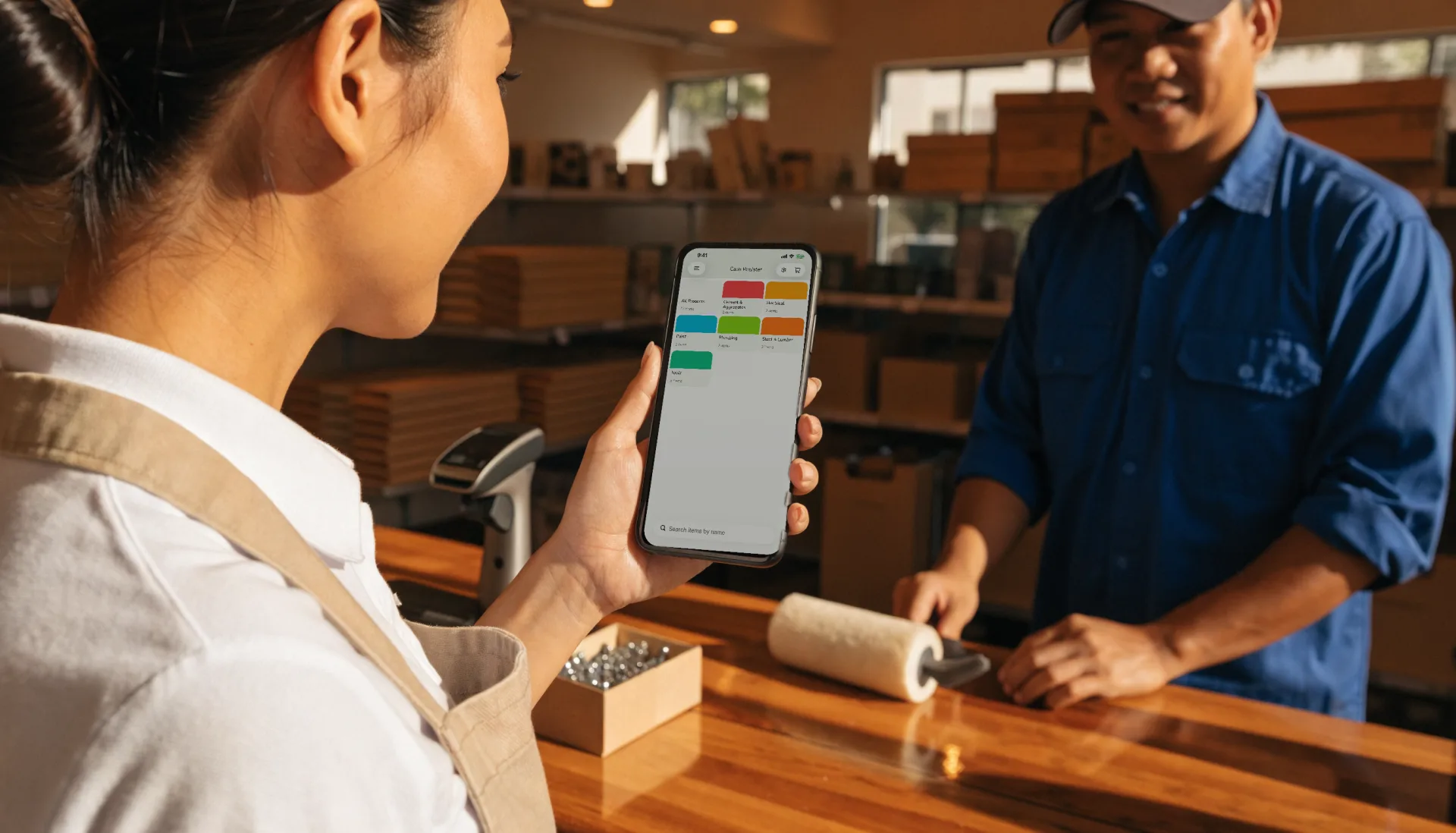
Scan and sell
Scan the barcode with the phone camera or a Bluetooth scanner, apply a discount if there is one, and the total is on screen.
- 3
Take payment
Cash into the drawer, or the customer scans your own e-wallet QR, or taps your own card terminal. Fuze records which one.
- 4
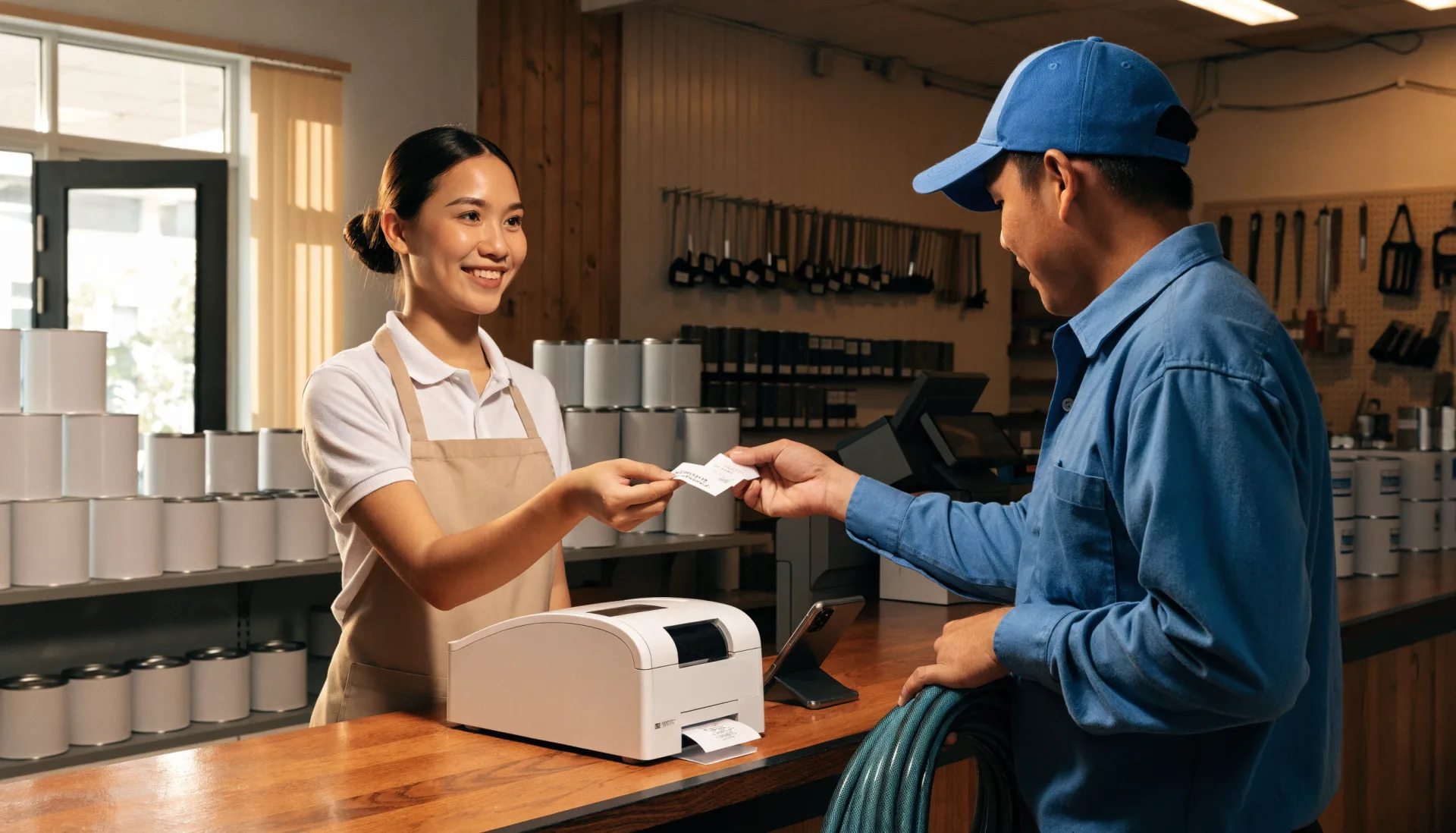
Print the receipt
A thermal receipt from a Bluetooth or USB printer, with the itemised sale and the VAT line the template set up.
- 5
Stock updates itself
The items sold come off the count. When one crosses its low-stock line, it shows up on the reorder list.
- 6
Read the day
Sales by item, category and hour, on your phone, before you have locked the door.
The Fuze moment
One sale. Everything connected.
One customer, three items, a scan each. That single sale updates everything the shop runs on.
The notebook records that money came in. The POS records what sold, to whom, and what to reorder — from the same tap.
Built for the way you work
The features that matter here
Barcode scanning
Scan with the phone camera or any Bluetooth or USB scanner for instant price lookup. Every product carries a SKU and a barcode.
- Camera or wedge scanner
- SKU search
- Import barcodes in bulk
Bulk import
Bring your existing product list in from CSV or Excel — names, prices, SKUs, barcodes, categories — instead of typing it.
Payments recorded, not processed
Cash, your own e-wallet QR, or your own card terminal. Fuze records the tender on the sale; the money goes straight to you.
Sales reports
Best sellers, sales by category and by hour, and per-staff sales, so you stock and staff from numbers.
Before and after
What changes when it is all in one place
| Task | Before Fuze | With Fuze Store |
|---|---|---|
| Checking a price | Before FuzeAsk the owner or dig for the tag | With Fuze StoreScan it |
| Knowing what is in stock | Before FuzeWalk to the shelf | With Fuze StoreA stock count on your phone |
| Reordering | Before FuzeA list from memory | With Fuze StoreA low-stock list and a purchase order |
| Regulars | Before FuzeA face you recognise | With Fuze StoreA profile with points and history |
| Closing | Before FuzeCount the drawer and guess | With Fuze StoreClose against the expected total |
| New stock | Before FuzeHand-written price tags | With Fuze StorePrinted barcode labels |
The owner’s view
Finally see what is happening in your business
Tindahan ni Aling Nena — Demo Store
Illustrative dataToday's sales
₱24,860
as of 6:40 PM
Transactions
213
busiest 11 AM – 1 PM
Items low on stock
7
reorder list ready
Top category
Beverages
31% of sales
Top sellers today
- Bottled water 500ml96
- Instant noodles75
- Prepaid load61
- Canned sardines45
- Shampoo sachet37
What changes
Water and load carry the lunch hour; sardines are two days from running out — the purchase order is one tap.
Numbers shown are demo data for illustration, not a real store.
Start small, grow
Fuze grows with the business
- 1
Start simple
One store, the phone you own, your product list imported, and a receipt printer when you want one.
- Catalog with barcodes
- Pay-first counter register
- Thermal receipts
- Daily sales dashboard
- 2
Get organised
Turn a counter into a run shop: stock that counts itself, a drawer that reconciles, and regulars who come back.
- Stock counts and low-stock alerts
- Cashier sessions
- Loyalty and gift cards
- Barcode labels
- 3
Grow
A second branch, staff with roles, stock moving between stores, and the reports to compare them.
- Multiple branches under one organization
- Staff roles and manager approvals
- Stock transfers between branches
- Reports across stores
Setup
What Fuze Sets Up For You
Pick Retail Store when you create your store.
Pick one of the 7 business models above during setup and Fuze presets the rest.
Also covers Hardware Store, Vape Shop, Cellphone Store, Motorcycle Parts.
Frequently Asked Questions
Run your shop from the shelf to the drawer.
Fuze Store is free during Early Release — no credit card required.
More industries