

Export Overview
Applies toStarter plan and upNeeds Store Settings · Export; Store Settings · ImportUsually owner, manager
Use Export to download a spreadsheet of a record type, for a backup, for editing offline, or as a sample for Import.
Before you start
- A paid plan (Starter or up).
- The Store Settings · Export permission.
Steps
1
Open Export
Open the app drawer, go to Configurations, and under Data Management tap Export.

2
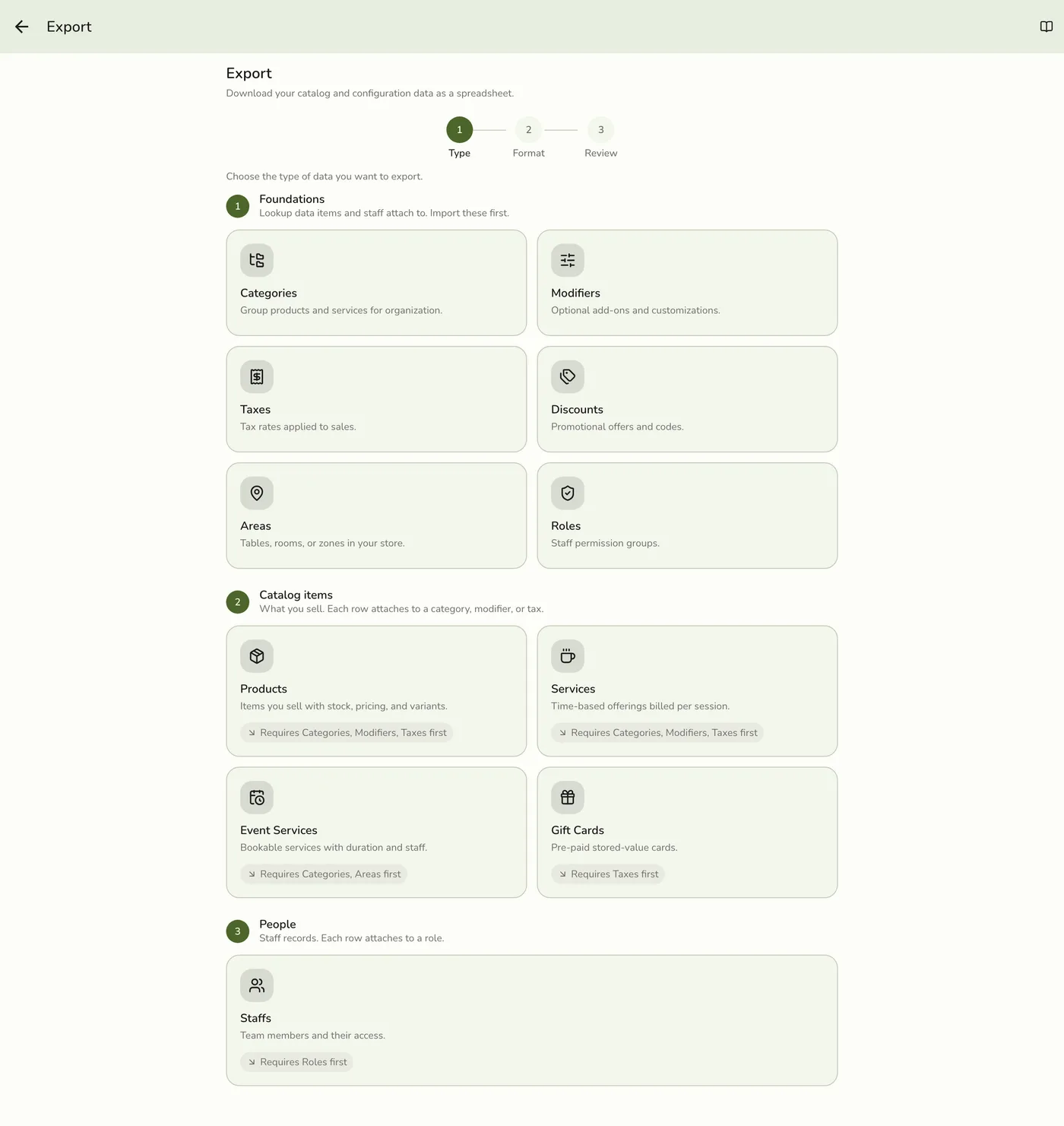
Pick a type
Pick one of the record types. Types locked by your plan or an add-on show dimmed.
3
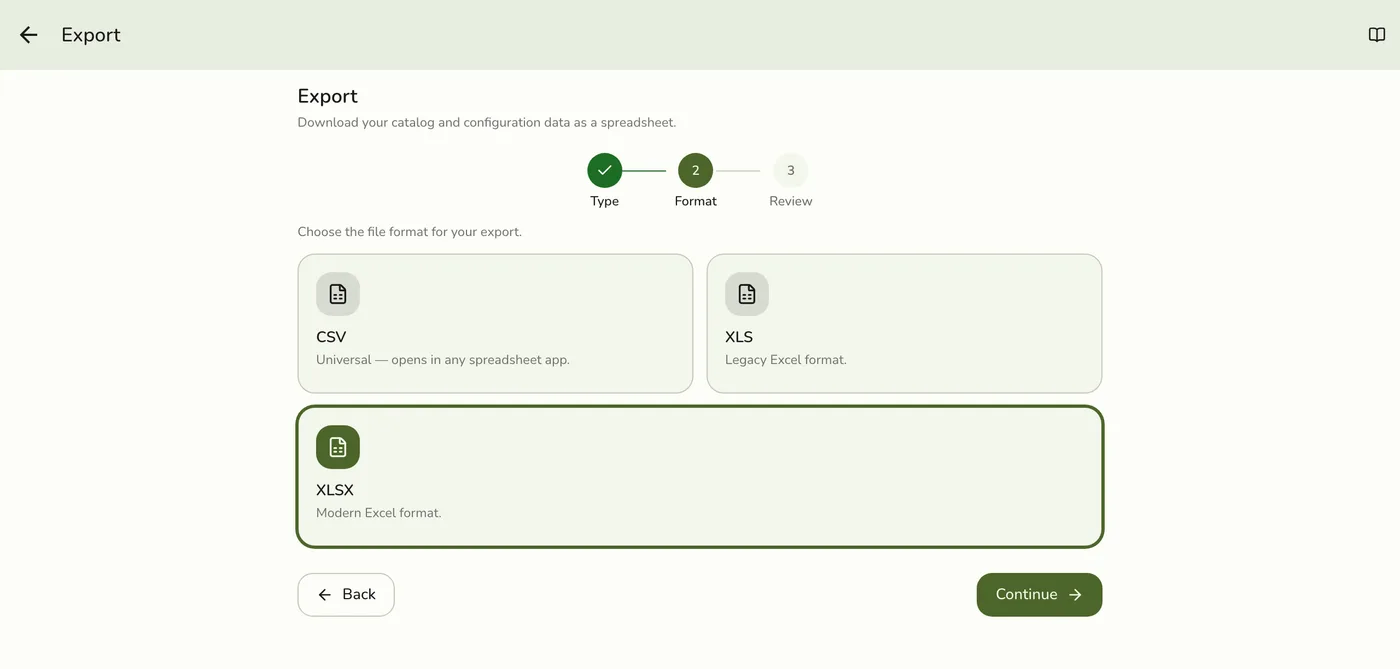
Pick a format
Choose CSV, XLS, or XLSX.
4
Review and download
Confirm, then download. The file is named after your store and the kind.
The Export review step with a Download button — screenshot coming soon
What happens next
- The file holds every record of that kind in the import layout, so it can be edited and imported straight back. An export is also what Download template hands you on the Import screen.
- Exportable kinds: Categories, Products, Services (on their own card), Event services, Modifiers, Taxes, Discounts, Areas, Roles, Gift cards, and Staff.
Edge cases
- Not available: Customers, orders, and bookings. Report files are separate: see Exporting Reports. There is no separate Product Stocks export.
- Gift cards include codes and balances, so treat the file as private.
- Roles leave out the Super Admin role.
- Two permissions. Export needs Store Settings · Export. Download template on the Import screen needs the export permission too.
Works with
| Add-on or plan | What changes on this page |
|---|---|
| Basic plan | Export is locked. |
| Starter and up | Export is available. |
| Roles & Permissions and Gift Cards add-ons | Their cards stay dimmed without the add-on. |
| Plan with Events Advanced (Lite and up) | Unlocks Event services. |